

UGREEN is shaking up the world of network storage with its new NASync series. The DXP4800 GT is their flagship four-bay model designed to take on big names like Synology and QNAP. It brings serious hardware specs that creators and data hoarders will really love. This unit offers a lot of power for people who want to own their data without paying for cloud subscriptions.
Design
The UGREEN DXP4800 GT looks great with its mix of black and grey tones. It features a sturdy metal chassis that feels built to last for many years. You will notice gold accents on the front that help it stand out from other models in this series. The four bay drives are clearly marked and come with locks to keep them secure during operation.
Each bay has a tool-less design to remove and mount each SATA drive. Once you pull them from the slot, you have an easy-to-use drive caddy with a sliding mechanism and four faux screws to secure the hard drive in place. Then, you just slide the entire thing back into the UGREEN until it clicks into place.


You get a lot of useful ports right on the front panel for easy access. There is a full-sized SD card reader for photographers and a USB C port that supports fast transfers. You also find a fast USB A port for connecting extra storage devices. Around the back, you will see a magnetic dust filter that is effortless to remove and clean.


UGREEN is shaking up the world of network storage with its new NASync series, offering serious hardware specs that creators and data hoarders will love. The DXP4800 GT packs a powerful AMD Ryzen processor and dual 10GbE ports, delivering speeds that far surpass competing brands. Combined with the user-friendly UGOS Pro software, it provides a reliable and fast personal cloud that makes self-hosting your data effortless.
Setup
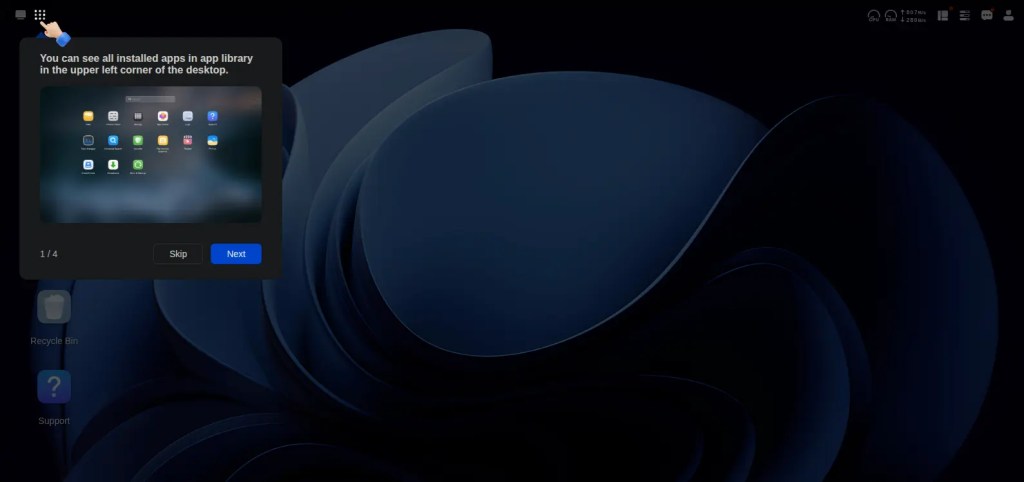
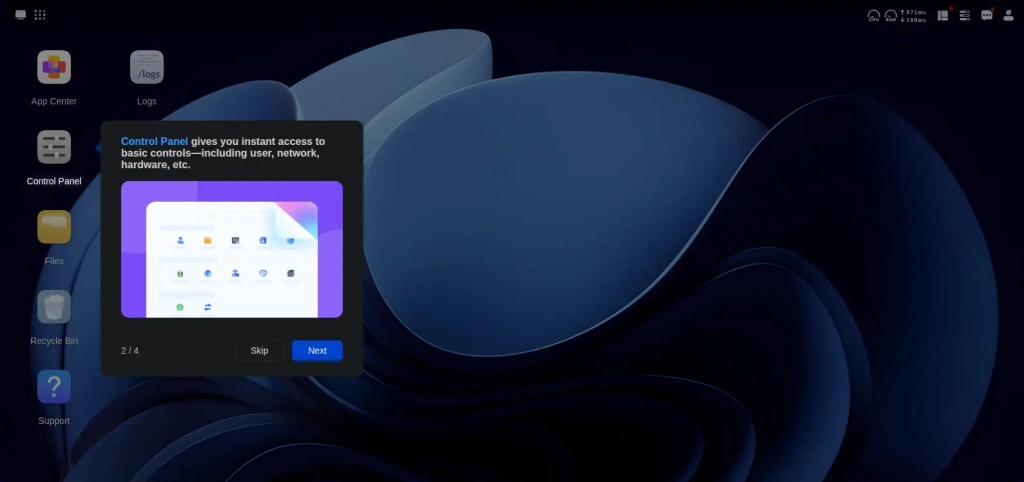
It only took me a few minutes to get all four drives installed and ready to go. Once you power it on, the UGREEN app finds the device on your network and starts a helpful guide. Much like Synology, I found it fairly simple to look up the UGREEN IP address on my router and find the online wizard. A novice might trip up on this, but I think if you’re to the point of self-hosting a NAS, this is understood.
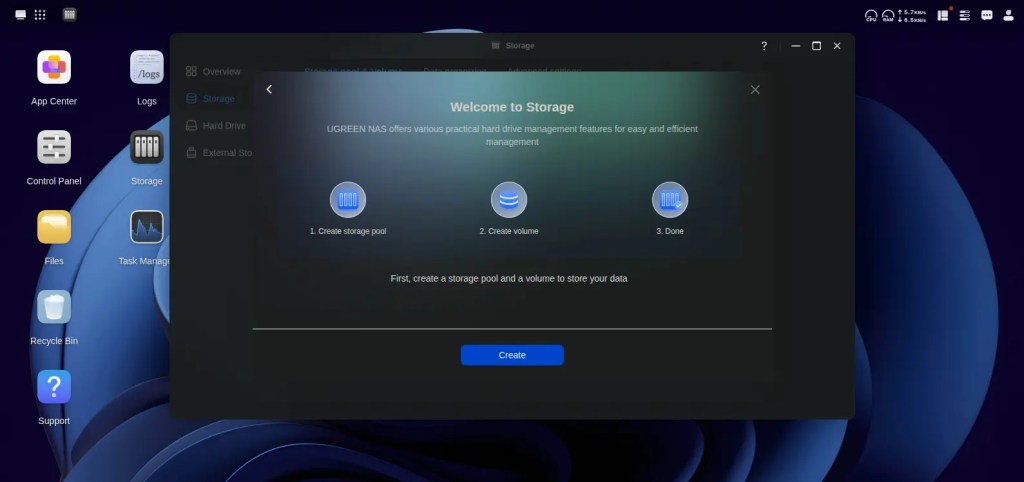
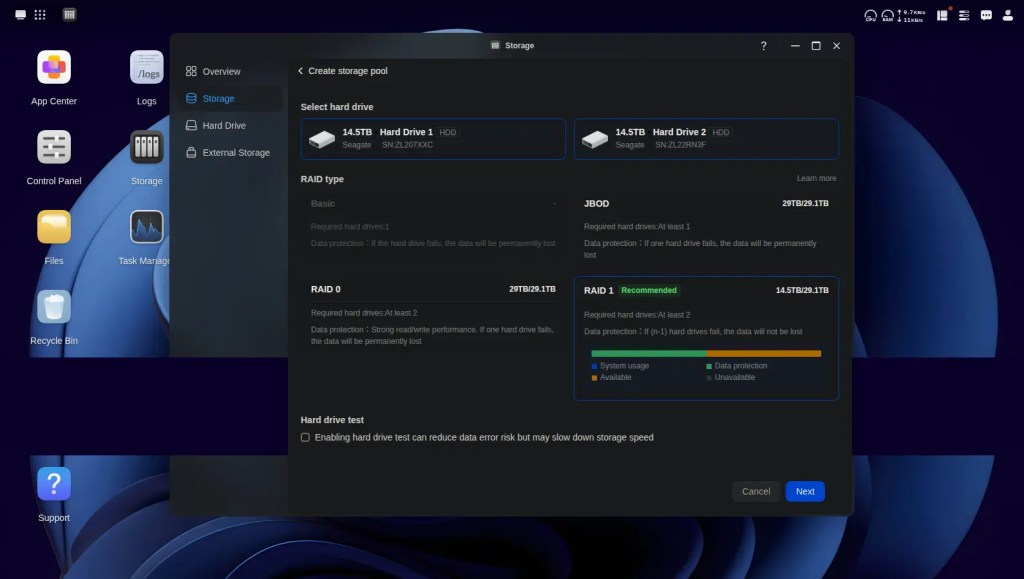
The UGOS Pro software makes the rest of the process simple for beginners. It walks you through creating your account and choosing a RAID mode like RAID 5 for safety. You can even add M.2 NVMe drives under a plate on the bottom for faster caching speeds. Getting a working array takes very little effort even if you have never used a NAS before.
I’d say the account setup and building my new 16TB RAID took less than ten minutes in total. UGREEN has nailed the initial process and onboarding. This competes with anyone else in the space for speed and efficiency.
Software and Security
The UGOS Pro interface is modern and straightforward to navigate for any user level. It runs from a dedicated 64GB flash drive so your operating system stays separate from your storage data. This design choice means system updates will not interrupt your file access or cause issues with your storage pool. The desktop and mobile apps work together smoothly to give you full control over your files from anywhere.
UGREEN is really taking the fight to the big names like Synology and QNAP with this release. While many rival systems still use slower network ports, the DXP4800 GT comes with dual 10GbE ports as standard. This hardware choice gives you speeds that far surpass what most other brands offer at this price point. You also get a powerful Ryzen processor that handles tasks better than the cheaper chips found in many competing models.
The software experience is built to be much easier for first time users than the older systems from competitors. It offers a clean desktop feel that gets you up and running without needing to be a tech expert. One of the best things is that UGREEN does not force you to buy their own expensive hard drives. This avoids the frustrating vendor lock in that some brands have started to push on their customers.
Security is a major focus here with several ways to keep your information safe. The system supports various RAID configurations that protect you if a hard drive happens to fail. You also get a solid two year warranty, which is twice as long as what most other manufacturers provide. This indicates that UGREEN is serious about winning over fans by offering better protection for your investment.
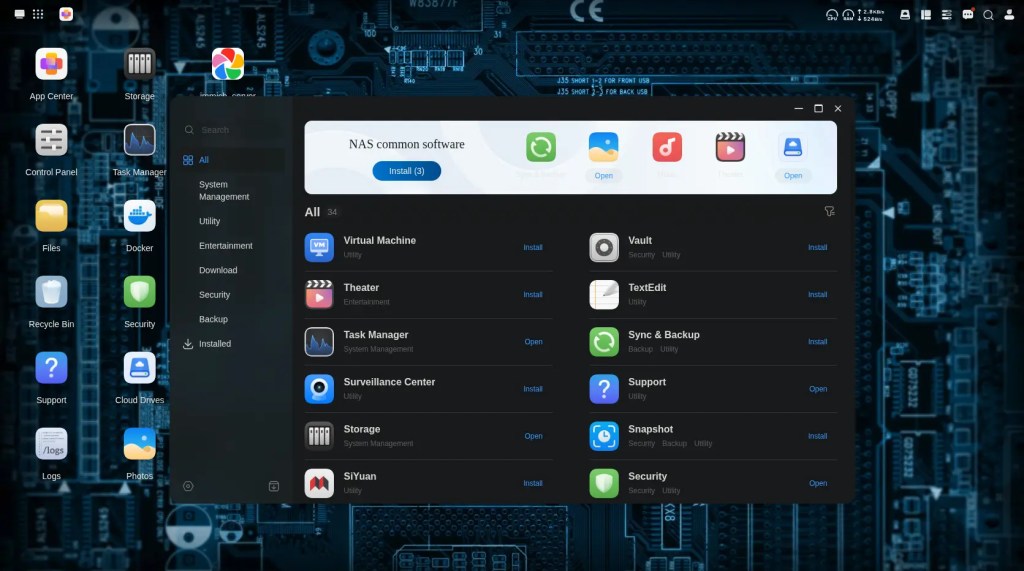
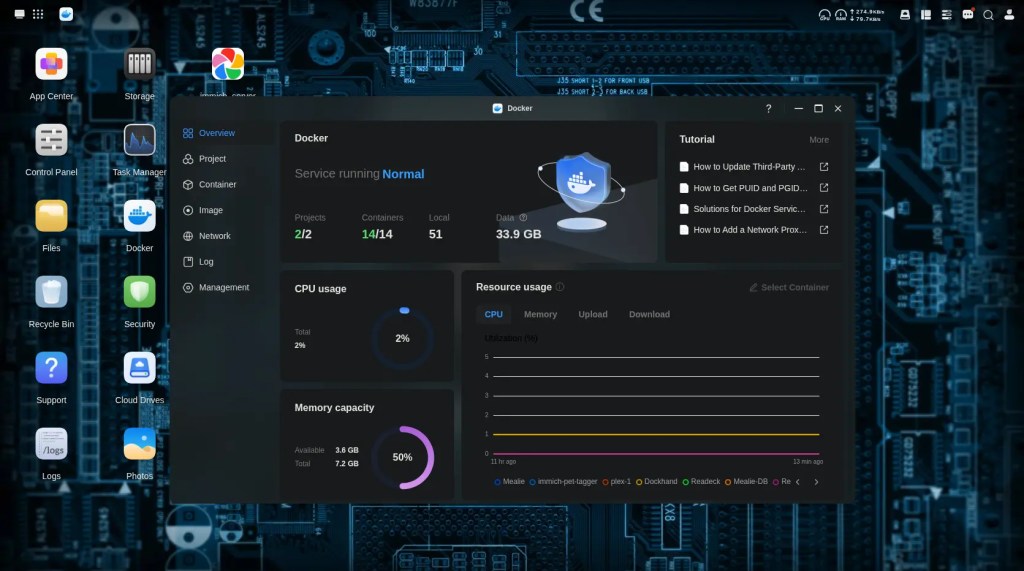
The application store is growing and offers powerful tools like Docker and Portainer support. This allows you to run popular third party apps such as Plex or Jellyfin to manage your media library. There is also a dedicated Photos app that uses AI to recognize people and pets in your pictures. If you have IP cameras, you can use the Surveillance Center to manage your home security system.
There are a few things I’d like to see UGREEN actively close the gap between UGREEN OS and Synology’s DSM software. The first that jumps to mind is there are no office collaboration tools like Docs, Sheets, Calendar, and Slides. The other big one is native reverse proxy in the login settings. This allows you to create an HTTPS tunnel with a custom domain to link to apps and Docker containers without opening a router port. It’s a great tool to access your self-hosted services with a custom URL and minimal security risks.
Performance
This machine is a real powerhouse thanks to the AMD Ryzen processor hidden inside. It handles multiple tasks at once without any slowing down or lag. You can run heavy apps or even a local AI model if you want to experiment with your data. The dual 10 Gigabit Ethernet ports are the star here because they allow for incredibly fast network speeds.
If you are a video creator, you will love how this performs on a fast network. It allows for smooth 4K editing directly off the server as if it were a local drive. The integrated GPU also helps with hardware transcoding for your movie collection. It can stream high resolution content to multiple devices at once without any issues.
Power and Efficiency
Since this is a desktop NAS, it does not have a built-in battery for mobile use. It relies on a standard power brick that uses a common dogbone-style connector. This setup is great because you can easily swap the cable for a longer one if your outlet is far away. The device is designed to stay on all day and night to serve your files whenever you need them.

Awarded to products with an average rating of 3.75 stars or higher, the AndroidGuys Smart Pick recognizes a balance of quality, performance, and value.
Products with this distinction deserve to be on your short list of purchase candidates.
The AMD chip uses a modern process, which helps keep things efficient during long runs. You will find that the cooling system is very effective at keeping temperatures down under heavy load. It runs quietly compared to many other systems even when the hard disks are spinning up. This makes it a perfect fit for a home office or a quiet workspace.
Final Thoughts
UGREEN did a great job with their first real push into the enthusiast NAS market. The DXP4800 GT offers high end hardware at a price that beats many older competitors. It is a smart choice for anyone who needs fast storage and total control over their data without paying monthly fees.
While the starting RAM is a bit low you can easily upgrade it yourself later. The dual 10GbE ports and the strong AMD chip make this unit future proof for years to come. If you want a reliable and fast personal cloud this is the one to get.
The Review
UGREEN DXP4800 GT NAS
PROS
- Simple and easy software
- Dual 10GbE ports for speed
- RAM that is not soldered
- Solid and premium metal build
- Two year warranty for peace of mind
CONS
- Only 8GB of RAM included
- No support for hybrid RAID
- AI features are currently limited
Review Breakdown
-
Design
-
Features
-
Setup
-
Performance
-
Warranty
-
Value


