
In today’s digital age, organizations generate a vast amount of paperwork. Managing this ever-growing document trail can be a complicated and time-consuming process. Traditional document management practices, often reliant on physical documents and manual workflows, create significant challenges for businesses. Here, eSign APIs emerge as a game-changer, transforming the way organizations handle agreements, contracts, and other critical documents.
Challenges Faced in Traditional Document Management
- Inefficiency and Delays: Paper-based processes with manual routing, printing, scanning, and physical signatures lead to delays and bottlenecks.
- Security Concerns: Physical documents are susceptible to loss, damage, and unauthorized access, raising security risks and potential compliance issues.
- Version Control Issues: Tracking document revisions and ensuring the latest version is used can be difficult with physical copies.
- Limited Accessibility: Accessing documents often requires physical presence in an office, hindering remote work and collaboration.
- High Costs: Printing, scanning, and document storage incur significant costs over time.
Streamlining Document Management with eSign APIs
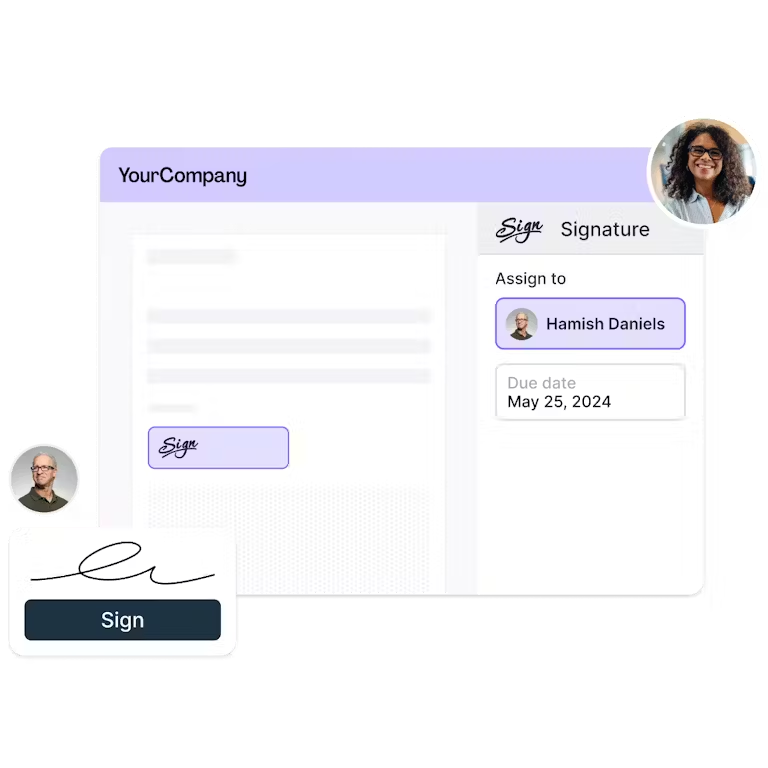
eSign APIs provide a secure and efficient way to digitally sign and manage documents electronically. They act as a bridge between a digital signature platform (like Lumin Sign) and your existing business applications, such as CRM or ERP systems. Here’s how eSign APIs streamline document management:
- Automated Workflows: eSign APIs enable the automation of document signing processes. Documents can be automatically routed for signatures based on pre-defined workflows, eliminating manual steps and delays.
- Enhanced Security: Digital signatures offer a higher level of security compared to traditional paper-based methods. eSign APIs ensure document integrity with tamper-proof signatures and robust audit trails.
- Improved Version Control: With electronic documents, version control becomes effortless. You can easily track all revisions and ensure everyone is working on the latest version.
- Accessibility and Convenience: eSign APIs allow documents to be signed electronically from anywhere, anytime, and on any device. This enhances accessibility for remote workers and improves overall convenience.
- Reduced Costs: eSign APIs eliminate the need for printing, scanning, and physical document storage, leading to significant cost savings in the long run.
Benefits of eSign APIs in Document Management
A. Enhanced Efficiency and Productivity
- Automated Workflows: eSign APIs automate manual tasks like routing documents for signatures. This frees up valuable time for your team to focus on core business activities.
- Faster Approvals: Documents can be signed electronically in real-time, significantly speeding up approvals compared to traditional methods.
- Improved Collaboration: eSign APIs facilitate collaboration by allowing documents to be accessed and signed remotely, regardless of location.
B. Cost Reduction and Time Savings
- Reduced Printing and Scanning Costs: Eliminate the need for printing paper documents and scanning signed copies for storage.
- Lower Storage Costs: Digitized documents take up significantly less physical storage space compared to paper files.
- Faster Turnaround Times: Faster approvals and streamlined processes lead to quicker completion of business transactions.
C. Improved Accuracy
- Reduced Errors: Automated workflows minimize manual errors often associated with paper-based processes.
- Enhanced Audit Trails: eSign APIs provide detailed audit trails that track document access, edits, and signatures, ensuring a clear record of activity.
- Reduced Risk of Lost or Damaged Documents: Electronic documents are less prone to loss or damage compared to physical copies.
- Improved accuracy leads to a reduction in errors, enhanced compliance, and a more reliable document management system.
Implementation Strategies
Integrating an eSign API into your document management system requires a strategic approach. Here are some key steps to guide you:
A. Assessing Current Document Management Processes
- Identify Existing Workflows: Analyze how your team currently manages documents. This includes identifying pain points, bottlenecks, and manual steps.
- Volume and Type of Documents: Assess the volume and types of documents that require signatures regularly. This helps determine the features and scalability needed for your eSign API solution.
- Compliance Requirements: Understand any industry-specific regulations or security standards that apply to electronic signatures.
B. Selecting the Right eSign API Solution
- Security and Compliance: Ensure the eSign API provider offers robust security features and adheres to relevant compliance standards.
- Ease of Integration: Choose a solution with a well-documented API and strong developer tools. Lumin Sign offers a user-friendly API with clear documentation and code samples to simplify integration.
- Feature Set: Evaluate the features offered by the eSign API solution. Look for functionalities like multi-factor authentication, and audit trail capabilities. Lumin Sign provides a comprehensive feature set to cater to diverse business needs.
- Scalability and Pricing: Consider the scalability of the eSign API solution to accommodate future growth. Lumin Sign offers flexible pricing plans to suit different business needs and volumes.
- Customer Support: Opt for a solution that offers responsive and reliable customer support. Lumin Sign provides comprehensive documentation, tutorials, and dedicated support channels to assist throughout the integration process and beyond.
C. Integration Planning and Execution
- Develop an Integration Strategy: Define the specific workflow you want to automate through the eSign API. This includes identifying triggering events, recipient roles, and completion criteria.
- API Development & Testing: Work with your development team or leverage Lumin Sign’s API resources to integrate the eSign API with your chosen business application. Thoroughly test the integration to ensure a smooth signing experience.
- Security Considerations: Implement security best practices during integration. This includes secure data transmission, user authentication protocols, and access controls. Lumin Sign’s API adheres to industry-standard security protocols to ensure data integrity.
D. User Training and Adoption Strategies
- Develop User Training Materials: Create clear and concise training materials for your team on the new eSign workflow. Consider creating video tutorials, user guides, or conducting in-person training sessions.
- Communication and Change Management: Effectively communicate the benefits of eSign API integration to your team. Address any potential concerns or questions to facilitate a smooth transition and user adoption.
- Ongoing Support: Offer ongoing support to your team as they adapt to the new signing process. Lumin Sign provides resources and documentation to help users navigate the platform effectively.
Thinking about implementing eSign APIs in your organization?
By leveraging eSign API integration with Lumin Sign, you can eliminate the complexities associated with creating, inserting, and managing digital signatures in PDFs. This translates to a faster, more secure, and efficient document management system for your organization.
In conclusion, the transformative impact of eSign APIs on document management is undeniable. By implementing a secure and well-integrated eSign API solution like Lumin Sign, you can unlock a new era of efficient and secure document management, propelling your organization toward a paperless and digital future.
EDITOR NOTE: This is a promoted post and should not be considered an editorial endorsement


