The general public probably recognizes three names in the fitness wearable market: Garmin, Fitbit, and Apple. I’m here today to tell you about how an upstart has become the daily driver on my wrist. This includes step counting, food logging, and general fitness recording.
The devices are from AmazFit, but the real compelling feature is the companion Zepp Health app.
Consistent Metric Tracking
You can’t have a good fitness watch experience without reliable data. Thankfully, AmazFit has nailed this in my usage over the last six months. I’ve found the heart rate sensor and basic biometric logging of their devices to be on par with anything from Garmin, Coros, or Suunto.
Even more nuanced measurements like BioCharge have been consistent for me and add value. Taking the combined sleep, heart rate variability metric, and my excretion from the last 24 hours, the Zepp Health app gives me a combined score. The goal is to give you a numeric value on how you “should feel” at the start of your day.
AI-Used Well Food Logging
Another feature that I didn’t think I needed was food logging inside the Zepp app. I recently found out my total BMI is a little high for my height, weight, and age. The same is true of my slightly elevated blood pressure. A quick talk with my doctor led to altering my diet and workout routines to drop a few pounds to lower both issues.
Again, AmazFit and the Zepp Health app have a robust food journaling system that uses OpenAI. This allows you to quickly log meals with text, voice, or snapping a picture. The LLM then takes this data and estimates the nutritional metrics and calories. I’ve found this to be pretty accurate overall and a huge win to quickly log my food.
Not only does it log the dietary information, but it also takes out the calories you’ve burned. I need a small calorie deficit to reach my goals, but I also don’t want to burn too many and be unhealthy. Zepp knows how active you’ve been and adjusts your daily calorie meter accordingly to make sure you’re reaching your goal but still taking in what you need as well.
PAI is a Feature and Not a Gimmick
This might be the feature of the Zepp Health app I dismissed the most on first use, and now I can’t live without it. PAI stands for “personal activity intelligence,” and I get it; this sounds like some more AI-age gimmicks. But after using it, I think it’s one of the most motivating metrics you can find on any fitness platform.
Using just your heart rate data, PAI gives you a score. When you first get the watch, it slowly starts building this metric off your activities and heart rate. You’ll find it’s learning you and will often undershoot the score the first few weeks. If you have a very hard workout at the same time, it may shoot up significantly, but as it builds more data, it begins to “settle in” and find a more realistic value.
The research papers behind the PAI score indicate that people who have a weekly exertion rating of over 100 live an average of eight years longer than others. I still have my reservations on how true that is in a statistical study, but I have found the PAI has checked a box for motivating me to stay active on a weekly basis. Better yet, the study was founded using data from 39,000 participants and a data set that ranges over 20 years.
Since the PAI is based on a 7-day rolling scale, if you have too many days of inactivity, the score drops off on the 8th day each morning, and you’ll see your score plummet. After I consistently saw this in the 100s while being active on my new journey, it really shook me when I took a few “lazy days” and it dropped back to a score of 64 PAI.
Often, the fitness watch market leans too heavily into advanced metrics and acronyms that are overwhelming for the average person just trying to be active at the gym. That data is still here with AmazFit devices in the Zepp app, but something the PAI can be a game-changer. Keeping that simple algorithm is something anyone can learn and keep as their benchmark to healthier habits.
Multiple Devices are Aggregated if Needed
The other killer feature for me is the flexibility to use different devices, and they all feed back seamlessly to the Zepp app. I can bounce from wearing the Helio Ring, Helio Strap, or Balance 2 with ease, and my metrics sync to the Zepp app in aggregate.
This gives you the opportunity to truly specialize your fitness and health logging in a way that just doesn’t exist in other apps. Want to wear the Balance 2 (or other AmazFit watch) as your daily driver but don’t want to sleep in it? Cool, then you can tag team the watch with either the Helio Strap or Ring.
You can even wear the Helio Strap as a traditional heart rate monitor and pair it with most of the watches. Here you can find a more consistent reading using a chest or bicep strap with the Helio and push the heart rate metrics to the Balance 2, for instance. I’ve found this extremely useful while doing something like kettlebell workouts, where a wrist position isn’t ideal while the bells are crashing down on my wrist with certain movements.
The fact that you can cherry pick from each device to work specifically for different environments is fantastic. The Zepp app does a fluid job of “just knowing” which one you are using and adjusting the algorithms accordingly. This allows all the devices to sync back into metrics like calories, sleep, and even BioCharge.
One of the Most Well-Rounded Fitness Apps on the Market
The Zepp app is phenomenal and captures metrics that work for the layman or an advanced athlete. If you’re in the market for a new fitness tracker or smartwatch, I can’t recommend them enough. The device lineup offers price points for almost anyone, and the Zepp app is available for all of them to elevate your experience to new levels.
Hit the links below to check out the current AmazFit lineup. I don’t think any of them will disappoint. I’d link to the Helio Strap, but it seems to be sold out across the market.
It’s been a while since AI chatbots and agents started to poke their metal (or ethereal, for that matter) heads through the wholes of civilization. Khm, sorry if that’s too poetic, but that’s what it feels like to me sometimes. Contrary to popular belief, I think they are way too ‘underoptimized’ to threaten our job market in the coming decade. I know, the entry-level positions are already suffering, and I’ve felt that too. But we are still at a point where a cool metal head can still solve a lot of problems and not replay a ‘Skynet’ scenario and dispatch us with a clever algorithm.
In other words, a cool online video editor based on AI is fine, but it can go too far sometimes.
All that said, there’s an area of AI research that chills me in a very profound way and that’s AI Companions. Let me explain what I mean and then you can throw all the rotten tomatoes you want in my general direction.
AI Companions. Why? I mean, WHY??
First of all, let me specify. By AI companions, I mean the adult-oriented segment of software that combines the following:
conversational AI
role-play systems
parasocial relationship design
adult entertainment monetization
gamification psychology
What do they produce as a result? Personalized intimacy, emotional simulation, and fantasy interaction. Some names for general public education, because I believe in free will and freedom of choice: Replika, CharacterAI, AnimaAI, and the particularly disturbing DreamGF, created specifically for adult content.
These companies, as mentioned, monetize intimacy, or rather, try to simulate intimacy. And I personally, without a doubt, believe that this is the most evil route the whole AI industry could take. I’m not just saying that lightly, i have some psych background to go along with the claim, but you’ll have to stick around a bit longer for me to get there.
Main Question: Why?
Going back to the question of why. It would seem pretty obvious, right? If we take into account the ongoing proclivity of the younger generation to interact digitally vs. approaching each other in real life, it does make sense. According to commentary and sociological observations, many Gen Z-ers feel discomfort about asking someone out in real life, partly because flirting in person has become less common and there’s worry about doing it “wrong.” There are also some anecdotal figures shared online (that we can’t blindly trust) that claim up to 45% of men aged 18-25 report they’ve never asked someone out in person.
This is sad and a little alarming for a few reasons. For one, how do you ever read face expressions if you don’t see faces that often??? Text messages contain only a sliver of the info we would get if we saw someone in person and talked to them.
This situation has created some shyness we never asked for. A total inability to conduct ourselves in an ambiguous situation. But that’s just a side effect.
Convenience Is The Truth Killer
The core problem is the CONVENIENCE. Aaaaah, yes, the modern drug that plagues society these days. We know that consuming products of any illegal labour is wrong. Yes, but if it’s CONVENIENT, we wouldn’t even bother finding out (child labour or deliberate disregard of regulations in smartphone production? Nope, never heard of those).
Clideo — Video Editor? Heard of that one, but that’s not the matter of discussion at this point. Now let’s get back to relationships. Aaand let’s face the truth that doesn’t go down very well. Relationships are messy. They are a drag sometimes, they can be dangerous even, especially to women. They require compromise, time, work, effort, and everything else that makesgreat things worthwhile.
So what do we do? And by we, I mean companies that choose to feed off loneliness and despair… We create AI Companions! Software that answers to all your prayers, treats you like a king/queen, understands you, you know, really gets you (SPOILER ALERT! It doesn’t) and most horrifically, agrees with you on everything.
Danger of Agreeable AI
People are not built to do well in a bubble. We are social animals, we need competition, we need to bounce our ideas off something or someone to make sure we’re not being batshit crazy, which is a harder task than you think, our sanity is fleeting, according to psych specialists and my aunt Asther.
Now if you are lonely, gullible, and generally uninterested in being challenged, AI Companions may seem like a good idea at some point. STOP. Capture that feeling, and try to stop right here. They are NEVER a good idea, because all they can lead to is deeper loneliness, deeper delusion, weeker character and general uselessness.
I know you’re worth more than that. So if you are ever tempted to go that route, catch yourself in time, go take a shower, put on fresh clothes, call your friend/acquaintance/colleague, ask them out for a coffee, and have a human conversation. Reconnect with what’s real, warm, and there for you. Why? Because at the end of the day, AI will watch you unravel with the same unbothered smile as when asking “what do you want right now?” At some point, trust the feeling you have of what’s good for you and what’s not. And the difficult route of messy, and wonderful, will be immeasurably better than the mechanical calm of the always-unbothered, eager-to-please, and you’re-always-right world of AI companions.
As video content continues to dominate the digital space, with 82% of all consumer internet traffic projected to come from videos by 2032, companies are seeking innovative ways to streamline their production processes. Artificial Intelligence (AI) is emerging as a transformative tool in this landscape, offering solutions that enhance efficiency and creativity.
The integration of AI into video production services promises a faster, cost-effective, and more personalized content creation journey. In this article, we delve into the advantages and practical applications of AI technology in the realm of video production.
Harnessing AI for Streamlined Video Production Services
AI Video Production Services implementing AI in video production marks a significant shift from traditional methods, notably in terms of speed and resource allocation. AI-driven platforms can analyze vast amounts of data to suggest content trends, predict audience preferences, and even generate video scripts, cutting down the time usually required for pre-production tasks.
Moreover, AI tools like automated editing software are revolutionizing the way footage is processed. For instance, they can swiftly compile the best takes, apply color correction, and insert transitions, enabling editors to focus on the more nuanced aspects of storytelling.
For businesses, embracing AI video production services means evaluating available AI features such as scripting assistance, automated editing, and data analytics. By integrating these into their workflows, they can significantly reduce labor hours and elevate the creative process.
AI Video Production Services and Their Role in Content Creation
In the dynamic sphere of content creation, AI video production services facilitate the crafting of more engaging and targeted videos. Personalization is one of the key benefits, with AI’s ability to customize content based on user behavior and preferences.
Content creators can leverage AI for tasks like object and facial recognition to optimize videos for different demographics or even individual viewers. As a result, videos can have personalized ad insertions or scene variations that resonate more with specific audiences, potentially improving viewer retention and conversion rates.
The actionable guidance for using AI in content creation includes conducting thorough audience research to feed the AI systems with accurate data and specify the desired personalization parameters. This will ensure that the AI algorithms can generate highly personalized content that aligns with viewer interests.
Overcoming Challenges in Video Production with AI Technology
Video production can be fraught with challenges such as inconsistent quality, time-consuming editing processes, and the need for numerous reshoots. AI can alleviate these issues by providing consistency and precision through advanced algorithms that detect errors or areas for improvement.
AI tools are equipped with machine learning capabilities that allow them to improve over time, learning from each video produced to ensure fewer mistakes and enhanced quality. This continuous improvement mechanism means that the more content is created, the smarter the AI system becomes, thus reducing the frequency of rework and reshoots.
Manufacturing companies and other businesses seeking to integrate AI should assess the specific challenges in their video production pipeline and identify the AI tools that address these pain points. For instance, selecting AI services that offer automated quality control could be advantageous for ensuring consistent video quality.
Measuring the Impact of AI on Video Production Quality and Efficiency
Quantitatively measuring the impact of AI on video production services is critical to gauge its effectiveness. Metrics such as production time, cost savings, and the rate of content engagement pre- and post-AI implementation can provide concrete evidence of AI’s value.
Real estate marketing companies, for example, have reported reductions in video production time by up to 40% thanks to AI’s predictive analytics and automated editing, thereby accelerating property showcases to potential buyers. Audience engagement metrics have also been positively influenced by AI’s ability to tailor content to individual preferences.
To maximize the benefits of AI video production, it is advisable to establish clear KPIs (Key Performance Indicators) to monitor AI’s impact on both the quality and efficiency of video content. Regularly reviewing these KPIs can assist in fine-tuning AI systems to ensure continuous improvement in production workflows.
Ultimately, AI video production services are proving to be an indispensable asset in today’s content-rich environment. They offer tangible benefits like reduced production times, cost efficiency, and content that connects more deeply with viewers. As the technology evolves, it will likely become a standard tool in the video production industry, driving innovation and transforming the way we create and consume video content.
EDITOR NOTE: This is a promoted post and should not be considered an editorial endorsement
Electric scooters and bicycles have been drifting through the AndroidGuys office over the past couple of years, but until recently they were mostly the lightweight, stand-up commuter variety. You know, the kind designed for quick trips across a college campus or the last mile between a train station and the office.
Seated electric scooters occupy a slightly different category than the more common stand-up commuter models. They tend to emphasize stability, utility, and comfort rather than portability, and the Gyroor C1 Pro fits squarely into that philosophy. After spending time looking through its design and specifications, it is clear this scooter is built less like a lightweight last-mile gadget and more like a small personal transport vehicle designed for errands, short commutes, and neighborhood mobility.
Design
The frame of the Gyroor C1 Pro is constructed from a rigid metal chassis designed to support a relatively high payload while keeping the riding geometry stable. Unlike stand-up scooters where the rider’s mass sits high above the deck, the seated configuration places the rider’s weight lower and more centered along the scooter’s axis. That change in center of gravity improves stability at higher speeds and reduces the front-to-back sway that sometimes appears during braking or acceleration on traditional scooters.
Dimensionally, the C1 Pro is substantial. The deck measures 9.5 inches wide, giving riders plenty of room for foot placement, and the overall length of the scooter is about 44 inches. The body width comes in at roughly 9.8 inches across the main frame. It is not a compact machine, and that becomes especially clear when the scooter is folded for storage or when you’re putting it in the back of an SUV.
The Gyroor C1 Pro blends scooter agility with utility-bike practicality, making short trips and local errands genuinely convenient.
The handlebar stem folds down using a locking mechanism designed to keep the steering column secure during riding. Once collapsed, the scooter’s vertical profile drops to less than two feet, making it easier to fit into a trunk or storage space. Even folded, however, the C1 Pro remains fairly bulky compared to minimalist commuter scooters.
Weight is another important factor here. The scooter weighs just under 50 pounds but varies depending on configuration. That places it firmly in the heavier end of the electric scooter spectrum. While the folding design helps with storage, carrying the scooter up stairs or navigating tight transit stations would quickly become inconvenient. The weight largely comes from the reinforced frame, larger battery pack, suspension hardware, and the integrated seating system.
The handlebar layout reflects the scooter’s utility focus. The bars span roughly 19 inches wide and sit about 38 inches above the deck. That wider stance provides more leverage for steering, which becomes particularly useful when the “front” cargo basket is carrying extra weight.
The seat is adjustable using a telescoping post that allows riders to set the saddle height between roughly 25.6 and 29.5 inches. Gyroor says this accommodates riders from about four feet nine inches to just over six feet tall, which should cover most users comfortably.
The saddle itself is larger than expected, with thick foam padding designed to reduce pressure points during longer rides. Underneath the seat, mechanical coil springs add another layer of shock absorption. Riders who prefer standing can remove the seat entirely using quick-release hardware, converting the scooter into a more traditional stand-up configuration.
In terms of capacity, the frame supports a maximum payload of 265 pounds. That includes the rider as well as anything carried in the cargo baskets.
Motor Performance and Riding Modes
Powering the Gyroor C1 Pro is a rear-mounted brushless hub motor. The system is rated for 550 watts of continuous output with a peak power capability of 800 watts. That distinction between nominal and peak output matters in real-world riding.
Digging a bit deeper, the continuous 550-watt rating represents the level of power the motor can sustain without overheating. The 800-watt peak output comes into play during moments of higher demand, such as accelerating from a stop, climbing hills, or pushing against headwinds.
Gyroor rates the scooter for hills up to about 20 degrees, though actual performance will depend on rider weight and terrain. As with most electric scooters, sustained climbing will eventually trigger thermal limits that reduce motor output until the system cools.
Top speed is rated at approximately 18.6 miles per hour on flat ground. The scooter offers three riding modes that control power delivery and speed limits.
Eco mode caps speed around 12 mph and prioritizes battery efficiency.
Daily mode raises the limit to about 15 mph for balanced commuting.
Sport mode unlocks the full top speed of roughly 18.6 to 19 mph.
These modes noticeably change the scooter’s character. Sport mode delivers sharper throttle response and quicker acceleration, while Eco mode smooths the power curve to conserve battery and maintain traction on slippery surfaces.
One safety feature built into the system is a push-to-start mechanism. The motor will not engage from a complete stop until the rider manually kicks the scooter forward slightly. This prevents accidental throttle activation while standing beside the scooter or waiting at an intersection. That is to say, you need to take a step or two to activate the trottle.
Battery and Range
Energy for the scooter comes from a 36-volt lithium-ion battery pack rated at 10 amp-hours. That works out to roughly 360 watt-hours of total energy capacity.
The pack uses standard 18650 lithium cells, a format widely used in consumer electronics due to its balance of energy density and reliability. Compared to the earlier Gyroor C1 model, which used a smaller 7.5Ah battery, the C1 Pro’s larger capacity helps extend range and reduce how often riders need to recharge.
Gyroor estimates a maximum range of up to 25 miles per charge. As usual with manufacturer range estimates, that number assumes ideal conditions: a lightweight rider, flat terrain, minimal stops, and use of the lower-speed riding modes.
In real-world riding scenarios, range will vary depending on terrain, speed mode, rider weight, and cargo load. Frequent stops, hill climbs, and higher speeds will naturally reduce that figure.
Charging the battery takes roughly four to five hours using the included 42-volt charger. The charger uses a standard LED indicator that turns red while charging and switches to green once the battery is full.
The battery pack is protected by an integrated battery management system that monitors voltage levels, temperature, and electrical faults. This system helps prevent overcharging, deep discharge, and short circuits, all of which could damage the battery.
Suspension and Ride Comfort
One of the more notable aspects of the C1 Pro is its multi-layer suspension system. The scooter rides on 12-inch pneumatic tires, which are significantly larger than the solid tires often found on compact electric scooters.
Air-filled tires naturally absorb smaller vibrations from rough pavement, gravel, and uneven asphalt. Larger wheels also improve obstacle handling. A 12-inch tire rolls over potholes and cracks more smoothly than the smaller 8-inch or 10-inch wheels commonly seen on entry-level scooters.
In addition to the tires, the C1 Pro includes front and rear suspension springs that help absorb larger impacts such as curbs, bumps, and rough road transitions.
The final layer of comfort comes from the seat suspension. The springs beneath the saddle add another buffer between the rider and the road, which can make longer rides noticeably more comfortable compared to rigid scooters.
Combined, these three layers of shock absorption create a ride that is considerably smoother than most compact commuter scooters.
You’ll definitely feel the absorption and cushion the first times you step on and sit on the scooter. And as you get used to riding around, little curbs and seams in the sidewalk and roads are easily absorbed. Everything feels soft and comfortable from your butt all the way to the ground.
Braking and Safety Features
Stopping power on the C1 Pro comes from mechanical disc brakes mounted on both the front and rear wheels. Disc brakes offer strong braking performance and better heat management compared to drum brakes or electronic braking systems.
Each brake lever on the handlebars controls one wheel, allowing riders to modulate braking force as needed. The exposed disc rotors also help dissipate heat more effectively during repeated braking.
As with any mechanical braking system, occasional adjustment may be required as the brake pads wear down. Riders can tighten the cable tension at the calipers to maintain proper lever feel. This is very easy to do should you want to, or need to, do so.
Lighting is integrated into the scooter as well. A bright LED headlight mounted on the steering column helps illuminate the road ahead and improves visibility to other vehicles. This one sits just above the front wheel and can be adjusted for distance. A rear tail light provides additional visibility and functions as a brake light when the rider slows down. Worth noting, though, is that the rear brake light is only installed when you have the rear basket in place.
A mechanical bell mounted on the handlebars provides a simple but effective way to alert pedestrians.
Display and Controls
The control center of the scooter sits on a digital LCD display located between the handlebars but residing mainly on the right side. The screen shows basic ride data including current speed, battery level, riding mode, and total mileage.
The display uses backlighting to remain visible in bright outdoor conditions. Some firmware versions reportedly display speed in kilometers per hour rather than miles per hour, which may require a bit of mental conversion for riders accustomed to mph.
The scooter also includes a cruise control feature that activates automatically if the throttle is held steady for several seconds. Once engaged, the scooter maintains its speed until the rider taps the brake lever.
Cargo Capacity and Practical Use
What really sets the Gyroor C1 Pro apart from most electric scooters is its cargo capability.
The scooter includes two baskets: a large removable basket mounted on the front (or more like the middle of the unit) and a smaller one positioned above the rear wheel. The front basket measures roughly 19.6 inches long, 9.3 inches wide, and 10 inches tall.
That size allows it to carry groceries, bags, small packages, or even a backpack. Gyroor even suggests the basket could be used to transport small pets weighing under 40 pounds.
The rear basket adds extra storage capacity and can hold smaller items such as a helmet or additional bags.
Adding cargo to the front basket changes the scooter’s handling slightly by increasing the inertia of the steering column. This can actually stabilize the ride at higher speeds but requires a bit more effort when making tight turns.
Assembly and Setup
Like many scooters in this category, the C1 Pro ships partially assembled. Initial setup typically involves raising and locking the handlebar stem, aligning the handlebars, installing the seat post, and attaching the baskets.
Most of the necessary tools are included in the box, usually in the form of hex keys and basic wrenches.
Before riding, it is also important to check tire pressure. The 12-inch tires should be inflated to roughly 2.2 to 2.5 bar to ensure proper handling and prevent pinch flats.
Pricing and Market Position
The Gyroor C1 Pro sits in an interesting price segment for electric scooters. The scooter is often sold at promotional prices ranging from $460 to $950. At the upper end of that level it competes with mid-range commuter scooters while offering features that lean more toward utility mobility.
Compared with the standard Gyroor C1 model, the Pro version brings several upgrades including a more powerful motor, a larger battery, front and rear suspension, and additional cargo capacity.
For riders who simply want a short-distance commuter scooter, the base model may be sufficient. The C1 Pro, however, makes a stronger case for users who want something capable of handling errands, light cargo, or longer rides with greater comfort.
Warranty and Ownership Considerations
Gyroor provides a one-year warranty covering the scooter’s structural components and electronics against manufacturing defects.
The battery is covered for six months, which is fairly typical for lithium-ion powered mobility devices. Because battery longevity depends heavily on charging habits and storage conditions, manufacturers often provide shorter warranty periods for these components.
Like many electric scooters, the C1 Pro is not fully waterproof. Light splashes should not pose a problem, but riding through heavy rain or deep puddles could potentially expose internal electronics to moisture.
Awarded to products with an average rating of 3.75 stars or higher, the AndroidGuys Smart Pick recognizes a balance of quality, performance, and value.
Products with this distinction deserve to be on your short list of purchase candidates.
Final Thoughts
The Gyroor C1 Pro stands out by leaning into practicality rather than portability. Between the large pneumatic tires, dual suspension system, and integrated cargo baskets, it functions more like a compact personal transport vehicle than a typical electric scooter.
For riders looking for something comfortable, stable, and capable of carrying groceries or gear around town, the design makes a lot of sense. It is not the scooter someone buys to carry on public transit every day, but rather for neighborhood errands, short commutes, or recreational cruising. And thanks to the basket flexibility, optional foot rests, and soft adjustable seat, it offers a combination of comfort and utility that many smaller scooters simply cannot match.
Google used the Game Developers Conference (GDC) Festival of Gaming to outline several updates aimed at improving how players discover, purchase, and play games across the Google Play ecosystem. The changes focus on expanding paid game availability, improving cross-platform play between mobile and PC, and introducing new community and AI-assisted tools to help players get more from their favorite titles.
The announcements build on Google’s push to blend mobile and PC gaming experiences. The company says that more than 160 million gamers now use the You tab in Google Play every month to track their gaming activity, progress, and recommendations.
More Paid Games Coming to Google Play
Free-to-play titles remain a large part of the Google Play catalog, yet Google is now placing greater emphasis on premium games. The company confirmed that a growing number of paid indie titles will arrive on the platform in the coming months.
Upcoming releases include Moonlight Peaks, Sledding Game, and Low-Budget Repairs, all of which will be playable through Google Play Games across both mobile devices and Windows PCs. Progress will sync across platforms through a user’s Gamer Profile, allowing players to pick up where they left off regardless of device.
This cross-device continuity reflects Google’s broader effort to make Google Play Games function as a bridge between mobile gaming and traditional PC play.
A New PC Gaming Section and Game Trials
Google Play is introducing new ways to help players find games that fit their interests. A new PC section within the Play Store’s Games tab will act as a hub for titles optimized for Windows PCs. The section highlights games designed specifically for PC play within the Google Play Games environment.
Players can add upcoming titles to a wishlist and receive notifications when those games become available or go on sale.
Another feature arriving soon is Game Trials, which allow players to try the full version of select paid games at no cost for a limited time. If a player decides to purchase the game afterward, progress made during the trial carries over to the full version.
Game Trials will begin rolling out on mobile for select paid games first. Support for trials inside Google Play Games on PC is planned for a later stage.
“Buy Once, Play Anywhere” Pricing
Google is introducing a cross-platform purchasing model designed to simplify gaming across mobile and PC devices.
The new “Buy once, play anywhere” pricing model allows players to purchase a game a single time and access both the mobile and PC versions through Google Play. The feature launches with select titles, including entries in the Reigns series, OTTTD, and Dungeon Clawler.
The approach removes the need to purchase separate versions for different platforms, which has been a common friction point for players who move between devices.
Community Posts and AI Game Tips
Google is expanding its social and support tools inside Google Play to help players improve their skills and connect with other gamers.
Community Posts are now available in English for dozens of popular games. The feature creates a dedicated space within Google Play where players can ask questions, share strategies, and trade tips without leaving the app. Google says support for additional languages and more games will arrive over time.
The company is also expanding Play Games Sidekick, an in-game overlay introduced last year. Sidekick surfaces contextual information during gameplay, including AI-generated Game Tips designed to help players navigate difficult moments or understand game mechanics.
Beginning now, Sidekick can be used with select paid games downloaded from Google Play.
Expanding the Google Play Gaming Ecosystem
The updates reflect Google’s broader strategy to position Google Play as a unified gaming hub spanning phones, tablets, and Windows PCs. By combining cross-platform purchases, synchronized progress, and integrated community tools, the company aims to create a more cohesive gaming environment.
Google notes that these features represent early steps in a larger set of updates planned for 2026. Further improvements to the Google Play gaming experience are expected throughout the year.
Developers interested in the new features and tools can learn more through Google Play’s developer resources, which outline how the updates may help expand reach and engagement for games published on the platform.
Google is rolling out a major update to Google Maps, introducing new AI-driven features designed to make exploring places and navigating routes more conversational and visually intuitive. The update blends the company’s mapping data with its Gemini AI models, creating a new way for users to ask questions about the world around them and receive more contextual guidance during navigation.
Two key additions lead the update: Ask Maps, a conversational search experience inside Maps, and Immersive Navigation, a redesigned driving interface that aims to provide clearer guidance on the road.
Ask Maps Turns Search Into a Conversation
Ask Maps is a new feature built to answer complex, real-world questions directly within the Google Maps app. Instead of manually searching for places and combing through reviews, users can simply ask a question in natural language and receive tailored suggestions.
Questions can range from practical to highly specific. Someone might ask where they can quickly charge a phone without waiting for a café line, or whether a nearby public tennis court has lights available at night. Ask Maps responds with conversational answers paired with a visual map showing the relevant locations.
The feature pulls from Google Maps’ large pool of data, which includes information on more than 300 million places around the world. Results are influenced by contributions from a community of over 500 million users, whose reviews, photos, and updates help keep listings current.
Responses can be personalized as well. Google says the system may factor in places users have previously searched for or saved in Maps. A request for a dinner recommendation, for example, might surface restaurants aligned with a user’s dietary preferences or typical hangout areas.
Once a destination is chosen, Ask Maps can transition smoothly into action. Users can start directions, save a location to a list, share it with friends, or book reservations where available.
The Ask Maps experience is beginning to roll out now in the United States and India on Android and iOS, with a desktop version planned for the future.
Immersive Navigation Redesigns the Driving Experience
Google is pairing the conversational search upgrade with what it describes as its most substantial navigation overhaul in more than ten years. The feature, called Immersive Navigation, introduces new visuals and guidance tools meant to make driving directions easier to understand at a glance.
The updated navigation interface features a dynamic 3D view that reflects nearby buildings, terrain, and infrastructure. Maps can highlight lane markings, crosswalks, traffic lights, and stop signs along the route, giving drivers a clearer sense of how upcoming turns or merges will look in the real world.
Gemini models play a role here as well, analyzing imagery from Street View and aerial photos to better understand the layout of roads and surrounding landmarks.
The redesign aims to help drivers anticipate the next step before reaching it. Smart zoom levels widen the map view ahead of complex turns, and transparent buildings make it easier to see route paths through dense areas.
Voice directions are receiving adjustments too. Instructions are meant to sound more conversational and descriptive, similar to guidance from a passenger riding along. For example, directions might reference upcoming exits in sequence rather than relying strictly on numbered prompts.
Smarter Route Insights and Final-Destination Guidance
Alongside the visual changes, Google Maps will now provide clearer information about alternate routes and potential trade-offs. Drivers might see a slightly longer route that avoids congestion or a faster one that includes a toll.
Google says the system processes more than five million traffic updates every second worldwide. These updates draw from a combination of mapping data and user reports, including over 10 million daily contributions from drivers who flag incidents such as crashes, road closures, or construction.
Immersive Navigation adds new guidance for the final moments of a trip as well. Drivers can preview their destination area using Street View imagery before leaving, including suggestions for parking nearby. As they approach the destination, Maps highlights entrances and indicates the correct side of the street.
Rollout Across Devices and Vehicles
Immersive Navigation is beginning its rollout across the United States, with broader availability planned in the coming months. The feature will expand to supported Android and iOS devices, along with CarPlay, Android Auto, and vehicles that include Google built-in systems.
Ask Maps and Immersive Navigation mark a broader push by Google to integrate its Gemini AI models into everyday tools. Within Google Maps, that shift transforms the app from a traditional navigation utility into something closer to a conversational travel companion.
You know, it wasn’t that long ago that playing an online slot on your phone felt a bit like watching a flipbook. The graphics were clunky, the animations were choppy, and honestly, it just didn’t have that immersive pull that you’d get from sitting at a desktop. But the landscape has shifted dramatically. We’re now at a point where the smartphone in your pocket can outmuscle consoles from just a few years back. A smartphone equipped with superior technology certainly allows for an equally superior gaming experience; however, it’s also true that slots with flashing lights and realistic graphics, dedicated welcome bonuses, and the option of security features, such as biometric detection, make the user feel at ease. Speaking of bonuses, you can take advantage of the free spins offers at online casinos offered daily by Oddschecker, one of the most important comparison sites on the web. But the real magic is happening under the hood? That’s all about the screen and the silicon.
The visual leap: why your screen matters more than you think
We have to talk about what we’re actually looking at. For the longest time, mobile screens were just… there. They showed you the game, sure, but they didn’t really make it feel like anything. Today, specifications like refresh rate and pixel response are just as important as the game design itself. When you’re spinning reels on a modern slot, you’re not just matching symbols; you’re engaging with a piece of interactive entertainment that often features cinematic intros and intricate 3D animations.
If the display can’t keep up with the action, you get this annoying blurring effect, especially when those reels are whirring to a stop. It breaks the spell. That’s where the hardware steps in to save the day, making sure every spin looks crisp and intentional rather than a smeary mess.
Smooth moves: understanding the 144Hz advantage
So, let’s break down this refresh rate thing. If you’ve ever flipped through one of those notepads with a drawing on each page, the smoother the animation, the more drawings you have per second. That’s hertz (Hz) in a nutshell. A standard phone might run at 60Hz, which is fine for checking emails. But a device rocking a 144Hz display, like the recently announced redmagic 11 pro release , is refreshing the image 144 times every single second.
For online slots, this is a total game-changer. Modern slots are no longer static; instead, they feature cinematic animations with cascading reels, expanding wilds, and thematic flourishes that erupt across the screen. A high refresh rate display eliminates motion blur during the spin of the reels. That means when the symbols are tumbling down in a lightning-fast sequence, you can actually track them. It feels responsive, almost tactile, as if the glass itself is part of the mechanism. It’s the difference between watching a slot machine and feeling like you’re interacting with a physical piece of casino tech.
The engine room: how the Snapdragon 8 elite powers console-level play
Of course, a beautiful screen is useless if the computer running it is gasping for air. You need a processor that can feed those 144 frames per second without breaking a sweat. Enter the Snapdragon 8 Elite. This isn’t just an incremental upgrade; it’s a monster of a chip that’s redefining what we expect from mobile gaming .
We’re seeing next-generation slots that use ray tracing for realistic reflections and lighting; the new Qualcomm chips handle this load optimally. Think about that for a second. Ray tracing, a technology that simulates how light bounces off surfaces to create hyper-realistic environments, is now being rendered on your Android device. When a slot has a shiny, metallic background or glowing gemstones that catch the light, the Adreno GPU inside the Snapdragon 8 Elite is calculating those angles in real-time . This provides a level of depth and richness that was previously reserved for high-end PC games, making the entire casino app feel more premium and engaging.
Conclusion
At the end of the day, the convergence of high-octane processors like the Snapdragon 8 Elite and butter-smooth 144Hz displays is blurring the line between mobile gaming and traditional platforms. We’ve moved past the era of compromise, where playing on the go meant sacrificing quality. Now, the technology works in the background to make the experience feel effortless and immersive. Whether it’s the clarity of a spinning reel or the realistic shimmer of a digital jackpot, the hardware is finally doing justice to the software. It’s a pretty good time to be spinning on an Android device, honestly.
Editor Note: This content was published in collaboration with LR
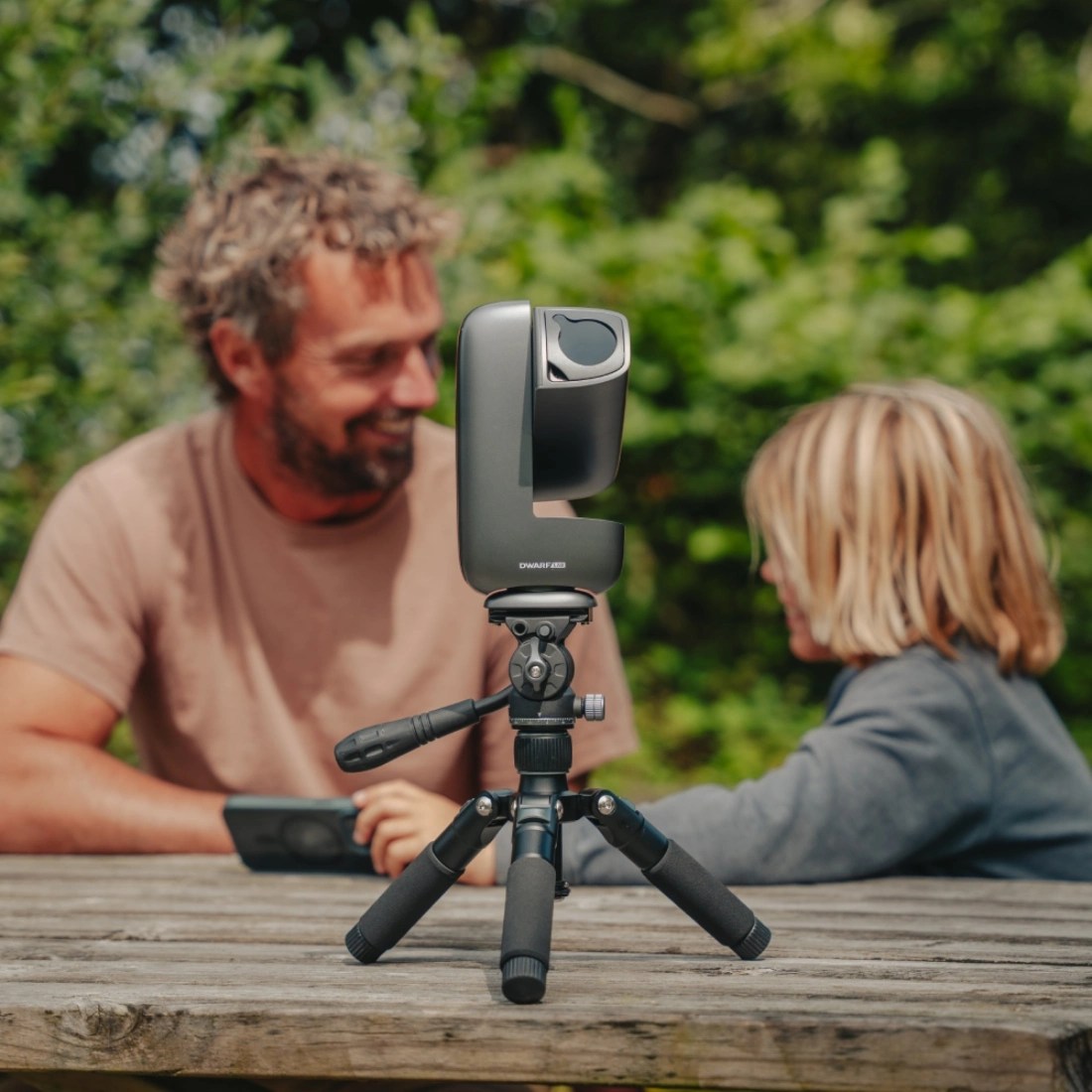
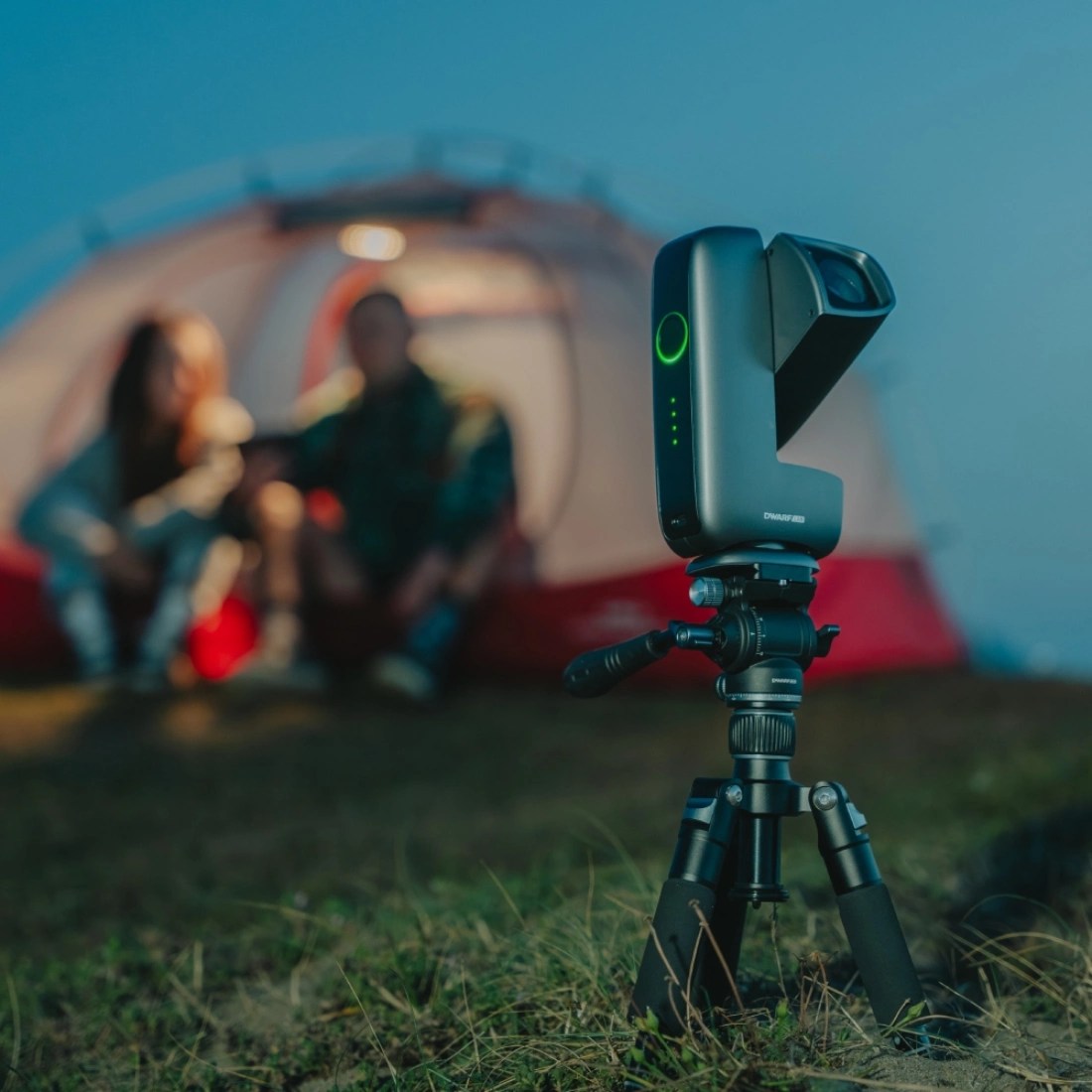
DWARFLAB, a leader in autonomous optical technology, has officially announced the global commercial release of the DWARF Mini. Engineered to bridge the gap between high-end astro-photography and extreme portability, the DWARF Mini enters the market as the most compact smart telescope in the company’s portfolio.
Redefining Portability in Astronomy
The DWARF Mini prioritizes mobility without compromising the technical requirements of deep-space imaging. Weighing just 820g (29oz), the unit is designed for rapid deployment, allowing users to transition from unboxing to celestial tracking in under three minutes.
At the core of the system is a 360-degree motorized mount controlled via a dedicated mobile application. This automation handles the complex task of locating and tracking stars, planets, and nebulae, making the hobby more accessible to beginners while serving as a highly capable secondary rig for seasoned astronomers.
Professional Imaging in a Compact Frame
Despite its diminutive scale, the hardware is built around a specialized Sony IMX662 (1/2.8-inch) sensor. This sensor utilizes 2.9 \mum pixels to maximize low-light sensitivity, producing 1080P high-definition imagery. The optical train features a 150 mm f/5 telephoto lens with a 30 mm aperture, balanced specifically to optimize light gathering within a pocket-sized chassis.
To combat the challenges of various shooting environments, the DWARF Mini integrates a triple-filter system:
Dark Frame Filter: Automatically reduces thermal noise.
Astro Filter: Enhances contrast for deep-sky nebulae.
Narrowband Filter: Specifically designed to suppress urban light pollution and lunar glare.
Word from the CEO
“Our mission has always been to simplify the complexities of the cosmos,” said Kai Huang, CEO of DWARFLAB. “With the DWARF Mini, we have packed professional-grade tracking and multi-spectral filtering into a form factor that fits in a backpack.”
According to Huang, the best telescope is “the one you can actually take with you, and the Mini ensures that whether you are on a balcony or a remote mountain trail, the universe is within reach.”
Extended Performance and Versatility
To support long-exposure photography, the Mini includes an equatorial mount mode that compensates for Earth’s rotation, allowing for stable exposures of up to 90 seconds. The unit is powered by a 7000 mAh battery, supporting up to four hours of continuous field use, and features 64 GB of onboard storage for high-resolution data capture.
Technical Specifications at a Glance
Feature
Specification
Weight
820 g (29 oz)
Sensor
Sony IMX662 (1/2.8 inch)
Resolution
1080P (2.9 µm pixels)
Optics
150 mm f/5 lens; 30 mm aperture
Storage
64 GB Internal
Battery Life
Up to 4 hours (7000 mAh)
Included Filters
Dark frame, Astro, Narrowband, and External Solar
Availability and Price
The device is currently available for purchase through the official DWARFLAB website at a retail price of $399 / £359, with availability on Amazon expected to follow shortly.
Alright, picture this: you’re headed out to see the family for a couple of weeks but still need to keep an eye on your kid. Only problem—shipping that baby monitor without it getting damaged. It’s not just the screen you have to worry about, but also those circuits inside. It’s essential that you know how to ship a monitor properly. Shipping a baby monitor might be a daunting task, especially if it is a baby camera monitor.
This guide will provide you the step-by-step directions on how to ship a monitor, including taking apart the device, covering the screen and packing for shock absorption. You will also learn about choosing the right box, figuring out how to insert the filler to the empty spaces and doing the double-box method for better security of your shipment.
1. Getting Started: Gathering Your Packing Materials
Don’t just go for it without a plan. Seriously, before you even learn how to ship a monitor, such as a video baby monitor, round up your packing stuff. Bubble wrap—lots of it—packing tape, soft protective material, and a strong box that won’t collapse.
If you run around looking for tape when you are halfway through packing, it will be a disaster. Having all your stuff in one place will make you go through the process like a pro. Plus, you won’t spend the whole time worrying if it’ll show up in pieces. It’s just less stress, and your monitor gets a fighting chance on its bumpy ride.
2. Disassembling the Monitor and Securing Loose Parts
Parting out removable parts and securing loose components is an essential step in figuring out how to ship a monitor safely. Take a monitor apart, and yeah, odds are way lower that you’ll get scratches or cracks when moving it around. Still—tiny parts like the stand, cables, or those weird little mounting things? Super easy to lose or snap if you’re not careful.
Follow these instructions to properly disassemble your monitor for packing safely:
First, remove the stand or base carefully and then wrap it in bubble wrap. A small stand can be easily damaged if it is left unprotected.
Next, pull out all the cables—power cords, HDMI, whatever you’ve got—and wrangle ‘em up with a twist tie or rubber band. No one wants to untangle spaghetti wires after a long move.
Got screws, brackets, or random tiny bits? Don’t just toss ‘em in the box and hope for the best. Grab a ziplock or any little baggie, dump them in, and slap a label on it.
In case you are packing a video baby monitor, first, take the camera unit out of its frame gently, then wrap it in soft padding to protect the lens and screen.
3. The Most Important Step: Protecting the Monitor Screen
Apart from learning effectively how to ship a monitor, the most important thing to do is to protect the monitor screen. The screen is the most delicate part of the device and can be easily scratched, cracked, or broken even with a small drop during the shipping. By taking good care at this stage, you ensure that the monitor remains in great condition and quite possible that you will avoid expensive repairs.
The following steps should be performed to protect the screen prior packing:
Place a soft cloth or microfiber towel over the screen so that there are no scratches.
Cover the screen with an appropriate amount of bubble wrap, making sure that it is stable and not being pressed.
If it is a video baby monitor that you want to pack, then the camera lens should be wrapped in foam or other soft padding so that it is kept safe from any kind of impact.
Secure the wrapped screen with tape or elastic bands, but avoid sticking anything directly to the screen surface.
4. Wrapping the Whole Monitor for Shock Absorption
If you want to know how to ship a monitor properly and not end up with a box of sad, shattered dreams, you have to go all-in on the padding. Grab some bubble wrap (the real, poppy kind—not those wimpy thin sheets) or a fat stack of foam, and wrap that device up like you’re tucking it in for a blizzard. Don’t do it with a little effort—get those corners, edges, everything. Tape it up tight so nothing slips loose and starts rattling around mid-journey.
Even a delicate video baby monitor can make it cross-country without a scratch if you do it right. The goal? Zero movement in the box. Treat it like you’re packing up the world’s most fragile pizza. A broken screen or damaged buttons are not what anyone would want. Seal it, shake it, and if there is no noise, then great—you really did it.
5. Finding the Right Box and Cushioning the Bottom
Selecting the right box and putting a cushion at the bottom is a major step towards mastering on how to ship a monitor without any damage. Don’t grab some flimsy leftover from your last online shopping splurge—actually pick one that’s tough enough to handle a few bumps. You want it just a bit bigger than your monitor, nothing massive, just enough to sneak some padding in on all sides.
Now, for the bottom—don’t skimp here. Toss in a solid layer of bubble wrap, foam, or even packing peanuts if that’s what you’ve got. If you’re packing a video baby monitor, go extra thick with the bottom cushion. Good padding means your gear shows up in one piece and you don’t have to stress about it getting wrecked on the way.
6. Placing the Monitor Inside the Box and Filling Empty Spaces
Placing the monitor in the box and filling empty spaces is an important step when preparing how to ship a monitor. Gently put the wrapped monitor on top of the bottom cushioning in the middle of the box. Fill all the empty spaces around the monitor with foam sheets, packing peanuts, or crumpled paper so that the monitor does not move.
Make sure the camera, screen, and controls are fully wrapped with padding so that the monitor does not move. Properly filling empty spaces gives parents confidence that even a fragile video baby camera will arrive in perfect condition.
7. A Quick Guide to the “Double-Box” Method
If you are looking for an effective method on how to ship a monitor safely, double-boxing would be the safest option for you. Not only does this method provide extra protection, but it also helps to minimize the chances of the baby monitor getting damaged by being thrown or hit during transport. In fact, double-boxing becomes a necessity in case you have bigger monitors or if the glass of the screen should be handled with extra care.
Here is a step-by-step guide to applying the double-box method:
First, after putting some soft material at the bottom of a sturdy box, place your fully covered monitor inside the box. Make sure the monitor is in the middle.
In the spaces between the monitor and the box, stick foam sheets, bubble wrap, or crumpled paper to secure the monitor so it does not move.
Close the box and then seal the edges of the box with packing tape.
Get a box which is a little bigger than the first one and put some soft material at the bottom.
Plop your first, now-sealed box right in the middle of the second box. Make sure there’s enough of a gap on all sides so you can wedge more padding in there.
Put packing peanuts, more bubble wrap, or even more crumpled paper—doesn’t matter, just fill it up.
8. Sealing the Box and Preparing for Its Journey
When the monitor is safely placed in its protective packaging, the last step in how to ship a monitor without any damage is to at least close the box and get it ready for shipment. Apart from closing the box with the strong packing tape, use the tape to cover the seams and edges of the box, which will be holding the box closed while being transported.
Moreover, it is very necessary to stick a label on the box with the complete address and all the information that the delivery personnel will require in order to handle your package with care. A monitor that has fragile display and controls, if sealed and labeled in the proper way, will certainly be safely delivered.
Conclusion
When it comes to transporting a baby monitor, it may seem complicated at the beginning. However, if you know the step by step instructions on how to ship a monitor, the whole process can be much easier. Grab your packing supplies, cover the monitor’s screen with some padding, then wrap the whole thing. Remember that your box choice actually matters—a flimsy Amazon box from two months ago won’t cut it.
Lastly, toss in some extra packing peanuts or whatever’s lying around to fill the gaps, and make sure nothing’s rattling in there.If you’re feeling paranoid, do the double-box method—a box within a box. That way, even if the delivery guy chucks it onto the porch, your fancy video baby monitor is still gonna work when it lands.
Nosh Robotics has introduced Nosh One, an innovative AI-driven robot that automates the entire cooking process for households. This device employs sophisticated robotics and adaptive algorithms to prepare professional-grade meals, eliminating the need for chopping, monitoring, or cooking skills. By integrating real-time learning from user habits, it delivers consistent, personalized results tailored to individual preferences.
Development and Core Technology
After seven years of collaboration among engineers, culinary experts, and scientists, Nosh One leverages machine vision, generative AI, and precision sensors. It manages all stages—from ingredient handling and cooking to serving and washing—using NoshOS, a custom AI platform trained on diverse recipes, techniques, and food science data. This enables dynamic adjustments for optimal flavor, texture, and nutrition.
“We are redefining kitchen automation with Nosh One,” stated Yatin Varachhia, Co-Founder and Head of Product at Nosh Robotics. “Previous gadgets demanded constant human input, but our robot independently masters the art of cooking. It senses, adapts, and perfects dishes like a seasoned chef in your home.”
Nosh One Specifications
Nosh One stands out with these advanced features:
Dimensions and Design: Compact countertop unit (18 x 12 x 16 inches, 35 lbs) with modular attachments for versatility.
Cooking Methods: Supports sautéing, steaming, braising, stir-frying, slow cooking, baking, and precise temperature control up to 500°F.
Capacity: Prepares meals for 2-6 people; 5-quart main chamber, dual storage modules for 10+ lbs of ingredients.
Sensors and AI: 12-sensor suite (vision, infrared, humidity, aroma) for real-time monitoring; learns preferences after 5-10 uses.
App Integration: iOS/Android app for recipe selection, natural language requests, nutrition tracking, and remote notifications.
Sustainability: Reusable cartridges reduce waste by 40%; energy-efficient (under 1 kWh per meal).
Recipe Library: 5,000+ global dishes with weekly AI-generated updates; custom recipe creation via voice/text.
Sudeep Gupta, co-founder of Nosh Robotics, added: “Our system grasps the nuances of food chemistry—from perfect caramelization to ideal reductions—setting a new benchmark beyond basic appliances.”
Practical Design for Everyday Use
Tailored for busy families, Nosh One fits standard counters and uses snap-in cartridges for fresh ingredients, minimizing waste and prep time. Users scan pantry items via the app for smart suggestions, while the robot handles execution hands-free. It excels in diverse cuisines, from stir-fries to stews, with built-in healthy cooking modes emphasizing whole foods.
Availability
Nosh One is available on Kickstarter, with deliveries starting summer 2026. Early buyers get free starter cartridges and exclusive chef recipes. Future expansions include add-on modules for baking or grilling.
Nosh One promises to make gourmet cooking accessible, blending cutting-edge tech with everyday convenience.