Weekends are when routines loosen up and gear gets a little more say in how things unfold. It’s when you notice which lights actually make your space feel inviting, which drinks keep you sharp without overdoing it, and which gadgets quietly earn a permanent spot in your bag or on your desk.
This Weekend Recommender roundup pulls together a mix of smart home upgrades, portable tech, and small indulgences that punch above their weight. We’ve had an opportunity to check out each of the following products and think they’re absolutely worth sharing.
None of these are impulse novelties. They’re the kinds of products that slide into everyday life and make it a bit more enjoyable, whether you’re dialing in your space, powering through a project, or unplugging once the work is done.
LIFX PAR38 Flood Light
If you’ve ever looked at your backyard, garage, or porch lighting and thought, “This could be doing more,” the LIFX PAR38 ($35) is your answer. It’s a high-output smart floodlight that blends brute brightness with the kind of color control normally reserved for indoor accent lighting. With up to 150-watt equivalent output and full RGB plus tunable white up to a crisp 9000K, it’s just as happy lighting a late-night grill session as it is bathing a wall in dramatic color.
No hub required here. It connects directly over Wi-Fi and plays nicely with Alexa, Google Assistant, and Apple HomeKit. Setup is straightforward, and once it’s in, the app gives you granular control over brightness, scenes, and scheduling. This is a great pick for homeowners who want functional outdoor lighting but still like to have a little fun with it. Once you’ve set the mood outside, it’s time to turn inward and fuel up.
Mocean Energy Drink
Mocean ($37 for 12-pack) lands in that sweet spot between “energy drink” and “hydration ritual.” It’s clean, lightly carbonated, and doesn’t hit you with the syrupy punch common in the category. The branding leans coastal and calm, but the formula is designed to keep you alert without the crash. Think caffeine with intention, not chaos.
What stands out is how drinkable it is. You can sip one during a long editing session or crack it open before a workout without feeling like you’re committing to a full stimulant event. The flavor profiles are restrained, refreshing, and easy to come back to, which matters if you’re trying to replace your second or third coffee of the day.
Mocean feels aimed at people who want energy support rather than a jolt. Remote workers, creatives, and anyone trying to stay sharp without overdoing it will appreciate the balance here. Properly caffeinated, you’re ready to play, which brings us to mobile gaming done right.
GameSir G8 Plus MFi Type-C Mobile Controller
Mobile gaming has outgrown touchscreen gymnastics, and the GameSir G8 Plus ($80) is proof. This is a serious, console-style controller built specifically for USB-C phones, with MFi support that makes it a natural fit for iPhone users dipping into Apple Arcade or cloud gaming services.
The design is ergonomic and expandable, securely gripping larger phones without feeling flimsy. Hall-effect analog sticks are the real headline here. They’re smooth, accurate, and resistant to drift, which is a big deal if you actually put hours into your games. Buttons are tactile, responsive, and spaced well enough for longer sessions without hand fatigue.
This controller is ideal for anyone who treats mobile gaming as more than a time-killer. Pair it with cloud streaming or native controller-friendly titles and suddenly your phone feels like a legitimate handheld console. When it’s time to step away from the screen, you’ll want something with a little more volume.
AGM MagROCK Bluetooth Speaker
The AGM MagROCK ($50) is built for people who are rougher on their gear than they’d like to admit. It’s rugged, weather-resistant, and designed to survive outdoor use without babying. The standout feature is the magnetic mounting system, which lets you stick it onto metal surfaces like grills, toolboxes, or gym racks with surprising confidence.
Sound quality leans punchy and clear, favoring volume and durability over audiophile nuance. That’s not a knock. This speaker is about convenience and resilience. Battery life is solid, Bluetooth pairing is quick, and the whole thing feels like it was meant to be tossed into a bag and forgotten until it’s needed.
It’s a great companion for backyard projects, camping trips, or garage workouts. And if you’re capturing ideas, notes, or content while you’re out and about, you may want something just as portable but a bit more focused.
BOYA Notra AI Voice Recorder
The BOYA Notra ($118) feels tailor-made for journalists, students, and creators who rely on voice notes but hate sorting through raw audio later. It’s a compact recorder that layers AI-powered transcription and organization on top of clean audio capture, turning spoken thoughts into searchable text with minimal friction.
Design-wise, it’s discreet and pocket-friendly, with one-button recording that makes it easy to capture ideas on the fly. The AI features are the real draw, helping turn interviews, meetings, or brainstorms into usable notes without hours of cleanup. For anyone juggling multiple projects, that time savings adds up fast.
If you spend your weekends recording, reviewing, and refining, the Notra fits neatly into that workflow. Once the work is done, though, it’s time to unwind, preferably with something that looks as good as it sounds.
Fender x Teufel ROCKSTER GO 2
The Fender x Teufel ROCKSTER GO 2 ($99) is what happens when classic rock aesthetics meet German audio engineering. It’s compact, portable, and wrapped in unmistakable Fender style, but the sound is surprisingly bold for its size. Strong mids, clean highs, and enough low-end presence to keep things lively make it a great all-rounder.
It’s also built for real-world use. Weather resistance, long battery life, and easy Bluetooth pairing make it a natural grab-and-go speaker. Whether it’s a park hang, a patio session, or background music while you cook, it delivers without demanding attention.
This one’s for people who care about design and sound in equal measure. It feels like a finishing touch rather than an afterthought, which is a fitting way to cap off this weekend’s lineup.
Since its debut some 13 years ago, the Moto G line has always been Motorola’s way of setting expectations for what a budget phone should feel like. Not flashy, not aspirational, but dependable and thoughtfully tuned for everyday use. The Moto G (2026) sticks closely to that playbook, even as competition in the sub two hundred dollar space grows sharper and less forgiving.
Let’s get it out of the way. This is not a phone that tries to outgun rivals on specs. You surely didn’t expect that out of the $200 device, did you? Instead, Motorola leans into comfort, endurance, and a sense of polish that feels intentional rather than accidental. That strategy mostly works, though a few compromises stand out more clearly than they did in previous generations.
Design and build: unexpectedly premium where it counts
The most immediate surprise with the Moto G (2026) is how it feels in hand. Motorola’s continued use of a vegan leather back is more than a cosmetic flourish. The soft, textured finish adds grip, resists fingerprints, and makes the phone feel secure without a case. It also avoids the cold, slippery sensation that plagues glossy plastic and glass-backed phones in this price range.
The Moto G (2026) succeeds by being honest about its priorities, even when those choices come with trade-offs.
The curved edges and gently integrated camera housing help the phone feel slimmer than its size suggests. While the frame itself is plastic, it is well finished and sturdy enough for daily use. This is one of those phones that feels designed to survive real life rather than live in a case from day one.
The front tells a more familiar budget story. Bezels are thick, especially along the bottom edge, and the LCD panel gives the phone a slightly dated look next to newer midrange devices. It is not offensive, but it does underline where Motorola chose to save money.
An IP52 rating provides light splash and dust resistance, which is better than nothing but well short of true peace of mind. This is a phone that can handle rain or a spill, not a drop into the sink or a plunge in the pool.
Display: Smooth Motion, Soft Details
Motorola made a clear choice with the display, and it will either resonate or frustrate depending on priorities. The 6.7-inch LCD panel runs at a 120hz refresh rate, which gives the interface a smooth, fluid feel. Scrolling, animations, and general navigation feel quick and responsive, even when the hardware underneath is modest.
The trade-off is resolution. At 720p, text and fine details lack the crispness expected in 2026, especially on a screen this large. Side by side with a full HD OLED panel, the difference is obvious. Colors are decent, brightness is adequate indoors, and outdoor visibility is serviceable, but this is not a display built for media enthusiasts.
Motorola is betting that fluidity matters more than sharpness for most buyers in this segment. That bet mostly holds for casual use, though it becomes harder to defend when competitors offer sharper panels at the same price.
And it’s here where I remember that reviewing a phone is hard to do in a vacuum. One cannot help but compare and contrast other devices, especially when you’re able to see and spend time with so many products. But, having said that, and donning my most subjective hat possible, I posit that 720 pixel resolution is more than acceptable for most people.
Performance: steady, predictable, and limited
The Moto G (2026) runs on familiar silicon, and it behaves exactly as expected. Everyday tasks like messaging, browsing, navigation, and streaming are handled without drama. The clean software experience helps mask hardware limits, and the high refresh rate adds a sense of responsiveness that benchmarks would not suggest.
Multitasking is where the constraints show. With 4GB of RAM, background apps are cleared aggressively. Jumping between multiple apps often triggers reloads, and heavier workflows quickly expose the phone’s ceiling. This is not a device for power users, and it does not pretend to be one.
Gaming is possible, but expectations need to be managed. Casual titles run well. Demanding games require low settings and still struggle to maintain consistent performance. The hardware is capable, but only within clearly defined boundaries. Heavier gamers are already looking elsewhere for their needs.
Storage, at 128GB with microSD expansion, is a bright spot. For users who store photos, music, or offline media locally, that flexibility still matters.
Motorola’s software approach remains one of its biggest assets. The interface stays close to stock Android, with just enough personality to feel considered rather than generic. Gesture shortcuts like the double chop flashlight and twist-to-open camera remain genuinely useful and are hard to give up once learned.
The out-of-box experience does require attention. Setup screens encourage optional app installs, and skipping carefully is the difference between a clean phone and one cluttered with third-party software. This is standard practice in the budget space, but it still detracts from an otherwise polished first impression.
Update support remains the biggest concern. Two platform updates and three years of security patches feel increasingly out of step with the market. Buyers who plan to keep a phone for several years should factor this in, especially when alternatives offer significantly longer support windows.
Then again, if you’re only spending $200 on a phone every two or three years, you probably don’t care that much about software. And it’s worth noting that the last few generations of Android have not been that revolutionary or packed with hot new features.
Cameras: Adequate Results, Limited Versatility
The main camera delivers predictable results. In good lighting, photos look pleasant and social-ready, with punchy colors and decent detail. Dynamic range can struggle in high-contrast scenes, and low-light performance is acceptable rather than impressive.
The secondary macro camera adds little real value. It exists more for spec sheet completeness than practical photography. The selfie camera is a noticeable improvement over previous generations, though image processing can be heavy-handed at times.
Video recording tops out at 1080p, which is fine for casual clips but unremarkable in a crowded field.
Battery Life: A Headline Feature
Battery life is where the Moto G (2026) earns its reputation. The large battery, paired with an efficient display and modest chipset, delivers consistently excellent endurance. Two full days of mixed use is realistic, and lighter users can push beyond that without stress. Not bad at all for a $200 phone.
Charging is reasonably quick with the right adapter, though the absence of a charger in the box complicates the value equation. Users without a compatible charger will need to factor in an additional purchase.
Wireless charging is absent, which aligns with the rest of the segment but still feels like a step backward compared to older Moto G models.
Connectivity and Extras: Practical, Not Flashy
The essentials are all here. Reliable sub-6GHz 5G, NFC for payments, stereo speakers that get loud enough for casual use, and a headphone jack that remains genuinely useful. Audio quality is fine rather than rich, but the flexibility matters.
Wi-Fi performance is solid for most households, even if newer standards are not supported.
The Final Take
The Moto G (2026) succeeds by being very clear about what it is and what it is not. It is not chasing spec-sheet bragging rights, and it is not trying to future-proof itself for half a decade. Instead, it focuses on the parts of the experience people actually touch every day: how the phone feels in hand, how long it lasts on a charge, and how smoothly it moves through the basics.
That focus gives the Moto G (2026) a distinct personality in a crowded budget field. The vegan leather back is not just a visual upgrade, it changes how the phone is used. The battery life is not merely good, it is genuinely freeing. The clean software and high refresh rate make the phone feel responsive even when the hardware underneath is modest.
Awarded to products with an average rating of 3.75 stars or higher, the AndroidGuys Smart Pick recognizes a balance of quality, performance, and value.
Products with this distinction deserve to be on your short list of purchase candidates.
At the same time, Motorola’s compromises are impossible to ignore. A 720p display on a large screen feels dated in 2026, and the limited software update promise puts a clear expiration date on the experience. This is a phone meant to be used confidently today, not stretched as far into the future as possible.
For buyers who want a comfortable, dependable Android phone that prioritizes battery life, grip, and day-to-day smoothness, the Moto G (2026) remains easy to recommend. For those who value display sharpness, camera versatility, or long-term software support, competing options offer a better return over time.
The Moto G (2026) does not redefine the budget category, but it reinforces why the Moto G name still matters. It delivers a thoughtful, livable experience built around real habits rather than aspirational specs, and for the right audience, that balance still works.
Cleer Audio has been steadily refining its take on open-ear audio, and the Arc 3 Sport Pro and Arc 3 Gaming are two of the newest additions to the company’s growing lineup. They arrive with a shared goal and a clear message: open-ear earbuds don’t have to be a compromise. Instead of isolating you from the world, these models are designed to keep you aware of your surroundings while still delivering the kind of sound, comfort, and feature depth that serious users expect. Where they differ is in who they’re built for.
At a glance, the Arc 3 Sport Pro and Arc 3 Gaming look like siblings. They use the same over-ear, open-ear design philosophy and share a lot of underlying tech. In practice, though, they’re tuned for very different lifestyles. One is made for motion, workouts, and biometric insight. The other is dialed in for speed, immersion, and long gaming sessions. Together, they show how flexible the Arc 3 platform really is.
One Design, Two Use Cases
Both earbuds rely on Cleer’s open-ear hook design, which sits just outside the ear canal rather than sealing it off. That means you can hear what’s going on around you without pulling an earbud out. For runners and cyclists, that’s a safety feature. For gamers, it means you’re not cut off from the room you’re in.
Comfort is a shared strength. The adjustable hinge system adapts to different ear shapes, and the lightweight construction keeps pressure and heat buildup to a minimum. These are earbuds you can wear for hours without the usual fatigue that comes with traditional in-ear designs.
Arc 3 Sport Pro: Audio With a Fitness Mindset
The Arc 3 Sport Pro ($200) is built around active use. Its defining feature is integrated health monitoring, with built-in heart rate and SpO₂ sensors that track key metrics directly from your ears. For many users, that means one less device to strap on before a workout. All of that data feeds into the Cleer+ app, where you can review performance and keep tabs on training intensity.
Sound quality is stronger than most open-ear designs manage. Large 16.2mm graphene drivers, paired with Snapdragon Sound and support for codecs like aptX Adaptive, aptX Lossless, and LDAC, deliver clear, energetic audio that holds up even outdoors. Dolby Atmos support adds a bit of spatial depth with compatible content, but the real value is consistent clarity without needing to crank the volume.
The Sport Pro is also built to take abuse. An IPX7 rating covers sweat, rain, and accidental splashes, and battery life lands at around 8 hours from the earbuds with another 32 hours from the case. The smart charging case adds wireless charging, a touchscreen interface, and UV-C sterilization, turning it into more than just a storage box.
This is the Arc 3 model for runners, gym regulars, and outdoor athletes who want awareness, durability, and health insights in one package.
Arc 3 Gaming: Tuned for Speed and Precision
The Arc 3 Gaming ($175) takes the same open-ear foundation and pushes it in a different direction. Here, the priority is responsiveness. The included USB-C dongle enables ultra-low latency, dropping audio delay to under 30 milliseconds. That keeps sound locked to on-screen action, which is critical for competitive and fast-paced games.
Audio tuning leans into positional awareness. The same 16.2mm graphene drivers are paired with gaming-focused EQ presets that highlight directional cues and environmental details. Dolby Atmos support, combined with head tracking via a 6-axis motion sensor, helps create a convincing sense of space in supported titles.
Battery life is even stronger here, with up to 10 hours from the earbuds and an additional 40 hours from the case. Like the Sport Pro, the Gaming model includes the touchscreen smart case, wireless charging, and UV-C sterilization. It also carries an IPX7 rating, making it surprisingly versatile outside of gaming sessions.
While it’s clearly designed with gamers in mind, the Arc 3 Gaming works just as well as an everyday open-ear earbud when you’re not plugged into a match.
Which Arc 3 Is Right for You?
The choice between these two newer Cleer Audio models really comes down to how you plan to use them. If your routine centers on workouts, outdoor training, and keeping tabs on your physical performance, the Arc 3 Sport Pro feels purpose-built for that life. If gaming is your primary focus and latency and spatial audio matter, the Arc 3 Gaming delivers a headset-like experience without the bulk or isolation.
What’s consistent across both is the core Arc 3 experience: comfortable open-ear design, strong audio performance, and a smart charging case that actually adds value. Together, these earbuds show where Cleer Audio is heading, and why open-ear audio is starting to feel like a real alternative rather than a niche experiment.
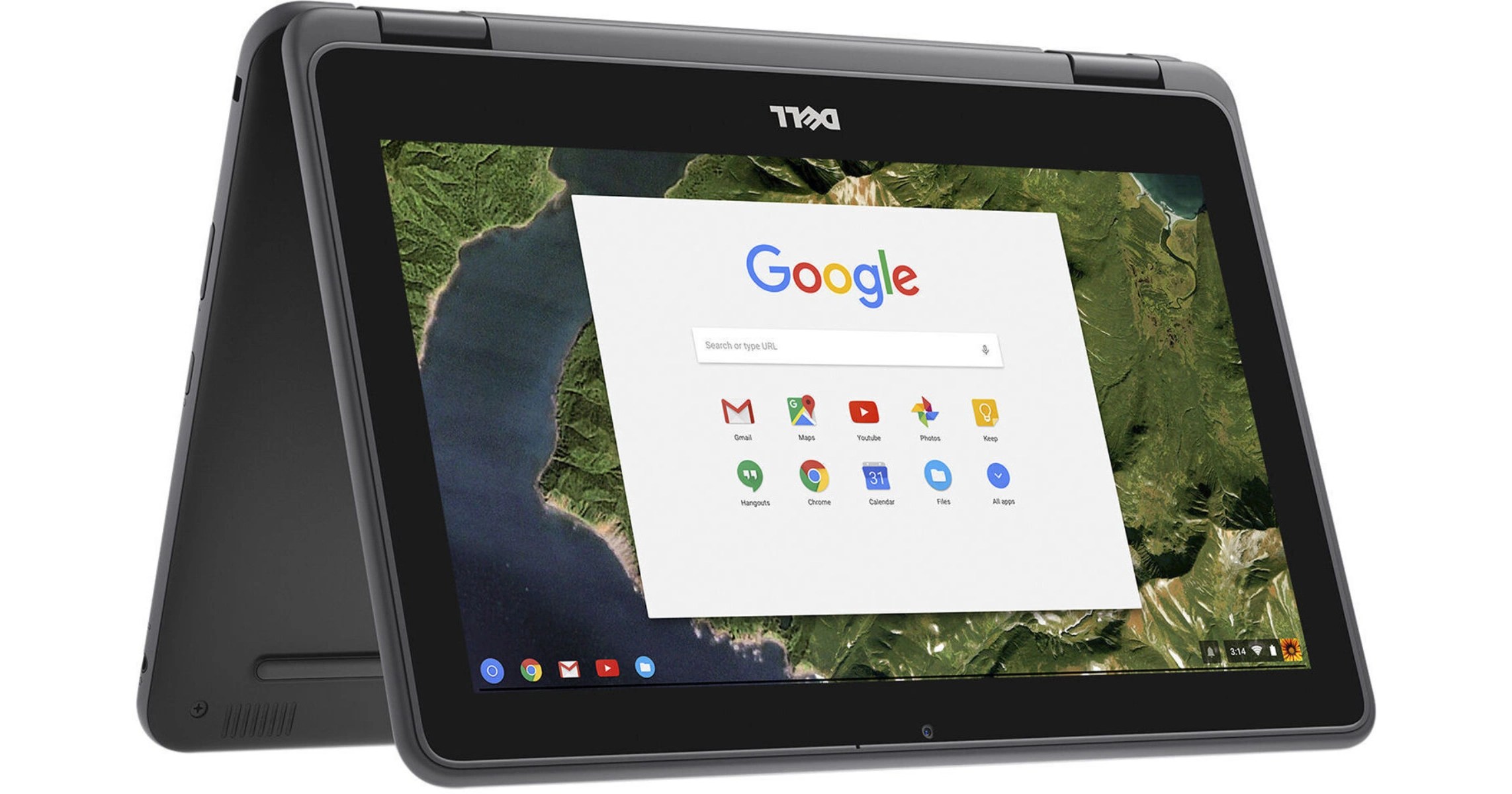
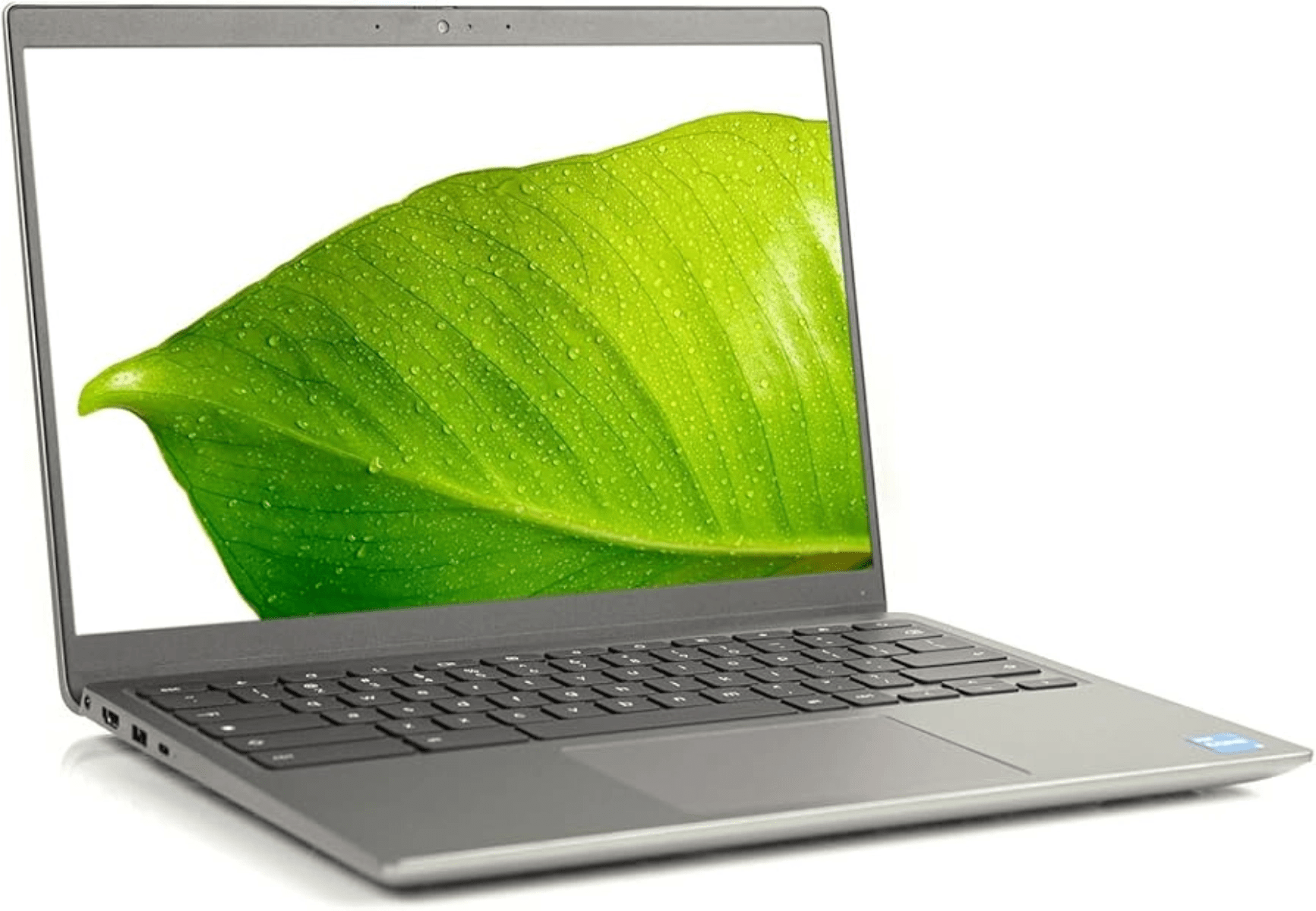
As the integration of Generative AI and emerging technologies signals a transformative shift in global pedagogy, Dell Technologies has announced a significant expansion of its education-focused portfolio. The company is introducing a new suite of ruggedized hardware and specialized skills programs designed to bridge the gap between traditional learning and the requirements of the AI era.
Engineered Resilience: New Hardware for Modern Classrooms
Dell’s updated portfolio, featuring the Dell Pro Education and Dell Chromebook series, prioritizes durability and longevity to protect institutional investments. These devices are engineered to meet MIL-STD 810H military standards, incorporating reinforced casing, spill-resistant interfaces, and high-cycle hinges.
Key hardware highlights include:
Performance: Optimized with Intel N-Series processors to ensure full-day battery life and seamless handling of modern curricula.
Serviceability: Designed with sustainability in mind, the units feature customer-replaceable components and shared parts across models to reduce electronic waste.
Connectivity and Security: Integration of Wi-Fi 6E and robust management protocols allows IT departments to deploy secure technology at scale.
The new lineup introduces the Dell Pro Education 11 (available as a laptop or 2-in-1) for early learners, alongside new 14-inch models available in both Windows and Chrome OS to provide older students with increased screen real estate for complex multitasking.
Beyond the Device: Cultivating Digital Literacy
Recognizing that hardware is only one component of the educational equation, Dell is expanding its global outreach through several targeted initiatives aimed at workforce readiness:
Career Readiness: The Tech Career Circuit, a collaboration with Discovery Education, provides middle and high school students with hands-on AI training and digital skill-building.
STEM Inclusion: The Girls Who Game program, supported by Intel and Microsoft, continues to foster leadership and technical interest among female students.
Technical Apprenticeship: The Student TechCrew enables high schoolers to manage peer-to-peer helpdesks, gaining professional hardware repair certification.
Specialized Learning: From Data Dunkers in Canada, which applies basketball analytics to data science, to serving as the technology partner for the U.S. Presidential AI Challenge, Dell is diversifying how students engage with complex data.
Leadership Vision and Global Availability
Kevin Terwilliger, Head of Product for Client Devices at Dell Technologies, emphasized that the company’s strategy focuses on fostering resilience and curiosity. “When we design technology for the classroom, we look beyond utility,” Terwilliger stated, noting that the new portfolio is built to meet the “real-world demands” of an evolving educational landscape.
The new Dell Pro Education and Dell Chromebook devices are scheduled for global commercial availability starting in February 2026.
GUNNAR Optiks, the long-standing leader in blue light filtering eyewear, has officially expanded its premium lineup with the release of the Trace Collection. This new series introduces three distinct styles designed to bridge the gap between high-performance eye protection and sophisticated West Coast aesthetics.
Drawing inspiration from the innovation and architecture of California’s most prominent tech corridors, the collection features the Barton, Davis, and Hayward models. These arrive with reasonable pricing, positioning them as a premium choice for digital professionals, gamers, and students alike.
Digital Wellness Meets Coastal Style
Davis Collection
The Trace Collection is a response to the increasing digital load experienced by modern users. As screen time continues to rise, GUNNAR’s signature lens technology aims to combat the symptoms of digital eye strain, including headaches, blurred vision, and dry eyes.
The aesthetic of the collection is rooted in the minimalist yet functional design language often found in Northern California’s tech campuses. By naming the frames after regional landmarks and hubs, GUNNAR pays homage to the environments where many of their users spend their most productive hours.
Barton Collection
A Frame for Every Face Shape
The collection offers versatility through three primary silhouettes, ensuring a fit for various facial structures and style preferences:
The Davis: For those who prefer a classic look, the Davis offers a modern take on the round frame. It blends retro character with contemporary materials and is available in two earthy finishes: Onyx and Maple.
The Barton: Representing the “modern professional,” the Barton features a clean, rectangular silhouette. Its sharp lines are designed for a minimalist look, offered in Onyx and a deep Sequoia.
The Hayward: Built with a focus on long-wear ergonomics, the Hayward is a rectangular frame equipped with flexible spring hinges. This added flexibility ensures a secure, pressure-free fit for extended sessions. Users can choose between Onyx and a rich Teak finish.
Hayward Collection
Availability and Price
The Trace Collection is available starting today through GUNNAR’s official website and select authorized retailers. With its blend of technical lens precision and sophisticated frame design, the collection seeks to set a new standard for functional eyewear in the professional sphere. Each pair is priced at a Manufacturer’s Suggested Retail Price (MSRP) of $110.
Leveling up your daily routine doesn’t always mean chasing the flashiest name on the shelf. Sometimes it’s about finding a brand that quietly overdelivers, solves real annoyances, and leaves you wondering why you waited so long to upgrade.
Slopehill fits squarely in that sweet spot. The brand has built a lineup of hair tools that focus less on hype and more on practical performance, smart design, and prices that feel refreshingly grounded.
This Level Up spotlight looks at three of Slopehill’s most compelling options, each aimed at a different kind of user but united by the same idea: better hair days without the luxury-brand tax.
Level Up is where we explore the gear that actually makes a difference, whether that’s in how you live, work, or unwind. Each edition brings together standout products, whether tied by brand or by theme, that turn the everyday into something a little more exceptional.
Slopehill Professional Ionic Hair Dryer
If you’ve been hanging onto a tired drugstore dryer because premium models feel wildly overpriced, this is the upgrade that makes sense. The Slopehill Professional Ionic Hair Dryer ($28) lands in that rare middle ground where everyday practicality meets noticeably better results.
At its core is a capable 1800W motor paired with ionic technology designed to reduce frizz and cut down drying time. Instead of blasting hair with excessive heat, it uses negative ions to break down water molecules more efficiently, helping smooth the cuticle and preserve shine. The result is hair that dries faster and looks healthier, without that brittle, overcooked finish cheaper dryers often leave behind.
Three heat settings and two speed options give you enough flexibility to tailor airflow to your hair type and routine, whether you’re aiming for a polished look or just trying to get out the door on time. It’s lightweight, well-balanced, and comfortable to hold, which matters more than you’d think when drying thick or long hair.
Our Takeaway
What stood out right away was how easy this one is to live with. The 1800W motor paired with negative ion tech made a real difference in drying time without pushing excessive heat, which is exactly what we want from a daily-use dryer. It feels light in the hand, well-balanced, and uncomplicated in the best way. No learning curve, no unnecessary modes, just consistent airflow and noticeably smoother results. It’s the kind of tool you grab every morning and never think twice about, which is honestly the highest compliment for something in this category.
Slopehill Professional Ionic Hair Dryer with Diffuser
This model steps things up with a high-speed brushless motor that spins at up to 110,000 RPM, delivering strong airflow while staying impressively controlled. The included diffuser is the real standout. Instead of scattering air randomly, it spreads airflow evenly to protect curl definition while adding lift and volume where it counts. Intelligent temperature regulation monitors heat constantly, helping prevent hot spots that can damage hair over time.
It’s also quieter than you’d expect for something this powerful, making early mornings and shared spaces far more tolerable. Magnetic attachments snap into place easily, and a self-cleaning filter helps keep performance consistent with minimal effort. For anyone with textured hair who’s tired of choosing between speed and shape, this is a meaningful step up.
Our Takeaway
This is where Slopehill really flexes its engineering muscles. The brushless motor delivers serious airflow, but what impressed us most was how controlled it feels thanks to the intelligent temperature management. Fast drying didn’t come at the expense of hair health. The diffuser is genuinely effective, especially for curls and waves, and the magnetic attachments feel like a small luxury touch you don’t expect at this price. It’s also quieter than anticipated, which made it far more pleasant to use regularly. This one feels purpose-built, not just upgraded.
Slopehill Mini Travel Dual Voltage Hair Dryer Brush
This compact 1000W tool combines drying and styling into a single step, using an oval brush design to add volume at the roots while smoothing and shaping the ends. Dual voltage support means it works seamlessly across regions, making it genuinely travel-friendly rather than “travel-sized in name only.”
Despite its small footprint, it punches above its weight. Ionic technology helps tame static, which is especially useful in dry hotel rooms, and the lightweight build keeps it easy to pack without second thoughts. It’s the kind of tool that earns a permanent spot in your bag once you’ve used it a few times.
Our Takeaway
From a practicality standpoint, this might be the sleeper hit of the lineup. The dual voltage support removes a huge travel headache, and the 2-in-1 design actually delivers on its promise. Being able to dry and style in one pass saved time and space, and the lightweight build made it easy to justify packing it instead of relying on hotel dryers. For something this compact, it has enough power to be genuinely useful, not just “good for travel.” If you spend time on the road and still care how your hair looks, this one makes a strong case for itself.
Samsung’s next flagship lineup is not arriving on schedule, and that delay is drawing more attention than the devices themselves. Rather than signaling trouble, the timing change points to internal adjustments around design, software priorities, and market positioning. Early indications suggest Samsung is choosing refinement and long-term planning over rushing another annual update.
Samsung Is Rethinking What Its Flagship Smartphones Are Built To Do
Samsung’s flagship phones are no longer being shaped around raw specifications alone. The focus is shifting toward how devices perform during long, uninterrupted use, across a mix of everyday activities. Instead of chasing yearly hardware jumps, Samsung appears to be refining how performance, efficiency, and software stability work together over time.
This change reflects how people actually rely on their phones today. Messaging, streaming, photography, and gaming often happen on the same device, sometimes for hours at a time. For many users, mobile gaming now includes playing casino-style games through a phone casino platform, whether accessed via a mobile browser or a dedicated app, where smooth performance and secure handling of transactions are expected.
That usage pattern helps explain Samsung’s attention to sustained performance, display responsiveness, and battery consistency. Playing real-time games, streaming live content, and navigating interactive interfaces place continuous demands on hardware. By focusing on reliability rather than experimentation, Samsung is shaping flagship phones that support gaming, entertainment, and everyday digital tasks without performance drops or usability compromises.
A Cleaner Design Language Across The Entire Lineup
Design changes are expected to be subtle but meaningful. All models are tipped to move toward a unified camera module, replacing the individual lens cutouts that have defined recent generations. This creates a cleaner back panel while also allowing better internal layout and structural consistency.
The Ultra variant is also expected to receive more rounded corners, addressing ongoing criticism around comfort and handling. While the sharp-edged design has become a visual signature, it has not always translated well to daily use. Small ergonomic adjustments suggest Samsung is listening to practical feedback.
Rather than chasing bold visual changes, Samsung appears focused on refinement. New color options are expected, but the emphasis is on polish and durability rather than dramatic redesign.
Performance Choices Reflect A Long-Term Strategy
Samsung is expected to continue its region-based chipset strategy, with some markets receiving Qualcomm’s Snapdragon 8 Elite Gen 5 and others using the Exynos 2600. While this approach remains divisive, it reflects Samsung’s broader ambition to strengthen its in-house silicon.
Exynos is increasingly positioned as a platform for tighter integration between hardware, software, and AI workloads. Instead of competing purely on benchmark scores, Samsung appears focused on sustained performance, thermal stability, and efficiency during real-world use.
For users, this means everyday consistency may matter more than peak numbers. Battery behavior, system responsiveness, and AI-driven features are likely to define the experience more than raw processing power.
Artificial Intelligence Becomes A Core System Feature
AI is expected to move from optional tools to a central layer of the operating system. Samsung is reportedly focusing on system-wide intelligence rather than isolated features that feel disconnected from daily use.
Expected improvements include smarter privacy controls, adaptive performance tuning, enhanced language processing, and more advanced camera optimization. A strong emphasis is being placed on on-device AI, reducing reliance on cloud processing while improving speed and data security.
This direction reflects a broader industry shift. Smartphones are increasingly expected to handle complex tasks locally, and Samsung appears intent on positioning its flagship devices accordingly.
Display And Camera Updates Focus On Practical Gains
Samsung’s display technology remains one of its strongest advantages. The upcoming lineup is expected to retain QHD+ AMOLED panels with a 120Hz refresh rate across all models, ensuring visual consistency regardless of device size.
Screen sizing may blur traditional distinctions. The Plus model is rumored to adopt the same 6.9-inch display size as the Ultra, suggesting differentiation will rely more on features and performance than screen dimensions alone.
Camera changes are expected to be targeted rather than dramatic. The standard and Plus models may receive an upgraded 12-megapixel 3x telephoto lens, replacing the older 10-megapixel unit. The Ultra is expected to retain its existing high-end hardware, with improvements coming primarily through software and AI-driven processing.
Battery, Charging, And Wireless Standards Move Forward Carefully
Battery capacities across the lineup are expected to remain largely stable, though the standard model may receive a modest increase. The most notable change lies in charging speed, with reports suggesting support for faster wired charging on the Ultra variant.
Wireless charging is also expected to take a step forward with Qi2 support, potentially enabling compatibility with magnetic accessories. This aligns Samsung more closely with evolving industry standards rather than proprietary solutions.
These updates reflect a cautious but practical approach. Rather than chasing extreme specifications, Samsung appears focused on reliability and user convenience.
What Users Can Expect From Samsung’s Next Flagship Direction
Taken together, the changes point to a lineup built around balance rather than spectacle. The delayed launch, design refinements, and deeper AI integration suggest Samsung is prioritizing long-term usability over short-term excitement.
For users, this signals a device designed to age well. Instead of radical shifts, Samsung is laying groundwork for a more intelligent, stable, and cohesive flagship experience that reflects how smartphones are actually used today.
There are more things to consider these days when choosing a multiplayer game on Android. Choosing the right multiplayer game no longer comes down to standard decision-makers like graphics and game popularity. Instead, there is a list of technical factors that must be considered in the modern world of online multiplayer games. Factors like network performance, data efficiency, and matchmaking quality are all important determiners that dictate whether your multiplayer gaming experience on Android will be pleasant or not. Whether you are playing competitive mobile games or simply enjoying online gaming sessions with friends, understanding how these technical factors affect gameplay can help you avoid lag, unfair matches, and losing large amounts of data.
The Importance of Ping
In almost every online gaming community, Ping values are discussed as one of the most important technical factors one must consider when choosing things like gaming devices, game type, and network connection. Ping refers to the time it takes for data to travel between your device, in this case your Android device, to the game’s server. The lower the ping, the faster the game generally is, while high pings can often cause high levels of lag.
Low ping rates are essential in games that rely on fast reactions, such as mobile shooters, MOBAs, racing titles, and even competitive iGaming games. In the latter, online casino games played for real-world stakes demand fast, reliable responses so that players do not miss chances to act, place bets, or enter games due to technical delays. PokerScout insights on poker apps also highlight the importance of choosing platforms with low ping rates, as these allow players to access a wide range of poker formats and tournaments quickly and reliably, regardless of where they are playing from.
Games that are reliant on precise timing and fast reaction time are extremely sensitive to high ping rates. Even a delay of 100-150ms can make a game frustrating, affecting everything from input response to gameplay synchronization. When choosing multiplayer games, regardless of the genre, it is important to look at where the game servers are hosted. For the best ping rates, it is recommended that you select a game that automatically connects you to the server closest to you. Also, be on the lookout for games that display ping in matchmaking lobbies or settings. This is generally a good sign that the developers value network performance very highly.
Evaluating Server Infrastructure and Stability
Ping rate is not the only important factor when choosing a multiplayer game. While ping rates often do indicate how fast the servers respond, they alone cannot tell you how stable that server is. Choosing a game with low ping but unstable servers can be an equally frustrating experience as a game with fluctuating latency. When selecting a game server, look for games that are backed by established publishers or developers that have a track record of maintaining global server networks.
Even top game titles can have server issues, so it is important to follow game server news and updates. There are many resources players can access to do this, but often, the game’s website is a good place to start. Games hosted on unstable servers can encounter more issues than just lag, as players often report being disconnected mid-game, having trouble logging in, and even having their accounts accidentally deleted.
Understanding Data Usage in Multiplayer Games
Mobile data consumption is another important factor to consider when playing online multiplayer games on Android, especially in regions where WI-FI connectivity is limited. Multiplayer games require constant network connectivity to send and receive packets of data. Depending on the game’s design, length, and update frequency, these packets can range from a few bytes per second to megabytes per hour. Games with complex graphics can use around 150-300 MB per hour, while turn-based asynchronous games use considerably less.
For players in areas where they have to rely on mobile data alone, it is important to look for games that prioritize and optimize network traffic. Players can find games that offer “low data” modes that feature reduced animation settings and optional voice chat downloads to keep usage manageable. Another technique that can help lower unnecessary data usage when playing online games is to review the game’s permissions and in-game settings. Turning off permissions and settings that you do not need can help prevent high data bills at the end of the month.
The Impact of Graphics and Frame Rate on Data Usage
Game graphics affect a lot more than your device battery and performance; they also have a direct influence on data usage. Intensive graphics packages in games that require frequent server updates to load require and use more data to download and display during the game. While you can lower graphic settings during gameplay, this might not reduce data use. It can, however, help to stabilize frame rates, which reduces the need for games to constantly reconnect and resend data.
For players concerned about data usage, it is often advised to stick to titles that do not use heavy graphical elements or expansive gaming worlds. Games with simple graphics can offer just as exciting multiplayer gaming experiences as resource-heavy titles. These games also emphasize the multiplayer aspect, making in-game connections and competitions much more meaningful.
Matchmaking Systems and Player Balance
The excitement of multiplayer games is that anyone can play them, from anywhere in the world. It is a great way to find new opponents and make new friends, but it also poses the risk of very lopsided games in which players with mismatched skill levels are pitted against each other. To get around this issue, matchmaking systems that determine who you play against were developed. Good matchmaking systems ensure fair, enjoyable multiplayer experiences where players with similar skill levels get to play against one another.
When choosing an online multiplayer game, consider your own skill level and find a game that has a well-designed skill-based matchmaking (SBMM) system. SBMMs can help prevent new players from being overwhelmed by veterans, while ranked modes give competitive players clear progression paths.
Testing Games Before Committing Long-term
Even after considering technical factors, there is no guaranteed way to know if a game suits your needs. Android makes this easier by allowing players to try many games for free. Short test sessions at different times and on different networks can help evaluate ping stability, data usage, and matchmaking fairness before committing.
EDITOR NOTE: This is a promoted post and should not be considered an editorial endorsement. AndroidGuys received compensation for the aforementioned content.
Please exercise caution when using a gambling or betting service which employs real money.
If you reside in a location where gambling, sports betting or betting over the internet or through an is illegal, please do not click on anything related to these activities within this post. You must be of proper legal age to click on any betting or gambling related items even if it is legal to do so in your country.
POCO has spent years living as one of the “flagship killer” brands, which usually translates to top-tier speed paired with a few very obvious cost cuts. In short, it delivers high bang to buck ratio, particularly in the F series. The POCO F8 Ultra feels like the moment that formula changes. This is not a phone that exists purely to undercut Samsung or Apple on price. It is built to win on a few specific experiences, and it does so with surprising confidence.
The headline is simple: the F8 Ultra leans hard into media, endurance, and “daily driver” polish. The aluminum frame, IP68 sealing, silicon-carbon battery, and Bose-tuned audio are not filler specs. They reshape what a POCO phone feels like to own.
Setup and First-run Experience
The out-of-box experience varies by region. Some markets include a high-wattage charger in the box, while others, like the review sample we received, ship without one. This ultimately matters because the included fast-charging ecosystem is part of the phone’s identity. Without the right charger, the F8 Ultra still charges quickly, but it may not deliver the “zero to full during a coffee run” experience one might anticipate.
Initial setup is straightforward, with two things worth calling out:
The ultrasonic fingerprint sensor setup is quick and forgiving, and it tends to work better than optical sensors when fingers are damp or slightly dirty.
HyperOS puts audio forward early. That is intentional. This phone wants its speakers to be a core selling point, not a footnote. More on that in a moment.
Design and Build Quality
The F8 Ultra is a large phone that feels more premium flagship than performance bargain. The aluminum chassis is a meaningful upgrade over the plastic-era POCO devices, and the IP68 rating removes one of the biggest long-term ownership anxieties in this category.
From what I have gathered, the Denim Blue finish seems to be the more interesting option. It looks like fabric from a distance, but it behaves like a durable composite surface in hand. Reportedly, the texture improves grip and resists fingerprints better than most smooth glass backs. The black option, which is what we received, is more conventional, cleaner, and slightly slimmer.
Don’t get me wrong, I like it quite a bit, but there’s nothing visually here that asks for your attention. That said, most phones look the same once you tuck them into a case.
The camera island is huge, but it is not just a style flex. The extra internal volume supports the audio hardware, and that design decision makes sense once the speakers are heard.
Ergonomically, this is still a two-handed phone for most people. The weight is manageable for the class, but the size is the real commitment. Anyone already fatigued by big slabs should treat the Ultra name as literal.
Display
The F8 Ultra’s display hits the sweet spot POCO tends to like: sharp, bright, and smooth, without chasing spec-sheet bragging rights that hurt battery life. The 1.5K resolution looks crisp at normal viewing distance and helps keep power draw in check.
Brightness is a strength. Outdoor legibility is excellent, and HDR content has the punch people expect from a modern flagship-tier OLED. Dolby Vision and HDR support help it behave like a proper streaming screen, not just a bright panel.
The notable compromise, if you’re looking for one, is the backplane. This is not an LTPO panel, so it cannot drop refresh rate as low as the most power-efficient flagships when content is static. In practice, the battery capacity masks that decision. It is still a compromise, just one that is easier to live with than it sounds.
For people sensitive to flicker, POCO’s approach to dimming is one of the better implementations in this bracket. The phone is generally comfortable at low brightness, and the eye-protection certifications are not just decorative checkmarks.
Audio and Speakers: Bose Partnership That Actually Matters
Most “Sound by” partnerships are software seasoning, and many of them are hardly all that noticeable in the end. For nearly two decades we’ve seen various phone makers take a crack at something that is supposed to be an incredible sound. In the end they often tend to sound like slightly better versions of listening to music on a phone.
The F8 Ultra is different because the hardware is different. This is a genuine multi-driver approach with a dedicated low-frequency component inside the chassis.
The practical effect is simple: it sounds fuller. Dialogue stays clear, music carries more body, and games have more impact. It still cannot replace a dedicated speaker, but it reduces the urge to reach for one around the house. Coming from someone who turns his nose up whenever someone starts playing music on a phone in a group setting, that is a real win.
It is also one of the few phone speaker systems that stays enjoyable at moderate volumes instead of sounding thin unless it is cranked. For video-heavy users, this is a real quality-of-life upgrade.
Performance and Thermals
The Snapdragon platform in the F8 Ultra delivers the kind of speed people expect at the top end of Android. Day-to-day use is effortless. Heavy multitasking feels natural, and demanding games run smoothly without needing constant compromise.
Thermals are managed aggressively. Under sustained stress, the phone will throttle to keep surface temperatures comfortable. In benchmark charts, that can look like a negative. In real use, it is usually the opposite. The phone prioritizes keeping performance consistent instead of chasing maximum clocks for a short burst and then cooking itself.
Gaming performance is strong, particularly in titles that benefit from high refresh-rate smoothness. The extra graphics and display processing also help maintain perceived fluidity without pushing the main GPU to its limits constantly.
Battery Life and Charging
This is the F8 Ultra’s other headline feature. The silicon-carbon battery chemistry enables a very large capacity without turning the phone into a brick. The result is endurance that feels effortless.
In mixed use, the F8 Ultra is the kind of phone that makes people stop thinking about battery percentage. It is built for long days, heavy media, navigation, gaming, and a lot of screen time. It’s always refreshing when you don’t have to look at numbers or do quick math to figure out if you’ll make it through the rest of your busy day or until you find a charger. Speaking of which…
Charging is also a major part of the experience. Wired fast charging is quick enough to treat charging as a short stop rather than an overnight plan. Wireless charging is present here too, which matters for people who have already built their routines around pads and stands.
Reverse charging support is a nice bonus, especially for topping up earbuds or rescuing another phone in a pinch.
Cameras: Strong Priorities, a Couple Deliberate Trade-offs
The F8 Ultra’s camera strategy is best boiled down to “main camera first, zoom that matters, ultra-wide that is good but not perfect.” In other words, what we’ve come to expect in most devices.
Main camera: The primary sensor is the star. It captures strong detail, handles dynamic range well, and produces attractive photos without feeling overprocessed. POCO’s color approach tends to be slightly bolder than ultra-neutral phones, which many people prefer for quick sharing.
Periscope zoom: The addition of a real periscope lens changes the phone’s versatility. The 5X optical zoom is useful in everyday life, not just for moon shots. Portraits, candid photos, architectural details, and travel shots benefit immediately. Low light is still harder at this focal length, but it is meaningfully better than digital cropping.
Ultra-wide: This is where the Ultra still shows some practical compromise. The lack of autofocus on the ultra-wide limits macro-style versatility and reduces flexibility in closer shots. For wide landscapes and casual group photos, it is still very usable, but it does not have the same “do everything” polish as the main camera.
Video: The F8 Ultra is capable, especially on the main camera. Lens switching can feel less seamless than on some pricier flagships, with shifts in color tuning and exposure behavior. It is not a deal breaker, but it keeps the phone from being a top-tier mobile videography pick.
Software and Long-term Ownership
The POCO F8 Ultra runs HyperOS on top of Android 16, and the experience is fast, flexible, and unmistakably POCO. This is not a minimalist take on Android, but it is lighter and more refined than older MIUI builds, especially on high-end hardware like this.
Day-to-day performance is a strong point. Apps launch quickly, multitasking is aggressive without feeling sloppy, and animations stay smooth even when jumping between heavy workloads. HyperOS works well with Qualcomm’s latest silicon, keeping the phones responsive without draining the battery unnecessarily.
Visually, HyperOS leans toward a highly customized look. The split notification and control center remains, and there are extensive options for themes, icons, lock screens, and always-on display styles. Users who enjoy tuning their phone will find plenty to adjust. Those who prefer a clean, hands-off setup may find the default presentation a bit busy. Moreover, they’ll want to spend a bit of time customizing things in the first days.
AI features are present, but mostly practical. Photo cleanup tools, real-time translation, and contextual search functions work well enough to be useful rather than gimmicky. They are integrated cleanly and do not get in the way if ignored.
The biggest drawback is still bloatware. Some preinstalled apps and system recommendations appear during setup, though most can be removed or disabled in a few minutes. Once cleaned up, the software feels significantly more premium and stays out of the way. Again, the first day or two with the phone should get users off and running with things where they want and how they want them.
Long-term support is solid. POCO now promises four major Android updates and six years of security patches, which makes both phones safer long-term buys than earlier generations.
The short version: HyperOS is fast, customizable, and capable. It takes a little setup to reach its best form, but once there, it complements the F8 series well and rarely becomes a distraction.
Awarded to products with an average rating of 3.75 stars or higher, the AndroidGuys Smart Pick recognizes a balance of quality, performance, and value.
Products with this distinction deserve to be on your short list of purchase candidates.
Value and Who the F8 Ultra is Really For
The F8 Ultra makes sense for people who want flagship-grade speed and screen quality, but care just as much about battery endurance and speaker quality as they do about camera prestige.
It is a strong fit for:
heavy media consumers who watch a lot of video and want speakers that do not feel like an afterthought
gamers who want consistent performance and a big screen
power users who hate managing battery anxiety
anyone who wants premium build and water resistance without paying top-shelf flagship prices
It is less ideal for:
users who want compact phones
people who prioritize the most refined ultra-wide camera experience
buyers who want the cleanest possible software out of the box
Final Verdict
The POCO F8 Ultra is one of the clearest examples of POCO growing up without losing the original mission. It still delivers the specs-for-the-money appeal, but it now pairs that with material quality, water resistance, and a speaker system that feels legitimately special.
The compromises are visible, but they are chosen with intent. The F8 Ultra is built around battery, performance stability, and media enjoyment, and it largely nails all three. For the right buyer, it feels less like a bargain flagship and more like a flagship that happens to be a bargain. And that bargain starts as low as $729 for the 12GB/256GB model. Opt for more storage and memory at $800 and you’ll get 16GB/512GB for the money.
Also Available: POCO F8 Pro as an Alternative
The POCO F8 Pro makes more sense than the name implies. It is not a worse Ultra or even a “lesser-than” experience. Its own animal, it is a version of the F8 built for someone who wants the same core priorities, but in a more manageable package and at a lower cost.
The F8 Pro keeps the performance-first identity and the long-lasting battery approach, and it tends to feel just as fast in normal use. Where it pulls back is on convenience and imaging versatility.
Offered in Black and Titanium options, there’s a third Blue that is more of a subtle “baby” blue that looks like a future Pixel color. That is to say I love it.
POCO F8 Ultra vs. POCO F8 Pro — Side-by-Side Comparison
Feature
POCO F8 Ultra
POCO F8 Pro
Display size
6.9-inch AMOLED
6.59-inch AMOLED
Resolution
1.5K (2608 × 1200)
1.5K (2510 × 1156)
Refresh rate
120Hz (LTPS)
120Hz (LTPS)
Peak brightness
Up to 3500 nits
Up to 3500 nits
Processor
Snapdragon 8 Elite Gen 5
Snapdragon 8 Elite
RAM
12GB / 16GB LPDDR5X
12GB LPDDR5X
Storage
256GB / 512GB UFS 4.1
256GB / 512GB UFS 4.1
Main camera
50MP with OIS (larger sensor)
50MP with OIS
Telephoto camera
50MP periscope, 5× optical zoom with OIS
50MP, 2.5× optical zoom, no OIS
Ultra-wide camera
50MP (fixed focus)
8MP
Front camera
32MP
20MP
Video
Up to 8K at 30fps, 4K at 60fps
Up to 8K at 30fps, 4K at 60fps
Battery capacity
6500mAh (silicon-carbon)
6210mAh (silicon-carbon)
Wired charging
100W
100W
Wireless charging
50W
Not supported
Reverse charging
22.5W wired
Not supported
Audio
Bose-tuned 2.1 speakers with dedicated low-frequency driver
Bose-tuned stereo speakers
USB connectivity
USB-C (USB 3.2 Gen 2)
USB-C (USB 2.0)
Biometrics
Ultrasonic in-display fingerprint sensor
Ultrasonic in-display fingerprint sensor
Water resistance
IP68
IP68
Operating system
HyperOS (Android 16)
HyperOS (Android 16)
Weight
Approximately 218–220 grams
Approximately 199 grams
Key Differences that Matter in Real Life
Why someone would pick the F8 Pro instead
Easier size and weight for daily handling
Similar day-to-day speed and gaming capability
Strong battery life that still lands near the top of the category
Typically a much better value for buyers who do not care about wireless charging or periscope zoom
What someone gives up compared to the F8 Ultra
No wireless charging convenience
Weaker overall camera versatility, especially zoom stabilization and ultra-wide quality
Less impressive speaker experience since the Pro lacks the Ultra’s fuller hardware audio approach
Slower USB data connectivity, which matters for people who move large video files by cable
Which One is for Who?
Choose the F8 Ultra if battery life, speakers, and a more complete camera toolbox are the point, and a big phone is not a deal breaker.
Choose the F8 Pro if the goal is flagship-tier performance and long battery life in a more practical size, and the buyer is fine skipping wireless charging and some camera polish.
In other words, the Ultra is ultimately the better do-everything POCO, while the Pro is still the smarter pick for buyers who want the speed and stamina, but not the giant phone lifestyle. Pricing for the Pro comes in around $529 for the 12GB/256GB model.
January has a way of sharpening intentions. Sit less. Move more. Take better care of your body, especially during long workdays that somehow stretch longer every year. For many people, one of the most common resolutions isn’t about exercise routines or meal plans, but about fixing the quiet, daily strain that comes from hours spent at a desk.
That’s where the LiberNovo Omni Dynamic Ergonomic Chair ($929) enters the conversation. Designed around movement rather than stillness, it reframes the idea of an office chair as something that works with your body throughout the day instead of locking you into a single “correct” posture.
The Resolution: Fix Desk Fatigue Without Disrupting Your Workflow
If you’ve ever resolved to improve posture or reduce back pain, you’ve probably discovered how hard it is to stay mindful once work ramps up. Static chairs encourage static habits. You sit, you forget, and your body pays for it later.
The Omni takes a different approach. Instead of forcing you into a rigid position, it’s built to move as you move. Subtle shifts, leaning, stretching, and repositioning are not only allowed, they’re encouraged. The idea is simple: healthier sitting comes from motion, not from holding still.
Dynamic Support That Adapts as the Day Changes
At the core of the Omni is its dynamic support system. The backrest responds to your movements, providing resistance and support without feeling stiff or restrictive. Lean forward to focus, recline during a call, or shift side to side as you think through a problem. The chair stays engaged the whole time.
This kind of responsiveness helps reduce pressure points that often build up during long sessions. Instead of needing frequent reminders to “sit up straight,” the chair naturally supports more active, varied posture throughout the day.
Built for Long Hours, Not Just Short Bursts
Many ergonomic chairs feel fine for the first hour and then gradually reveal their shortcomings. The Omni is clearly designed with extended use in mind.
The seat offers balanced cushioning that supports without feeling overly soft, helping maintain circulation during long stretches at a desk. Adjustable components allow you to fine-tune height, arm positioning, and recline tension so the chair fits your body rather than the other way around. These adjustments matter most after several hours, when small discomforts tend to compound.
For people working from home, hybrid schedules, or anyone logging serious desk time, those details are what turn a chair from “acceptable” into something you genuinely rely on.
A Subtle Upgrade That Changes Daily Habits
One of the most appealing aspects of the Omni is how quietly it improves your routine. There’s no learning curve or behavior change required. You sit down and get to work, but your body stays more engaged without conscious effort.
Over time, that can translate into less end-of-day stiffness, fewer posture-related aches, and a greater sense of comfort during tasks that demand focus. It’s the kind of upgrade that doesn’t announce itself, but makes itself known when you realize you’re standing up feeling better than usual.
Design That Fits Modern Workspaces
The Omni’s design strikes a balance between technical and approachable. It looks at home in a dedicated office, a shared workspace, or a living room corner setup. Clean lines and a modern silhouette keep it from feeling bulky or overly industrial, which is especially important for home offices that double as personal spaces.
This visual restraint pairs well with the chair’s mechanical sophistication. It feels thoughtfully engineered without broadcasting itself as a piece of specialized equipment.
Who It’s For
The LiberNovo Omni Dynamic Ergonomic Chair is a strong fit for:
Remote and hybrid workers who spend long hours at a desk
Professionals dealing with recurring back, shoulder, or posture fatigue
Anyone resetting their workspace as part of a new year refresh
Users who want ergonomic benefits without rigid seating constraints
It’s especially appealing if your resolution is less about drastic lifestyle changes and more about making smarter, sustainable improvements to how you work every day.
A Resolution That Sticks
New year goals tend to fade when they demand constant attention. The Omni works precisely because it doesn’t. By supporting natural movement and adapting to how you sit, it helps reinforce healthier habits passively, day after day.
For anyone looking to start the year by investing in comfort, focus, and long-term well-being, the LiberNovo Omni Dynamic Ergonomic Chair feels like a practical resolution you’ll actually keep.
Learn more about the chair directly from LiberNovo and see how dynamic seating can reshape your daily routine. Order yours in a handful of color options, including a new soft green variant.