Motorola unveiled two new foldable smartphones- the Moto Razr Plus and Moto Razr earlier this year in the market. However, only the Razr Plus has reached the US market but now Motorola announced a standard Moto Razr smartphone in the US. The standard variant is not much different from the higher-end variant with just a few changes in terms of design and internals.
The notable change is Moto Razr 2023 comes with a smaller cover screen compared to the Razr Plus. Starting at just $699, the Moto Razr is the cheapest foldable available in the US markets right now. While the higher-end variant the Razr Plus (review) starts at $999- there is a significant margin of $300 between both models.
Up front, the Razr flaunts a stunning 6.9-inch FHD+ pOLED display with up to 144Hz refresh rates ensuring seamless scrolling and gaming. You get a small 1.5-inch cover screen on the back. It features a dual rear camera setup at the back- a 64MP main camera with OIS (optical Image Stabilization) support and a 13MP ultra-wide shooter for capturing breathtaking wide-angle shots. A 32MP snapper on the front offers a crisp and clear selfie.
Under the hood, the Moto Razr is powered by Qualcomm’s mid-range Snapdragon 7 Gen 1 chipset paired with 128GB of storage. The smartphone has Corning Gorilla Glass Protection on top and on the back there is a premium vegan leather finish that offers a comfortable grip in hand. It runs on Android 13 based on MyUX UI out of the box. The Razr houses a massive 4,200mAh battery with support for 30W fast charging and 5W wireless charging tech.
As a part of the launch offer, Motorola offering straight $100 off on the original $699 retail price which brings down pricing to $599. It comes in Sage Green, Cherry Blossom, Vanilla Cream, and Summer Lilac color options. Pre-orders already started while the open sales will commence on October 19 through Motorola.com, Amazon, and other authorized resellers.
If you’re a bookworm who occasionally dabbles in digital note-taking, the Kindle Scribe ($329) might just be your new best friend. Amazon’s latest addition to the Kindle lineup has come a long way since its launch, and it’s shaping up to be a versatile tablet for readers and light scribblers.
I didn’t have a chance to check out the Kindle Scribe at its launch and I’m actually somewhat glad. Why, you ask? Because some of the best features were not available when it made its debut. A few software updates later and the experience has been polished up — and now comprises much of what I love about the Kindle Scribe.
Big Screen, Sharp Display
The Kindle Scribe boasts a design that’s both functional and attractive. It takes inspiration from the Kindle Oasis, with an all-metal chassis that not only looks premium but also feels sturdy in hand. The use of metal gives it a robust, durable feel, which is essential for a device meant for everyday use.
The first thing you’ll notice about the Kindle Scribe is its size. It’s undeniably large, but surprisingly, it doesn’t feel overly cumbersome. The tablet is designed to be comfortable to hold, even for extended reading sessions. Despite its size, it’s not clumsy, and you won’t find your wrists aching after holding it for a while.
The Kindle Scribe features a bezel that surrounds the display. Interestingly, the left side of the bezel is slightly larger, assuming you hold the tablet with the Amazon smile-up. If you flip it and hold the larger edge with your right hand, the Amazon logo will be upside-down but it doesn’t impact the device’s functionality. I like having a bit of extra margin to grab and it helps when reading, too.
Pen Attachment
The Kindle Scribe comes with an included pen that attaches to the tablet magnetically. However, this magnetic attachment method has its downsides. It’s not the most secure way to store the pen, and users have reported losing it when sliding the tablet in and out of backpack sleeves. While the magnet is strong-ish, it may not be foolproof. Thankfully, you can use other compatible pens if the need arises.
The stylus included with the Kindle Scribe is often referred to as the “Basic Pen.” It provides a smooth and responsive writing experience, which is one of the highlights of the device. However, it’s worth noting that the Kindle Scribe now offers more pen options compared to its initial launch. These additional options provide users with varying pen styles and thickness levels, enhancing the versatility of the device for different writing and drawing preferences.
I’ve found about one-third of the time I toss the Kindle Scribe into my bag with the stylus attached to it I need to go hunting for it in the bottom of the pouch. Or, more interesting and less explainable, it feels like it’s moved to a different spot in the bag. Perhaps it’s coming off as I slide it in and I’m unaware? Hard to say, for certain, but it happens enough to make me worry that I’m ultimately going to lose the stylus.
Premium Pen
If you have the chance (or budget) to purchase a Kindle Scribe with the Premium Pen, I suggest doing to. While the standard one works just fine, the Premium Pen features a shortcut button and a dedicated eraser at the top. This eraser function feels smooth and natural, even though it’s not as precise as the stylus nib. I left the shortcut button alone and use it more as a highlighter for my notes or markups.
Display Quality
The Kindle Scribe‘s display isn’t just large; it’s also backlit. It offers a very bright LED backlit screen that can shift from a bluish-gray tint to a blue light-free tint, making it ideal for nighttime reading. This feature adds a layer of versatility to the device, allowing you to read comfortably in various lighting conditions.
The Kindle Scribe’s design balances aesthetics, ergonomics, and functionality. While the magnetic pen attachment could be more secure, the tablet’s overall design is well-suited for reading and light writing tasks, making it an appealing choice for those seeking a larger Kindle experience.
Magazines, books, handwritten notes, you name it, it looks excellent on this display. And maybe it’s a personal preference, but I kind of like that there’s no color or otherwise distracting graphics. It helps me stay focused on the business at hand. It’s one of the reasons I like the Kindle line; singular focus and isolated tasks keep me feeling productive.
Reading and Writing
The Scribe’s built-in backlight is fantastic. It lets you read and write in dimly lit rooms, a feat the Remarkable can’t pull off. Amazon’s device opts for simplicity, which is a plus for most users who aren’t conducting high-stakes boardroom meetings. Plus, it won’t break the bank.
The Kindle Scribe’s reading experience is where it truly shines, offering readers a delightful and versatile platform to immerse themselves in books, magazines, comics, and more.
The 10-inch screen of the Kindle Scribe significantly enhances the reading experience. It allows for comfortable adjustments like increasing font size and spacing, perfect for readers who prefer larger text or use specialized fonts like Open Dyslexic. With this screen size, you won’t find yourself constantly turning pages, a common frustration when reading on smaller devices.
While Amazon offers cases with multiple standing heights, I opted for a third-party case that suits my preferences better. This flexibility in choosing a case allows you to find the perfect viewing angle, making long reading sessions even more comfortable. All of this applies, too, for just holding it in your hands at angle angle or orientation.
The Kindle Scribe boasts an impressive battery life that can last for days on a single charge. This exceptional battery endurance provides peace of mind, especially for forgetful readers like me, who often forget to charge their devices. Knowing that the Kindle Scribe doesn’t require frequent charging adds an extra layer of convenience to the reading experience.
With that said, I am a creature of habit and like to charge my devices up on a semi-regular basis. I’ve had to tell myself to not charge the Scribe because I wanted to see how much life I get from the battery. Let’s just say that I’ve never had to charge it, and only that I chose to charge it twice over a month’s time.
The Kindle Scribe’s Bluetooth feature makes it easy to enjoy audiobooks alongside your e-reading. During my time, I spent a couple of hours listening to Stephen King’s latest audiobook, “Holly,” via Bluetooth. The device seamlessly blends e-reading with audiobook listening, enhancing the overall reading experience.
For comic and magazine enthusiasts, the larger 10-inch screen is a game-changer. Reading them digitally on the Kindle Scribe is a vastly improved experience compared to smaller e-readers like the Paperwhite. The screen size even surpasses that of physical manga, offering more convenience.
A common gripe at its launch was the inability to write in the margins of books. Amazon’s got you covered now with ‘write on’ books in the Kindle store. It’s a small but growing selection, featuring pre-filled journaling pages and even crossword puzzles. More possibilities await, and we hope to see Amazon foster some self-publishing in this ‘write on’ zone.
When it comes to replacing a traditional notebook, the Kindle Scribe offers a compelling alternative that brings digital convenience to the realm of pen and paper.
One of the immediate advantages of the Kindle Scribe as a notebook is that you never run out of paper or ink, and there’s no need to worry about sharpening pencils. It’s a sustainable and eco-friendly choice for those who value reducing waste.
Amazon’s palm rejection technology works exceptionally well, with only occasional issues when dragging the palm across the screen. This minor inconvenience is easily manageable, and users quickly adapt to resting their palms on the display without accidentally turning pages.
The Kindle Scribe impresses with its near-zero latency, offering an almost instant response when the stylus nib touches the screen. The matte finish and responsive nature of the screen make drawing and writing feel as natural as using traditional pen and paper.
Erasing mistakes on the Kindle Scribe is a breeze. There’s no need to deal with eraser dust, and you won’t end up with ink or lead stains on your hands.
The screen’s response to erasing creates a satisfying fade effect. When erasing content, it gradually fades away before the screen refreshes, which can be slightly jarring. It’s a small quirk but worth noting. I find that sometimes it’s easier to swipe to the next page or previous page to more or less finish erasing everything.
The Kindle Scribe, like physical notebooks, has limitations. You can’t edit your notes on a phone or laptop after writing them, as Amazon syncs them as image files to the Kindle app. While you can export them as PDFs and use third-party editors for modifications, this process is less efficient than using dedicated note-taking apps like Evernote or Google Keep.
The Kindle Scribe shines for personal use, especially for creating lists, organizing tasks, and jotting down thoughts. You can start notebooks with various background patterns, such as lined paper or checkboxes, which are handy for tasks and shopping lists. It promotes productivity and organization and I’ve literally tossed about five different notepads back in my office drawer.
Conclusion
In the world of large-screen Kindles, the Scribe is a solid choice for book lovers. Its price may seem steep, but the expansive display and sharp text make it worth considering. For those who want to dabble in digital note-taking, it’s more than a viable option, but there are more feature-rich alternatives at a similar price point.
One of the reasons I didn’t love the Fire Max 11 was that it endeavored to do too much with its own ecosystem’s limitations. Whereas the original Kindle Fire models were great at keeping me in a Google-free silo, the 2-in-1 approach to productivity and business-like capabilities of the Fire Max 11 left me wanting more. I needed a few more apps to make me feel like it was the one device solution for travel and remote work.
The Kindle Scribe lands on the other side of that, leaving me wanting for just a smidge more in the area of sharing and importing/exporting. Here, I would appreciate being able to more easily pull in a list or document for markup; I’d love to be able to send off to Google Keep or upload to Airtable. But that’s just when talking about the notes.
As for everything else that the Kindle Scribe sells itself as doing, I love it. I’ve long been an Audible user having moved to audiobooks and podcasts some time back. Lately, though, I’ve gotten the itch to go back to digital books so that I can mark them up, add my notes, and make them feel like “mine”. In the meantime, however, I do like that I can use the Kindle Scribe to play my Audible titles to a paired set of Bluetooth earbuds.
Are you considering selling your old smartphone? If so, you’re not alone. Many people upgrade their devices regularly, and the resale market for used phones is thriving. But if you want to maximize the value of your phone and attract more potential buyers, unlocking it can be a game-changer.
In this guide, we’ll explore how unlocking a phone can boost its resale value and provide you with valuable tips for a successful sale.
Why Unlock Your Phone for Resale?
Unlocking a phone means removing carrier restrictions, allowing it to be used with any compatible network. Here’s why it’s a smart move when you’re planning to sell your device:
Wider Audience
An unlocked phone appeals to a broader range of buyers since it can be used with various carriers. This increases your chances of finding a buyer quickly.
Higher Selling Price
Unlocked phones often command a higher price in the second-hand market compared to locked devices. Buyers are willing to pay more for the flexibility and freedom an unlocked phone offers.
Competitive Advantage
In a crowded market, an unlocked phone can stand out from the competition. It’s a unique selling point that can sway potential buyers in your favor.
How to Unlock Your Phone
Unlocking your phone doesn’t have to be a complicated process. Here are the steps to unlock your phone for resale:
Contact Your Carrier
Reach out to your current carrier and inquire about unlocking your device. They will provide you with instructions and requirements. Keep in mind that you may need to meet certain criteria, such as fulfilling your contract or paying off the phone.
Here are a couple of starting points for AT&T, T-Mobile, and Verizon customers.
Use a Third-Party Service
If your carrier is unwilling or unable to unlock your phone, you can use third-party services. Numerous reputable online platforms can unlock your device for a fee. Ensure you choose a trusted service with a proven track record.
Confirm Unlock Status
After unlocking your phone, confirm that it is indeed unlocked. Test it with a SIM card from a different carrier to ensure it can connect to their network.
Tips for Selling an Unlocked Phone
Now that your phone is unlocked and ready for resale, here are some tips to ensure a successful sale:
Clean and Prepare Your Phone
Give your phone a thorough cleaning, both physically and digitally. Wipe all personal data, reset it to factory settings, and ensure it’s in good cosmetic condition.
Take High-Quality Photos
Take clear, high-resolution photos of your phone from various angles. Highlight any unique features or accessories included in the sale.
Write an Accurate Listing
Craft a detailed and honest listing that includes essential information such as the phone’s specifications, condition, and any accessories included. Mention that it’s unlocked to attract more potential buyers.
Set a Competitive Price
Research the second-hand market to determine a fair and competitive price for your unlocked phone. Be open to negotiation but avoid undervaluing your device.
Promote Your Listing
Use multiple online platforms like Swappa, eBay, Craigslist, or smartphone-focused forums to maximize your phone’s exposure. Write compelling descriptions and respond promptly to inquiries.
Conclusion
Unlocking your phone before selling it is a strategic move that can significantly increase its resale value and appeal to a broader audience.
Follow the steps outlined in this guide, prepare your phone for sale meticulously, and implement effective selling strategies to ensure a successful transaction. By doing so, you’ll not only get more value out of your old phone but also provide a sought-after product to potential buyers in the vibrant second-hand smartphone market.
Earlier this year, Motorola launched the Edge+ 2023 smartphone now the firm is continuing its Edge series portfolio with the launch of the new midrange Motorola Edge 2023 smartphone to the market. Motorola offers a premium curved glass aesthesis, MediaTek’s mid-range chipset, long-lasting battery life, and leather back finish at a starting price of $599.
Design-wise, the new Edge 2023 shares a similar look to the predecessor but Motorola tweaked some hardware-sided things here. Motorola went with MediaTek for the new Edge 2023 smartphone, powering the Edge 2023 by MediaTek’s Dimensity 7030 chipset coupled with 8GB of RAM and 256GB of internal storage. The device boots Android 13 based on MyUX out of the box. However, there is no word on the software support from the Motorola.
You get the same dual rear camera setup at the back, featuring a 50MP primary sensor with OIS support paired with a 13MP ultrawide lens. Motorola offers a bunch of new camera features including Active Photos, Night Vision, HDR, 4K at 30fps, and more. There’s a 32MP snapper on the front that captures high-resolution selfies and video chats.
Motorola packs a stunning 6.6-inch FHD+ curved OLED display with a whooping 144Hz refresh rate, up to 1200 nits of peak brightness, and HDR support. Furthermore, the device is rated IP-68 which means you can use it in wet weather conditions without even worrying about damage.
The Edge 2023 houses a massive 4,400mAh battery with support for 68W fast charging support. Motorola claims that the device will last an entire day with just 10 minutes of charge. Additionally, Motorola offers a 15W wireless charging support and a 5W reverse charging support.
The Motorola Edge 2023 retails at $599 and comes in sole Eclipse Black color with vegan leather finish. The smartphone is now available for purchase via Motorola’s official website, Amazon, and other authorized resellers.
Garmin may not be the most popular fitness and smartwatch maker around. Its offerings often get outshined by the likes of Apple, Samsung, and Google. Despite this oversight, Garmin makes a quality smartwatch with variants for pretty much any user from the casual notifications type to the hardcore runner.
Amazon’s Big Deal Days or Fall Prime Day (I’m honestly not sure at this point) has steep price cuts seeing the MSRP drop by over 50% on many of Garmin’s watches.
Get an uninterrupted picture of your health with up to 6 days of battery life in smartwatch mode
Go longer with up to 6 hours of battery life in GPS mode with music
Find new ways to keep moving with more than 20 preloaded sports apps, including walking, running, cycling, mindful breathing, swimming, golf and many more
Use preloaded workouts that include cardio, yoga, strength and even Pilates, create your own in the Garmin Connect app (requires app on a compatible smartphone)
See everything clearly on a bright color display that includes an always-on mode, perfect for quick glances
Health is important to you, so monitor everything from your Body Battery energy levels, respiration, hydration and stress to sleep, your menstrual cycle, estimated heart rate and more
Keeps track of your energy levels, Pulse Ox (this is not a medical device and is not intended for use in the diagnosis or monitoring of any medical condition), respiration, menstrual cycle, stress, sleep, estimated heart, hydration and more
Easily download songs to your watch, including playlists from Spotify, Amazon Music or Deezer (may require a premium subscription With a third-party music provider), and connect with headphones (sold separately) for phone-free listening
Record all the ways to move with more than 20 preloaded GPS and indoor sports apps, including yoga, running, swimming and more. Display resolution:218 x 218 pixels
Get easy-to-follow, animated workouts right on your watch screen, including strength, cardio, yoga and Pilates
Battery life: Up to 7 days in smartwatch mode; Up to 5 hours in GPS and music mode
Personalize your watch with thousands of free watch faces, apps and widgets from our Connect IQ store
Garmin Pay contactless payment solution (not all countries and payment Networks are eligible) lets you pay for purchases with your watch
Safety and tracking features include incident detection (during select activities) and assistance (when paired with a compatible device), which both send your real-time location to emergency contacts
Stay connected with smart notifications (when paired with a compatible device), for incoming calls, text messages, calendar reminders and more
Garmin Coach provides free 5K, 10K and half-marathon training plans that guide you to reach your race goal and adjust based on your performance in the plan
Swim, bike, run — do it all with a smartwatch that uses multiple satellite systems to accurately track your workouts
Switch up your workout routine whenever you like with preloaded activity profiles for running, triathlon, multisport, cycling, pool swimming, track running and more
Receive on-device run and cycling daily workout suggestions based on your current training load and vo2 max
Get training guidance by syncing structured indoor or outdoor workouts to your device from Garmin Connect or other apps (when paired with a compatible smartphone), including training peaks and trainer road
Analyze more data to help you reach your race potential, including advanced running, cycling and swimming dynamics
Bring music for every mile by syncing with music streaming services (premium subscription required) such as Amazon Music, Deezer, Spotify and more to easily store and play up to 500 songs from your wrist
Leave your cash and cards at home; Garmin Pay contactless payments (with a supported payment network) let you pay for purchases on the go
Make it through your longest races with up to 1 week of battery life in smartwatch mode, 6 hours in gps mode with music and up to 30 hours in ultratrac mode
Premium GPS running/triathlon smartwatch with music
Download songs to your watch, including playlists from Spotify, Amazon Music or Deezer (may require premium subscription with a third party music provider)
Performance monitoring features include Vo2 Max and training status with adjustments for heat, altitude Acclimation status, training load focus, recovery time, and aerobic and anaerobic training effects
Garmin Pay contactless payment solution (available for supported cards from participating banks) lets you make convenient payments with your watch so you can leave your cash and cards at home
Full color, onboard maps guide you on your run so you never get lost during your workout
Safety and tracking features include incident detection (during select activities) which sends your real-time location to emergency contacts through your paired compatible smartphone
Battery life: Up to 2 weeks in smartwatch mode, 10 hours in GPS mode with music or up to 60 hours in ultratrac mode. Display resolution – 240 x 240 pixels
EDITOR NOTE: This is a promoted post and should not be considered an editorial endorsement
In a world where privacy is increasingly elusive, Utopia emerges as a powerful solution for those who value their online conversations and data security. So, what is Utopia, how does it work, and who might benefit from it? Let’s delve into this revolutionary decentralized messenger app.
What is Utopia All About?
Utopia is designed to empower you with secure communication, anonymous payments, and unrestricted access to the digital realm—no borders, no boundaries. Say farewell to online censorship and firewalls; here, you’re free to connect with anyone, anytime. Utopia’s ecosystem guarantees your right to free speech, all while keeping your physical location hidden.
Your communication and data? Safe from prying eyes, thanks to robust encryption. Your account data? Securely stored on your local device, beyond the reach of third parties.
The Journey of Utopia: 6 Years of Dedication
For over half a decade, a dedicated group of developers, united by a shared global mission, has crafted this extraordinary product for you. Utopia’s decentralized peer-to-peer ecosystem, bolstered by a global referendum mechanism free from geographical confines, seeks to rebalance power and channel our planet’s vast resources into a single decentralized entity.
How Does Utopia Work?
Here’s the essence of it: Utopia doesn’t ask for your email or phone number. Your identity stays yours, never to be exploited. To kickstart your Utopia experience, just create a username and password—no SMS approval, ID card, or email address needed. Once you’re in, invite friends, and you’re good to go.
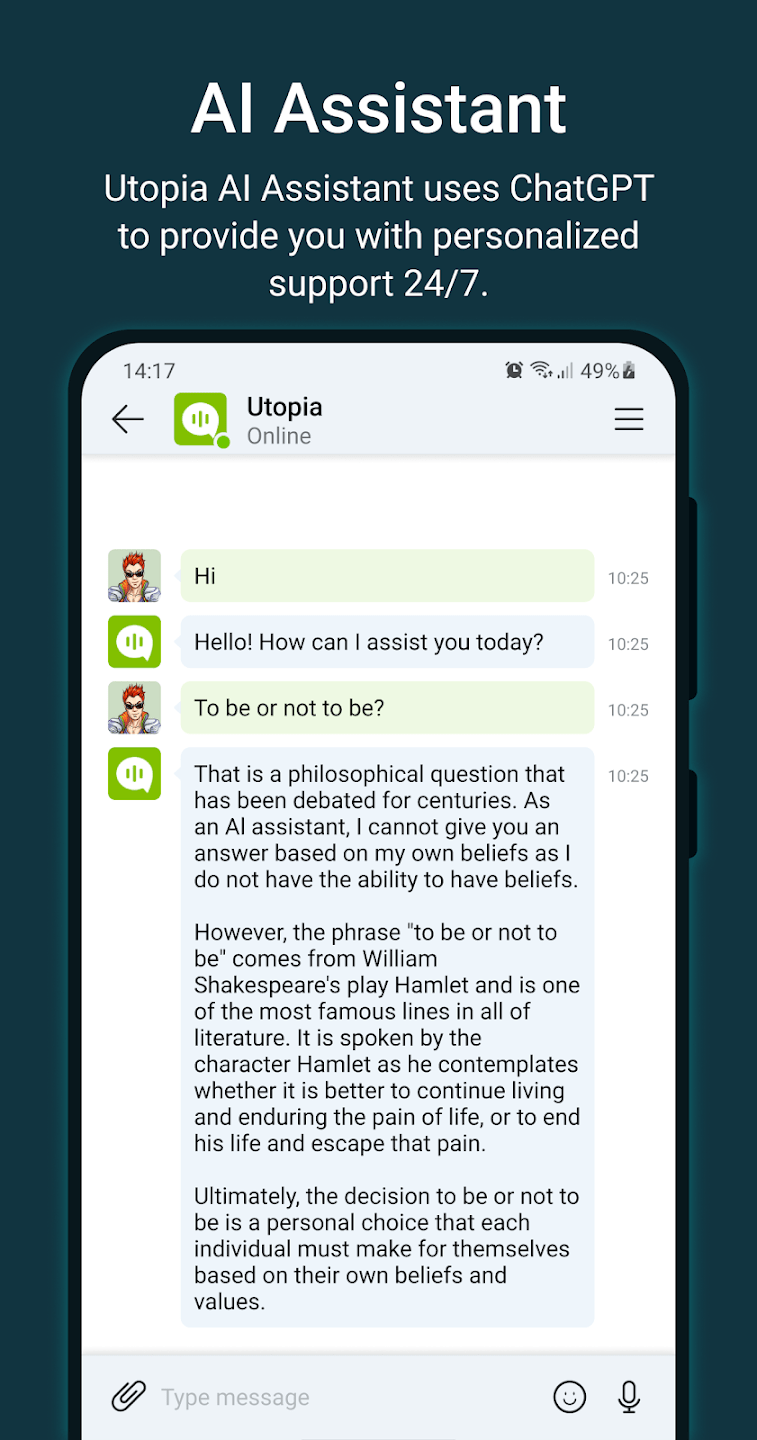
Utopia boasts a robust set of features, including secure text messaging, file transfers, group chats, news feeds, and private discussions—all within the confines of an impervious, secure messenger. Plus, there’s a bonus: ChatGPT, your ever-reliable 24/7 AI assistant, right at your fingertips. It’s like having a genius in your pocket, and it won’t cost you a dime.
Who’s the Typical Utopia User?
Utopia’s appeal spans a wide spectrum. Whether you’re an everyday chat enthusiast, a privacy-conscious professional, or someone navigating censorship-prone regimes, Utopia caters to you. If you’re weary of Big Tech’s data-hungry practices and crave an alternative that respects your privacy, Utopia is your answer.
Key Benefits of Utopia: 🔒 Decentralized & Private: Your data remains yours; no central server means no data collection.
🌐 Censorship-Free: Utopia’s unique protocol ensures your messages transcend restrictions.
📱 No Personal Info Required: Say goodbye to phone numbers and emails; create a username and password.
📢 Group Chats & Channels: Engage securely with friends and communities.
💬 ChatGPT AI Assistant: Access real-time assistance without extra charges.
📩 End-to-End Encryption: Your messages are your secret, thanks to blockchain tech and encryption.
🚀 Tor Alternative: A dependable, trusted alternative to Tor for secure, private access.
Utopia empowers you with secure, private, and censorship-resistant communication, giving you control over your conversations and data. Bid farewell to Big Tech’s dominance and say hello to your new favorite messenger.
Ready to embrace privacy and freedom? Discover Utopia on the web at u.is. It’s time to reclaim your privacy and data.
Meross might be a lesser-known company, but it makes some of the most consistent smart home devices we’ve tested. The compatibility is rock solid regardless of your favorite OS or smart home ecosystem of choice. Even better, for Fall Big Prime Day Deals, you can snag some of these on the cheap.
Neutral Wire Required: The Smart Dimmer Switch Kit includes a Main & Secondary Switch. Please make sure your electric box has a neutral wire(in white color) before purchasing the Meross dimmer switch. If you are not sure, please take a photo of the inner part of your electric box and send it to us. We will check it for you timely.
3 Way Application: Only for 3 Way installation, please note the Main switch cannot work with other standard 3 Way switches. It allows you to control the light from 2 different locations, for example, from the top of a stair to the bottom, from the door to your bed, and from a hallway to a stairway.
HomeKit Remote Control: To enable HomeKit remote control, you need a HomePod, an Apple TV 4K, an Apple TV HD. Set any of these Apple devices in your house as a HomeKit bridge and connect it to your home Wi-Fi network. Keep in mind that once your HomeKit bridge is set up, it has to be kept online. If it is powered off or disconnected from the Wi-Fi, it will fail to respond when you intend to control the device remotely.
Voice Control And Time Setting: Compatible with Apple HomeKit, Apple Watch, Siri, Carplay, Amazon Alexa, and Google Assistant. You can give simple voice commands to turn on/off the devices that are connected to the Meross Wi-Fi switch.” Hey Siri, turn on the light”. The lights can be turned on/off according to your needs even when you are not at home, great to help you deter potential intruders. Support sunrise and sunset settings.
Easy to Install: 15 mins for installation. Meross smart switch fits for your existing 1/2/3/4 gang standard size Decora/GFCI faceplate. Works with 2.4G Wi-Fi only and does NOT support 5G Wi-Fi, no extra hub required. Compatible with SmartThings.
4 Outlets and 4 USB Ports: Equipped with 4 individually controlled Outlets (15A maximum load) and 4 group-controlled USB ports. Up to 4.0A for four USB ports. You can charge your cellphone, tablets, and other USB gadgets with smart power strip.
HomeKit Remote Control: This smart Wi-Fi surge protector with 4 Outlets and 4 USB Ports, ideal for home and office use. To enable HomeKit remote control, a HomePod, an Apple TV 4K or Apple TV HD or an iPad is needed as a Homekit bridge to connect it to your home WiFi network. If you don’t have these devices or you are an Android user, you can use the meross app to control home devices from anywhere anytime. No distance limitation.
Voice Control: Compatible With Apple HomeKit(iOS 13 or above), Siri, Alexa, Google Home, and SmartThings, control your devices hands-free, just make a voice command to turn on/off the connected devices. Works with any 2.4GHz or Dual Band WiFi router. No hub is required.
Schedule and Timer Setting: WiFi Surge Protector supports to turn on and off the home or office devices automatically. Added benefit of saving energy when devices are not needed or are left on by accident. Support sunrise and sunset setting.
Safety Design: The smart power strip is made of flame-retardant PC material and has been approved for safety and quality assurance (ETL and FCC certificate) and it supports any home device up to 15A. Never allow other low-quality surge protectors to endanger the safety of your family.
Remote Control: You can turn the garage door on/off from anywhere with internet access via the Meross app. To let in your family, guests, or couriers through the garage door while you are cooking or not at home. No monthly fee or any other subscription fee! Note: 2.4 GHz WiFi network support only.
Voice Control: You can control your devices hands free, just give voice commands to turn on/off the connected devices. Compatible with Apple HomeKit, Siri, Amazon Alexa, Google Assistant, and CarPlay. Please scroll down and check the “Product guides and documents – User Manual” for more product information.
Compatibility Check: It is compatible with more than 200 brands. Please check whether your garage door model is in the compatibility list in “Product guides and documents-User Guide”. If you are not sure whether your garage door is compatible, you can do a compatibility test. If your garage door needs accessories to solve compatibility issues. please send us the information about your garage opener, we can ship the proper accessory for you, and make it works.
More Precise and Stable: It comes with a high sensitivity sensor that monitors the status of the garage door more accurately and the signal stays stable. And you can check the garage door open/ close operation records through the app. Stay alert by different notification modes such as garage door open/ close status, overtime notification, and overnight notification to remind you to close the garage door.
Easy to Install: Installation is much easier than you may think. Please make sure your Wi-Fi strength is acceptable near your garage door. This is the upgraded version, which has solved the interference issues our old version may cause to some garage door remotes. If you still find it interferes with your original garage door remotes, please contact us for help. We have a solution for you.
Matter Multi-platform Compatibility: Discover the power of Matter! Never limited to any platform anymore. Matter plug works seamlessly across all certified smart home platforms such as Apple Home, Alexa, Google Home, and SmartThings, enabling interoperability of all platforms and all Matter products. 【* Note: not support Thread】The Meross Matter Smart Plug only works with a 2.4Ghz WiFi connection and does [not support Thread protocol].
100% Privacy & LAN & No Cloud: Enjoy ultimate privacy with Meross Matter smart plug. No cloud, no registration, and no data tracking. Experience direct access without relying on cloud. With Matter-certified devices on your local area network (LAN), enjoy continuous access even if your home internet goes offline.
Customizable Schedules & Timer: Efficiently manage your devices with personalized schedules using the timer function. Set specific times for your smart devices to turn on or off, optimizing energy consumption. Perfect for controlling your TV, outdoor lamp, fan, humidifier, blenders, and more.
App & Voice Control: Makes controlling appliances a breeze! Manage your smart plug seamlessly through the Meross app or simply use your voice with HomeKit, Google Assistant, or Alexa. Easily turn on and off your appliances and more with just a simple voice command.
Super Easy Setup: Just plug in, scan the QR code, and sync with the Meross app, you’re ready to go! No need to download multiple apps anymore. Gain control over all your Matter smart home devices by accessing certified smart home platforms such as Apple Home, Alexa, Google Home, and SmartThings.
Fire Retardant & Ever-Small Size: The compact design makes it ideal for any outlet space. Crafted with fire-retardant materials, and provides protection against short-circuits and overloads, ensuring your home safety.
Voice and APP Remote Control: The smart LED desk lamp works with Apple HomeKit, Amazon Alexa, Google Assistant, SmartThings. You can remotely control the small desk lamp anytime and anywhere with internet access. For HomeKit remote control, you need to install an Apple TV or HomePod in your home. Note: The homekit supported desk lamp only supports 2.4GHz networks.
Dimmable and Tunable White: The dimmable LED desk lamp can be controlled by touch, with 3 tunable white and 4 brightness levels. Via APP control, you can steplessly adjust the brightness from 1% to 100% and choose the color temperature from 2800-6000K to meet your needs easily. The smart LED desk light always remembers the last brightness and mode settings.
Eye Caring & Adjustable Angle: Consist of 54 LED beads, the home office desk lamp provides soft and flicker-free light to avoid eye strain and dryness. The vertical rotation angle of the lamp head is 180°and the light arm can be tilted 90°, so you can adjust the foldable LED desk lamp to any angle you want, which is perfect for reading, drawing, relaxing, etc.
Schedule and Timer Setting: With the APP, you can schedule and remotely control the smart desk lamp. You can create scenes with your custom brightness level, color temperature and schedule to turn on or off the smart lamp automatically, and you can also create an auto-off timer to save energy and money. The sunrise and sunset settings are supported in the schedule.
Metal Design & Long Lifespan: This modern desk lamp is made of high-quality aluminum alloy head and arm for better heat dissipation and durability, which is suitable for travelers, students and workers. Designed to last over 40000 hours, there is no need to replace the bulb in the next 25 years. The meross desk lamp consumes only 20% of the energy of an incandescent bulb.
In the ever-evolving world of smart home technology, finding a unified, user-friendly controller has been a long-standing challenge. Google has been doing its part with its Home app on smart displays, and perhaps most notably through its Pixel Tablet. But we’re still in search of something better, aren’t we?
Whether you’re a tech enthusiast like me or someone who simply wants a convenient way to manage your smart home, the search for the right solution can be a bit daunting. Over the years, I’ve experimented with various devices, but recently, I came across the Brilliant Plug-In Smart Home Control panel, and it has piqued my interest.
The Brilliant Plug-In Smart Home Control Panel – A Simple Solution
The Brilliant Plug-In Smart Home Control panel is a flush-mount touchscreen device that promises to simplify your smart home experience. Priced at $399, it may seem a bit steep, but it offers a unique blend of features and convenience that might be just what you need.
refocus_ok
Easy Installation and Versatility
One standout feature of the Brilliant Plug-In Smart Home Control is its hassle-free installation. You can attach it to your wall and plug it into a nearby outlet, with a thin cable that can be discreetly routed through the wall if needed. This makes it an ideal solution for homes lacking a neutral wire or for renters who want to avoid messing with electrical panels.
The device itself is impressively slim, protruding from the wall by less than an inch. While Brilliant also offers wired versions of its smart switches, this plug-in model caters to a broader audience, offering a versatile solution without requiring complex electrical work.
Customizable and Convenient
via Brilliant
The Brilliant control panel features a user-friendly interface with four customizable shortcuts front and center, allowing you to effortlessly control various smart devices individually or in scenes.
Two touch-capacitive sliders provide precise control over functions like dimming lights and adjusting volume. It even includes a built-in microphone, speaker, and camera (with a physical shutter) that can serve as an intercom or connect to your smart doorbell.
With an integrated motion sensor, ambient light, and temperature sensors, the Brilliant panel can trigger actions based on your preferences. Additionally, onboard Alexa support enables hands-free voice control, although it lacks voice support for Siri or Google Assistant.
Comprehensive Device Compatibility
The Brilliant Plug-In Smart Home Control supports a range of popular smart home brands, including August, Ecobee, Google Nest, Honeywell Home, Kwikset, Lifx, Philips Hue, Ring, Schlage, Sonos, TP-Link, Wemo, Yale, and more.
For devices not directly supported, integration with Samsung SmartThings provides a workaround. However, it’s worth noting that direct connections tend to be more responsive than those routed through SmartThings.
Pros and Cons
The Brilliant Plug-In Smart Home Control panel undoubtedly has its merits. It excels in terms of user interface, boasting a straightforward and intuitive experience, and the touchscreen responsiveness rivals that of a smartphone. Moreover, the ability to stream camera feeds and pair them with smart locks adds a layer of security and convenience.
In terms of figuring out how to control things or manage rooms and lights, it doesn’t get much easier than this. Contrast that with the way Google Home continues to change, and the fact that it’s tucked behind an app, and you might see why one would buy the Brilliant device.
The device’s price tag of $399 might be a deterrent for some, especially when you factor in the cost of additional Brilliant switches for a whole-home setup. Furthermore, the system’s reliance on cloud-based integrations can introduce lag and potential connectivity issues. Plus, its limited compatibility with certain devices and ecosystems might leave some users wanting more.
My dad has but a few smart devices in his home and only recently converted to WiFi-based solutions for TV and entertainment. He rarely touches a smartphone, let alone install apps for his lights and speakers. Whereas I once thought he was “living in the past”, I understand the simplicity of the old-fashioned approach.
He wouldn’t have any clue as to how to get certain products to work with Google or tie them to a room. But, something like the Brilliant panel makes a great deal of sense. Placing it in a room where he spends much of his time, and giving him easy access to other devices and settings would be helpful for him. Telling him to use a Pixel Tablet, however, would only aggravate him.
Is the Brilliant Plug-In Smart Home Control for You?
Ultimately, whether the Brilliant Plug-In Smart Home Control panel is the right choice for you depends on your specific needs and preferences.
If you already own devices directly compatible with Brilliant and are seeking a user-friendly solution for controlling them, this device could be an excellent fit. However, if your smart home setup is more extensive or complex, you may encounter limitations due to the current ecosystem and integration challenges.
In an ideal world, where the smart home standard Matter has gained widespread adoption, a device like Brilliant would truly shine by offering seamless interoperability. For now, it’s a promising option, but it may not be the perfect solution for everyone. Consider your existing smart devices, your budget, and your desire for simplicity when making your decision.
In the ever-evolving world of smartphones and mobile tech, one term that frequently pops up is “unlocked phone.” But what exactly does it mean, and why should you consider buying one? In this comprehensive guide, we’ll walk you through the ins and outs of unlocked phones, helping you make an informed decision for your next mobile device purchase.
What Is an Unlocked Phone?
Before delving into the advantages of buying an unlocked phone, let’s clarify what it actually means. An unlocked phone is a device that is not tied to a specific carrier or network. In other words, it’s not bound to a contract with a particular mobile service provider. This freedom to choose your network is the primary allure of unlocked phones.
Benefits of Buying an Unlocked Phone
Network Flexibility
When you purchase a locked phone from a carrier, you are essentially limited to using that carrier’s network for the duration of your contract.
Unlocked phones, on the other hand, can be used with any compatible carrier. This means you can switch carriers without changing your device, giving you the flexibility to choose the best plan or coverage for your needs.
Cost Savings
Unlocked phones may have a higher upfront cost compared to their locked counterparts, but they often provide significant cost savings in the long run. You have the freedom to shop around for the best deals, take advantage of prepaid plans, and avoid contract-related fees.
International Travel
For globetrotters, unlocked phones are a game-changer. You can easily switch to a local SIM card when traveling abroad, avoiding costly roaming charges and staying connected without hassle. This flexibility is a boon for frequent travelers.
No Bloatware
Carrier-branded phones often come with pre-installed apps and bloatware that you may not need or want. Unlocked phones typically have cleaner software, offering a more streamlined and user-friendly experience.
How to Choose the Right Unlocked Phone
Now that you understand the benefits of unlocked phones, let’s explore how to select the right one for your needs:
Compatibility
Ensure the unlocked phone you choose is compatible with the network you intend to use. Different carriers use different technologies (GSM or CDMA), so verify that the phone supports your chosen network.
Frequency Bands
Check that the phone supports the necessary frequency bands for optimal reception and data speeds on your chosen carrier.
Warranty and Support
Consider the manufacturer’s warranty and customer support options when purchasing an unlocked phone. Reputable brands often provide better support and peace of mind.
Reviews and Reputation
Research the phone model and brand online. User reviews and expert opinions can provide valuable insights into the phone’s performance and reliability.
Conclusion
Buying an unlocked phone offers numerous advantages, including network flexibility, cost savings, and the freedom to choose your carrier. When choosing the right unlocked phone, ensure it’s compatible with your network, supports the necessary frequency bands, and has a reputable manufacturer. With these considerations in mind, you can make an informed decision and enjoy the benefits of mobile freedom.
Unlocked phones are not just a trend; they are a smart choice for those who value flexibility and savings in their mobile experience. Make your next smartphone purchase a savvy one by opting for an unlocked device.
Recently, popular Canadian Youtuber Unbox Therapy shared a hands-on video of the upcoming OnePlus first foldable phone, which will likely be called the OnePlus Open. After lots of leaks, renders, and rumors- Finally OnePlus started teasing its most anticipated first foldable phone the OnePlus Open.
OnePlus shared a poster on its official X (formerly Twitter) handle, confirming the availability of the device which is going to launch soon. However, the firm hasn’t revealed the exact launch date but only left us with the “Opening Soon”.
Talking about the teaser image, the firm hasn’t openly revealed the foldable phone despite a hands-on video already up on the air but still OnePlus is keeping the device under wraps maybe there are some reasons. Furthermore, the image flaunts two sides of the upcoming foldable with an Alert Slider on the left side and a volume rocker and power button on the other side.
OnePlus’s first foldable the Open co-developed by OPPO means the OPPO’s upcoming Find N3 will look more or less similar to the firm’s first foldable. So far leaked specifications of the OnePlus Open include a stunning 7.8-inch 2K AMOLED 120Hz main display, a 6.31-inch AMOLED cover display, Qualcomm Snapdragon 8 Gen 2 processor, and a triple rear camera setup featuring 48MP + 48MP + 64MP camera setup at the back and 32MP and 20MP snapper at the front. The foldable reportedly has a 4,800mAh battery with support for 67W fast charging tech.
The device is likely to be launched in the coming weeks but there is a lot of hype about this foldable being created, it would be great to see whether the brand’s first foldable lives up to the mark or not.