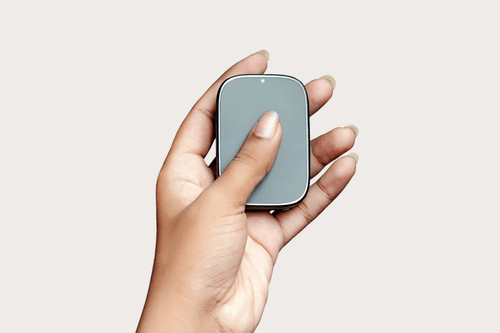
Since Qualcomm announced its latest flagship Snapdragon 8 Gen 3 chipset, major smartphone brands such as iQOO, OPPO, Vivo, and Realme have started teasing their upcoming smartphones powered with Qualcomm’s latest chipset and now OnePlus has also confirmed to launch its upcoming OnePlus 12 flagship smartphone that will feature Snapdragon 8 Gen 3 chipset under the hood.
OnePlus’s upcoming OnePlus 12 flagship smartphone was recently spotted on the Geekbench listings website, revealing key features of the smartphone. Aside from the processor, the OnePlus 12 will feature a massive 16GB of RAM and will run Android 14 based on Oxygen OS out of the box. The OnePlus 12 with model number CPH2581 scored 2169 and 6501 points in single and multi-core on Geekbench V6.
Ahead of the launch, the OnePlus 12 specifications surfaced online. It will feature a 2K LTPO BOE OLED display with support for a maximum 120Hz refresh rate. The smartphone is said to feature up to 24GB of RAM and up to 1TB of internal storage.
For lenses, the device will feature a triple rear camera setup at the back. The 50MP Sony IMX966 main unit is joined by a 48MP Sony IMX581 ultra-wide lens and a 64MP telephoto lens with a 3x periscope lens. It houses a 5,400mAh battery with support for 100W wired fast charging and 50W wireless charging.
EDITOR NOTE: This is a promoted post and should not be considered an editorial endorsement. AndroidGuys received compensation for the aforementioned content.
Please exercise caution when using a gambling or betting service which employs real money.
If you reside in a location where gambling, sports betting or betting over the internet or through an is illegal, please do not click on anything related to these activities within this post. You must be of proper legal age to click on any betting or gambling related items even if it is legal to do so in your country.
Mobile gambling is on the rise, as players are inspired by the possibility of launching an exciting slot or game wherever they are. Gambling operators satisfy this demand, adapting their platforms for Android devices or even providing users with a branded app. As a rule, all features of the desktop version are kept. Software developers release products compatible with smartphones, making online casinos more accessible. Of course, lucrative bonuses are also available.
Some gambling platforms have made it a step further, offering special promotions for mobile players. Let’s look closer at the possibility of claiming juicy rewards from an Android device and reveal all the secrets to making gambling as profitable as possible.
Understanding No-Deposit Bonuses
No-deposit deals are the most lucrative solution for players, as they don’t have to invest a cent to start gambling. As a rule, this promotion is given to newcomers to explore the website and try several games. It allows users to test the platform and decide whether they would like to stay on it or search for something else. Unfortunately, no-deposit bonuses are rare, so finding a suitable online casino may take a while. Instead, users can gamble for free – so the attempt is worth the effort.
Exploring promotions is nothing but exciting; however, it’s important to consider numerous factors before claiming the chosen offer. Bonus usage conditions vary depending on the operator, and they can sometimes be tricky. Pay attention to the following factors:
Wagering requirements show how much of the bonus amount a player must bet to withdraw the cash prize in case of winning
Withdrawal limits indicate the maximum payout a gambler can get when using a particular promotion
Games and slots covered by the offer: in numerous instances, the free reward can be used in a limited number of titles available on the site
All these points are critical, so check everything in advance and claim only the best bonuses available in the market. Don’t hesitate to pass by the promotion if it has doubtful conditions, as you can always find something more attractive.
Finding the Best No Deposit Bonuses for Android
The number of online casinos is rapidly growing, as well as bonus offers, respectively. Therefore, players have a great selection. However, not all gaming operators are reliable – and it’s the first thing to consider. Remember to choose licensed platforms that provide a high level of security. Learning real customers’ reviews is a perfect option, as you can look through fair opinions and understand whether a casino is worth your attention.
Of course, the availability of a no-deposit bonus is also essential. Seek gambling platforms with free promotions and ensure their conditions suit you. Some well-known operators offering free deals include 888casino and SkyVegas. Don’t concentrate on the industry leaders, as new online casinos often provide even more lucrative promotions for players, aiming to develop their brands.
How to Claim and Utilize No Deposit Bonuses on Android
Grabbing mobile casino bonuses without a deposit is simple – and the most challenging task is to find a trustworthy online casino. If you already have such a platform in mind, ensure it supports the Android OS. As a rule, operators offer two options: gamble on the mobile website version in your browser, or install the casino app. While not all gaming establishments offer a downloadable file, most are compatible with smartphones. Claiming a bonus from your Android smartphone is easy, so look at the brief guide:
Enter the chosen online casino site
Sign up by entering the required data
Confirm the registration on your email
Return to the casino and claim the bonus
Keep in mind that many operators credit the reward automatically after registration. However, some require members to enter a special promo code to activate this bonus. Learn the conditions in advance to grab the desired promotion with a few clicks.
Types of Bonuses for Android Platforms
The variety of promotions in the modern gambling market impresses even the most experienced players. And the possibility of claiming them for free warms up users’ interest. What are the main reward types you can grab without depositing?
Free spins for the best slot machines
Additional credits for playing top games
Time-limited special offers
As a rule, players can use promotions immediately after getting them. However, remember that many bonuses have expiration periods, so hurry up to use the chosen reward before it becomes inactive.
Strategies for Maximizing No Deposit Bonus Wins
As a rule, free registration rewards are not huge, so in most cases, a player can only test a few titles. Winning using the bonus is possible, but the cash prize is usually proportional to the offer size. However, there are still ways to maximize benefits, so grab some tricks shared by experienced gamblers:
Pay attention to penny slot machines
Claim bonuses on multiple platforms
Consider the wagering requirements
Moreover, don’t forget about other casino bonuses – many are available even for a $1 replenishment. Keep an eye on your bankroll and get maximum fun and pleasure.
Troubleshooting Common Issues
Nothing is perfect, and mobile casinos are no exception. Unfortunately, no one is insured against bugs and glitches. It might happen that a bonus is not credited to the gaming balance even though a player followed all the conditions. It’s not a reason to get upset! Customer support service in many casinos is available 24/7, so you can contact the team and ask for assistance. Live chat is the most widespread option, as you can get a reply immediately. Other methods common in online casinos include emails and phone calls.
Staying Updated and Managing Bonuses
A no-deposit bonus for registration is not the only promotion a player can get. Casinos also offer numerous deals, including cashback, match rewards, loyalty programs, etc. Regular members can also take advantage of free deals, so don’t forget to keep an eye on all the updates. Some juicy bonuses are often available during holidays and special events, so remember to check the website. Subscribing to the newsletter is also a great idea, not to miss the most lucrative promotions.
Final Insight
No-deposit offers are the best way to familiarize yourself with an online casino and try some games with zero investments. Fortunately for mobile players, this promotion is often available on Android platforms. Don’t hesitate to claim the deal on the chosen platform, but remember to check the conditions beforehand. Moreover, keep track of all the updates, as many more rewards are waiting for risk fans.
The reliable name in dash cam technology offering Nextbase come up with its latest Nextbase iQ dashcam which is fully compatible with any vehicle. Armed with the latest AI-powered technology and 4G IoT connectivity support, offering real-time access from anywhere.
Unlike other dashcams, the Nextbase iQ sets a new benchmark by offering high-end smart-home style connectivity into the car and making it advanced connected car technology. Nextbase iQ design honored by Time’s List of Best Inventions and the Best of CES. Let’s delve into the details of the Nextbase iQ dashcam.
Nextbase iQ Dashcam boasts a maximum 4k resolution and captures every detail clearly and more precisely. It’s the world’s first dashcam that lets you capture up to 4k resolution offers complete vehicle coverage through a rear window camera and defends against incidents both on the road and while parked.
The iQ dashcam comes with a smorgasbord of features including smart sense parking, witness mode, emergency SOS, Live view, Real-time event notifications, voice activation, and security mode. All those features come under a paid plan, yes you have to subscribe to Nextbase’s protect plan starts at $9.99 per month and protect+ kicks off at $19.99. There is also a free plan that includes only three features compatibility with the iQ app, voice control feature, and real-time text notifications.
The Nextbase’s smart sense parking feature uses dual technology powered by Nextbase’s proximity sensing Spatial Awareness and G-Force sensors that scan the surrounding area of your vehicle and warn of any obstacle via real-time notifications. The witness mode can save up to 30 minutes of video to the cloud and instantly notify the emergency contact in real-time. The emergency SOS mode automatically alerts for emergency services with locations in danger situations.
The Live view lets you watch what’s going on in or around the vehicle via the iQ companion app. Also, you can do the live stream, trigger an audible alarm, two-way talk, and more through the app. No matter where you are in the world, Real-Time event notifications send notifications to your phone. The new addition, voice-activation mode lets you handle all features with voice commands including mute, activating witness mode, turning off cabin cam, and, more. Lastly, the security mode in the iQ automatically detects the status of the vehicle seamlessly switches between parking and driving mode, and scans for threats while avoiding car battery drainage.
Furthermore, Nextbase added that the iQ is an evergreen product which means it can evolve with each new firmware update. No matter the date of purchase, you always get a number of features in the iQ dashcam. Nextbase also promises to provide more features in the iQ to enhance the security of the vehicle including Guardian mode, Push to talk, Roadwatch AI, Encrypted incident reports, Driver Aware (AI-powered DMS), and Vehicle Aware (AI-powered ADAS) via firmware update which Nextbase already scheduled to release just weeks after the launch.
The Nextbase iQ comes in three variant options- the 1080P resolution model starts at $499.99, the 1440p resolution model kicks off at $599.99, and the high-end 4k resolution model retails at $699.99. Nextbase also offers a rear camera which you have to purchase separately, starting at $199.99. The iQ dashcam is now available for purchase exclusively at Nextbase.com, Best Buy, and Amazon.
The popular tech accessories manufacturer brand Anker has unveiled a new Soundcore Motion X500 portable speaker. The design of the Motion X500 is very similar to the recently launched Soundcore X600, however, the X500 is more compact and lightweight than the Motion X600’s design, and you can easily carry it with its dedicated handle on the go.
The portable Bluetooth speaker with a 40W audio output delivers a powerful, high-fidelity Room-filling sound. Sony’s high-quality LDAC codec offers 3x more detailed sound, 3-channel spatial audio support offering an exceptional sound experience unlike never before, and Hi-Res audio-certified means you can hear your favorite songs with high-quality and immersive sound. You can also customize the sound as per your taste through the Soundcore app, offering 9-band EQ profiles to choose from.
The Motion X500 has three-sided firing speakers- the left and right speaker handles stereo things while the upper one that is pointed to the sky handles spatial audio effect.
Anker packs a massive 6,400mAh battery in the Motion X500 that offers up to 12 hours of playback. The portable speaker also comes with water resistance certification, rated at IPX7 which means you can go wild with the speaker without worrying about damage even in wet weather conditions.
Anker offers three refreshing color options for the Motion X500 including Pink Punch, Glitzy Blue, and Black Deluxe. The Motion X500 retails at $169 and is now up for pre-order via Soundcore’s official website and the open sales will begin from November 6.
As an early bird price offer, Anker is offering a $40 discount if you pre-order the Motion X500 speaker, so the effective price is $129.
As the world continues to adapt to the new normal, the realms of remote and hybrid work are not just trends, but a revolution in how we approach our daily tasks and responsibilities. Gone are the days when the office was the sole sanctuary for productivity. Today, our homes, coffee shops, and even picturesque beaches serve as backdrops for meetings, brainstorming sessions, and project executions.
The shift to decentralized workspaces has not only redefined our understanding of ‘office culture’ but has also ushered in an era of tech advancements and innovative non-tech solutions tailored to this new way of working.
In this roundup, we delve into the must-have gadgets, gear, and software that are shaping the future of work, ensuring that no matter where you are, you’re always at the heart of the action.
Whether you’re a digital nomad seeking the next great adventure or an organization aiming to optimize your hybrid workforce, these products promise to make the transition smoother, more efficient, and undeniably stylish. Buckle up and join us on this journey through the best of remote and hybrid work essentials.
Flexispot C7 Ergonomic Office Chair
The C7 is not just a chair, but your steadfast companion through the 9-to-5 grind and beyond.
With its high back design, this chair is a staunch supporter of your back and neck, ensuring you’re nestled comfortably through your work hours. The generously padded seat is like a soft cloud for your hard-working buns, and if you’re someone who likes a bit of breeze around, the mesh cushion option in the C7 Pro version is your go-to for better airflow. Oh, and let’s not forget the armrests – they’ve got just the right amount of wiggle room for when you need to stretch out a bit, along with padding to rest your elbows. $370
Lorex 4K Dual-Lens Wi-Fi Security Camera with Smart Security Lighting
via Lorex
Step into the future of outdoor surveillance with the Lorex 4K Dual-Lens Wi-Fi Security Camera! Its 180° panoramic view stitched together by dual lenses leaves no blind spots. Engage with visitors or shoo away intruders with the 2-way talk and quick response messaging.
The Smart Security Lighting adds a splash of color and an extra layer of deterrence, keeping the bogeyman at bay! With no monthly fees and upgradable local storage, it’s a one-time investment for long-term peace of mind. Lorex’s innovation is lighting the way to a safer home! $250
Majority 15-inch Soundbar
via Majority
Meet the Majority 15-inch Soundbar, the epitome of ‘small but mighty’. This sleek sound maestro not only elevates your audio game but also aligns with modern decor aesthetics. With the ease of Bluetooth connectivity, it’s all about plug, play, and sway to the rhythmic day! And hey, the built-in subwoofer is the cherry on top, deepening the bass and enriching the acoustic ambiance.
At a pocket-friendly price, it’s a sound choice for a robust audio experience. So why wait? Let the Majority 15-inch Soundbar echo elegance and excellence in your entertainment enclave! $40
Dreo HM311 Smart Humidifier
Step into a haven of comfort with the Dreo HM311 Smart Humidifier. This gadget does more than just add moisture to your environment; it elevates your space into a haven of freshness, making those long work hours less of a chore.
The smart controls ensure a hassle-free operation, while the massive tank ensures the comfort lasts all day. No more dry spells during your workdays; with the Dreo HM311 Smart Humidifier, you’re enveloped in a cocoon of comfort, keeping you refreshed as you hustle through your remote work sessions! $40
Smartish Prop Tart
via Smartish
Ready to stand out in the remote work hustle? The Smartish Prop Tart is your snazzy sidekick! This slim fit, collapsible loop, and phone grip sticks to nearly any surface, making one-handed texting and selfie grip a breeze. Oh, and did we mention it doubles as a kickstand? Just prop it up, and voila, your virtual meetings just got an upgrade, all without breaking the bank!
With a choice of vibrant colors, it’s not just a smart buy, it’s a Smartish buy! So why wait? Grab your Prop Tart and let your phone stand tall in the remote work arena. $15
GameSir T4 Cyclone
Because sometimes you need to blow off a little steam in the middle of the day, right? Get ready to whirl into action with the GameSir T4 Cyclone! This isn’t your average gaming controller; it’s your tactile companion in the virtual battlegrounds. The ergonomic design and turbo function mean you’re ready for long gaming marathons.
The GameSir T4 Cyclone doesn’t just respond to your commands; it vibes with your gaming spirit. Level up your gameplay and breeze through every battle with the T4 Cyclone by your side! $40
Aer Pro Brief
via Aer
This isn’t your granddaddy’s briefcase. The Aer Pro Brief is the epitome of modern-day carry mastery. It’s sleek, it’s chic, and it’s ready to hit the streets. With its clean-cut aesthetics and professional vibe, you’ll be turning heads from the coffee shop to the co-working space.
But beauty is not just skin deep with this bad boy. Oh no, the Aer Pro Brief is as practical as it is handsome. The myriad pockets are like a magician’s hat, ready to accommodate your tech gadgets, documents, and even that extra pair of socks for when the going gets tough. The dedicated compartments for your laptop and tablet mean no more fumbling around when it’s go-time. And let’s not forget the subtle yet sturdy water-resistant exterior ready to brave the elements. $139
TourBox Elite
Tired of mundane mouse clicks and keyboard shortcuts? Say hello to the future of efficient workflow control. The TourBox Elite boasts an intuitive design that seamlessly integrates with your favorite software, putting a plethora of commands and functions within easy reach.
Customize and streamline your tasks with the spin of a knob and the press of a button. From graphic design to video editing, this compact wonder unleashes your creative genius and turbocharges your productivity like never before.
It seamlessly integrates with popular programs such as Adobe Photoshop, Lightroom, Premiere Pro, and After Effects, allowing you to effortlessly control various tools and functions with a twist of the knob or a tap of the button. Additionally, it supports software like Microsoft Office, CorelDRAW, Clip Studio Paint, and more, offering you unparalleled versatility to elevate your remote and hybrid work experience. $268
Narwal Freo Robot Vacuum
via Narwhal
Picture a world where your floors are always spotless, and you never have to lift a finger. Welcome to the future with the Narwal Freo Robot Vacuum. It’s your secret ally for a cleaner home and a simpler life.
This cutting-edge marvel uses smart technology to navigate your space with precision, avoiding obstacles and ensuring a thorough clean on various floor surfaces. But what truly sets it apart is its double-clean function. Not only does it vacuum your floors, but it also gives them a sparkling wash, leaving them gleaming.
With the Narwal Freo, you’re in control. Thanks to intelligent app control, you can schedule cleanings and monitor the robot’s progress from the comfort of your smartphone. It’s the ideal solution for anyone who values automated efficiency and a sparkling clean home. $1,199
Arzopa A1C Monitor
Get ready to put the “portable” back in your productivity game with the Arzopa A1C Monitor! Welcome to a world where your workspace knows no bounds – whether you’re at home, on the move, or taking over your favorite coffee shop. Say goodbye to squinting at small laptop screens; this dynamic duo brings you a second screen that’s as snappy as your multitasking skills. Slide it out, and voila! Your work canvas just got bigger, better, and twice as efficient.
This sleek beauty isn’t just about size; it’s got brains too. With a smart USB-C connection, you’re plugged into an instant display that mirrors or extends your main screen. And let’s not forget the grand finale – its adjustable stand makes it as flexible as your to-do list. Whether you’re fine-tuning presentations, smashing deadlines, or simply binge-watching on a bigger canvas, the Arzopa A1C Monitor is your secret weapon for the ultimate remote and hybrid work setup. $120
Hisense 65-inch Class U7 TV
The Hisense 65-Inch Class U7 is here to elevate your work-from-home setup to a cinematic level. Imagine concluding your workday with a virtual happy hour on a screen that transforms your living room into a mini-theater.
The 4K UHD (Ultra HD) resolution paired with Dolby Atmos and DTS:X ensures that your video conferences and post-work Netflix binges are nothing short of spectacular. High Dynamic Range (HDR), Dolby Vision, and Hisense QLED technology bring colors to life, ensuring that your presentations look as crisp as they would in the boardroom. The HDR10+ Adaptive feature adjusts to the lighting in your room so you can work (or play) from dawn till dusk without missing a beat. And the digital sound? It’s the cherry on top for your Spotify playlists or YouTube explorations.
This TV isn’t just smart; it’s a genius companion for all remote warriors, doubling as a massive monitor for multitasking and a portal for relaxation once the work is done. The future of remote work is not just about staying connected; it’s about doing it in style. $730
Wabi Whiffs On-The-Go Singles
Step into the realm of olfactory delight with Wabi Whiffs’ Crystal Night On-The-Go Singles. No more dreading the aftermath of nature’s call, especially when working in close quarters.
These whimsical toilet sprinkles, imbued with a zesty blend of pink grapefruit and bergamot, are your pocket-sized warriors against the dreaded toilet odors. Just a sprinkle before you twinkle, and voila, your throne is as fresh as a daisy garden! Tucked in a resealable pouch, these single-use sachets are discreet, portable, and instant odor-busters.
Perfect for the home office, shared workspaces, or on-the-go, these little sachets are here to save the day, one sprinkle at a time! $10
GE Cync Smart Plug
Welcome to the era of remote working, where the GE Cync Smart Plug is your new best friend in managing home appliances with a mere tap or voice command! No more scuttling back home fearing you left the heater on. This wizardly gadget is here to bring the control right to your fingertips, wherever you are.
Got a coffee maker, a lamp, or a fan? Turn them on or off from your cozy couch or the distant beach you’re working from. It’s all about making your home smarter and your life easier. $15
Ugreen Nexode 300W Desktop Charger
With a compact design yet massive power output, it juices up your gadgets swiftly ensuring you’re always connected. Its GaN tech makes it efficient and cool under pressure, just like you on a tight deadline! Multiple ports mean your devices don’t have to jostle for a charging spot. So, let the Ugreen Nexode take charge of your powering needs, while you focus on nailing that presentation. With this charger on your desk, it’s always power-hour! $270
Epson ET-2850 Wireless All-in-One Printer
via Epson
Unleash the power of seamless printing with the Epson ET-2850 Wireless All-in-One Printer, a treasure for remote and hybrid workers. This gadget isn’t just about getting documents on paper; it’s a cartridge-free maestro that belts out high-quality prints while dancing to the tune of eco-friendliness. With high-capacity, refillable ink tanks, bid farewell to the cartridge replacement blues.
Enjoy auto 2-sided printing, a high-resolution scanner, and modern connectivity with hands-free voice-activated printing. The Epson ET-2850 doesn’t just print; it orchestrates your printing tasks with a flair of efficiency and ease, making your work-from-home saga a breeze. $300
Eve Energy
This smart plug not only allows remote control of your devices but also monitors energy consumption. Perfect for the remote or hybrid worker keen on reducing their carbon footprint while enjoying modern-day conveniences. Schedule devices, sync them with your daily routine, and keep your energy bills in check.
With Eve Energy, take a step towards a smarter, energy-efficient work lifestyle. Flip the switch to smart energy management and let Eve Energy pave the way for a conscious, connected, and convenient workspace. $40
EPOS Expand 40 Bluetooth Speaker
via EPOS
Elevate your conference calls with the EPOS Expand 40 Bluetooth Speaker. This sleek speakerphone serves crystal clear audio, making virtual collaborations feel almost in-person. With its ability to connect to multiple devices, it’s like having a tiny, personal amphitheater right on your desk.
The compact design makes it a portable companion for the hybrid worker, ensuring impeccable sound quality wherever work takes you. The EPOS Expand 40 isn’t just about hearing and being heard; it’s about making every interaction count. So, amp up your audio game and let your ideas resonate loud and clear across the digital workspace! $329
Adonit Neo
Meet your slick partner for digital notation and doodling. With a dash of elegance and a sprinkle of efficiency, this stylus dances on your touch screens, leaving behind precise trails of your thoughts and creativity. The magnetic cap is a neat trick up its sleeve, ensuring it stays put. It’s like having a classic pen for the digital age.
No charging required, it’s always ready to capture your ideas. The Adonit Neo doesn’t just keep up with your work pace; it adds a stroke of genius to it! Glide into your tasks with Neo and let your creativity flow unbridled. $40
Carved Circle Wireless Chargers
via Carved
These chargers aren’t merely about powering up; they bring a touch of elegance with their unique, handcrafted designs. Each charger is a piece of art, making your workspace aesthetically pleasing while keeping your gadgets juiced up. The simplicity of just placing your device on the charger to power up, no cords, no fuss, aligns with the modern-day need for ease and functionality.
With a Carved Circle Wireless Charger, infuse a blend of artistry and technology into your workspace, making the charging routine a charming experience! $49
Oraimo 120W USB C Charger
Plug into the fast lane with the Oraimo 120W USB C Charger. This charger packs a punch when it comes to charging your devices at lightning speed. With the ability to charge up to four devices at once, it’s the unsung hero on your desk that keeps the workday humming along. The foldable plugs tuck away nicely making it a sleek companion for on-the-go charging needs.
Whether you’re working from home or a cafe, the Oraimo 120W USB C Charger ensures your gadgets stay powered up and ready to tackle the day’s tasks! $38
If you are looking for a foldable phone that doesn’t break the bank then Motorola’s Razr Plus which was launched earlier this year available at its lowest price ever. This deal comes from Amazon, offering a hefty discount on the Razr Plus unlocked variant. Motorola’s latest foldable Razr Plus with a big cover screen is down to $800 from its retail price of $1000. You are saving $200 on a recently released foldable smartphone which is very rare to get this type of deal. The plus point is that the Moto Razr Plus is an unlocked model which means it’s compatible with any carrier, so you can choose your likes of Carrier here. Hurry up, snag this deal before it gets out of stock.
Why you should consider the Moto Razr Plus?
In our review, we praised the Moto Razr Plus foldable smartphone for its fully functioning cover screen that lets you almost every app on it flawlessly, its compact, lightweight design, and its powerful processor making it a perfect foldable smartphone in the realm of foldable markets.
You get Qualcomm’s flagship chipset in the Razr Plus smartphone, powering the smartphone with a Snapdragon 8+ Gen 1 processor coupled with ample 8GB of RAM and 256GB onboard storage. The processor is powerful enough to tackle whatever you throw at it, ensuring smooth and reliable performance.
What makes the Razr Plus even more attractive is its compact and lightweight ergonomic design which easily fits in a pocket. It sports a stunning 6.9-inch pOLED ultrasmooth display and a big 3.6-inch cover screen that lets you handle everything without unfolding the phone.
The 12MP + 13MP dual rear camera setup at the back captures pretty solid camera shots and a couple of new features such as different camera modes offer crisper and sharper shots and a Flex view allows you to take pictures from different angles. On the front, it has a 32MP selfie camera for capturing stunning selfies. It packs a 3,800mAh battery that easily lasts a day on a single charge.
Nimo Planet has released Nimo OS and Nimo Core, along with its Nimo Glass to complete its dream of offering hyper-portable spatial computing system to users around the world.
According to Nimo, these three components are meant to combine and offer personalized, multi-screen expansive workspace experience to the modern hybrid workforce.
How it works
The firm’s technology efforts is now able to equip a modern workforce with the same luxuries of a multi-monitor often setup in a desk-free form factor. Here’s what it takes, these things are involved: a pocket-size computer, and a virtual, private display.
This easily takes away the limiting factors regarding finding usability and the portability of existing smart devices. Granted, juggling devices such as smartphones, tablets, and laptops can compromise workspace and productivity.
The current solutions for mobile computing makes it hard for the average office worker to stay efficient, organized and comfortable while on the go. Nimo is changing this model by providing or deploying spatial computing in a unique and streamlined manner. It is providing enterprise-class workspace that fits the user’s pocket.
What about power users?
Power users are well covered, as this Nimo Core’s compact form system allows resource efficiency, reducing CPU and memory usage. Imagine what it takes to render up to six high-fidelity 3D screens with an entire screen that’s stereo.
That systematically optimizes performance and battery life, minimizing heat generation. During multi-tasking – something common among power-users – the device remains comfortable while generating less heat.
However, Nimo Core’s compact form factor is 63mm in width, 43mm in length, and 23mm in thickness. Also, it positions 2D applications in varying depths to achieve six high-fidelity 3D screens. There’s the Qualcomm XR2 processor to power the Core system.
Furthermore, the glasses are world’s first wearable computer designed for multi-screen workspace on the go. With it, Nimo seeks to revolutionize the work and offer freedom to work from anywhere faster and more efficiently.
Finally, it is good to note that Nimo OS supports Mac and Windows applications through USB-C or Remote Desktop.
DJI has updated its compact camera portfolio with the new Osmo Pocket 3 launch. DJI’s latest action camera brings impressive upgrades over its predecessor which is praiseworthy.
DJI’s new Osmo Pocket 3 has an all-new larger 1-inch sensor that ensures better image and video quality in every environment conditions. In addition to that, DJI packs a 2-inch flip touchscreen display into the Pocket 3 which easily flips horizontally or vertically sideways offering flexible movement to capture the perfect framing.
Compactness is another noticeable upgrade, the Osmo Pocket 3’s compact and lightweight ergonomics design makes it easy to hold and carry anywhere. The new 1-inch camera brings more improved camera capabilities including faster focusing, and slow motion video at a maximum of 4K/120 frames per second and a minimum of 1080p/240 frames per second.
DJI also enables wireless microphone connectivity support that takes audio recording even further with more detailed and crisp sound. What makes the Osmo Pocket 3 even more impressive is its three-axis gimbal stabilization system with advanced features including an ActiveTrack 6.0 which now offers two new modes- the Dynamic framing mode that keeps the subject always in the frame and an all-new Face-Auto detect mode.
DJI also packs a long-lasting battery in the new Osmo pocket, offering up to 166 mins of battery life on a single charge and it also supports fast charge tech, within just 16 mins of charging the Pocket 3 hits an 80% mark. The Pocket 3 did bring an impressive upgrade over the first two pockets making it a perfect choice for vloggers and adventurers who want to record more wildly.
These massive upgrades do come with a cost that bumps $170 more than its predecessor. The Osmo Pocket 3 will cost you $519 and the creator combo which includes a DJI Mic 2 transmitter, a mini tripod, and a battery handle that extends the battery life, costs $699.
EDITOR NOTE: This is a promoted post and should not be considered an editorial endorsement
When it comes to contact centers, there’s little room for error. Studies show that one bad experience can result in a customer cutting ties with a company. This is especially true for businesses that operate in sectors where consumers have many options, like wireless plan carriers, health care providers, and financial services, including banks or credit unions.
For companies that rely on large contact centers, it’s critical to provide consistent, reliable, and personalized lines of communication with customers. Contact centers often channel the only interaction customers will have with a company, making each conversation critical to business success. Applying the right technology can make the difference between winning, retaining or losing customers.
Earlier this year, Consuelo Remmert, General Manager and Head of International at Afiniti, shared her insights on how contact centers can deploy human-centered AI to deliver optimal customer experiences.
Customer experience is a business imperative
When times are good, customers aren’t always checking their phone plan to make sure it’s the right fit. Nor are they focusing on what insurance coverage they have when they’re in good health. More often than not, these issues get attention when things go wrong.
When facing challenging circumstances, the last thing customers want to deal with is a difficult or cumbersome contact center experience, which can often result in losing their business.
Afiniti, a leader in CX AI that develops contact center AI optimization technology, understands the opportunity that arises in these difficult circumstances: deliver an exceptional experience and create a loyal customer.
For nearly two decades, Afiniti has successfully connected customers with agents who are likely to deliver a solution and satisfy the customer’s needs. At Sabio Group’s annual contact center technology conference, Sabio Disrupt, Remmert outlined a typical contact center experience where a telco customer looks to cut costs by downgrading their wireless plan.
“So Dave picks up the phone and he calls his mobile company, and here is the moment of truth,” Remmert said. “He wants to downgrade his plan, but is he going to have a good customer service experience?”
As anyone who has called a provider before can attest, this experience can be negatively impacted by any combination of contact center issues like long wait times, improper routing or excessive use of chatbots, none of which will likely endear Dave, or any caller, to the current provider.
But Remmert knows this is where data and Afiniti’s patented AI technology can assist. “Dave gets put through to an agent right away, an agent that has done well in the past with customers like Dave, who are calling to downgrade their plans,” she said. The agent understands Dave’s unique needs, helps him, and retains the customer.
Remmert goes on to share that multiple studies have shown that even one negative customer service experience can result in a company losing a customer. Not only that, she said, but happy customers stay with their current providers longer and often pay more.
Risk of over automation
Remmert’s keynote also draws attention to another risk to excellent customer experience: over automation. While automation can help with productivity and simple tasks, human interaction — especially when it comes to dealing with problems — is paramount. When Dave called, like so many customers, he wanted to speak to someone who understood his situation and could help. The agent’s ability, harnessed by Afiniti’s AI technology, could not be matched by an automated response from a chatbot.
“AI is not technology that replaces humans,” Remmert said. “When used responsibly, AI can actually generate richer human interactions.” Afiniti delivers value that other technology cannot because it leverages the power of the human connection and benefits the bottom line. Using AI to connect a caller with a human agent who understands the customer and has past experience solving a similar issue, means the customer gets what they need and can leave the interaction satisfied.
Ultimately, effective and responsible AI is an enabler of, not a replacement for, human interaction.
I’m lounging on the sofa, adorned with AR glasses that project a colossal virtual screen into the air. With high resolutions and a 120Hz refresh rate, every movement is smoother, crisper, and absolutely exhilarating.
You, too, could immerse yourself in a world where your virtual and physical realities merge. Xreal’s Air 2 glasses, priced at an accessible $399, project a virtual display of up to 330 inches, encapsulating you in a cinematic experience without the hefty price tag. A recognized leader in the Augmented Reality arena, Xreal takes your experience a notch higher with its next-generation Air 2 smart glasses, a masterpiece combining innovation and affordability.
While Rokid Max, a direct competitor, is available at the same price, it pales in comparison given the plethora of features it lacks – a testament to Xreal’s ingenuity.
Yet, the journey of smart glasses is still in its infancy. Currently, they are renowned for functions like listening to music, taking calls, and capturing photos and videos (with embedded cameras). They project a virtual display that gives the illusion of a massive screen suspended mid-air, coupled with a handful of AR tricks. But that’s just scratching the surface. Meta’s Quest 3 is a beacon of evolution, intertwining mixed reality with virtual reality, setting a benchmark that could be commonplace in consumer AR glasses in the years to come.
A close inspection of Xreal’s latest Air 2 reveals a familiar exterior, bearing resemblance to its predecessor, the first-gen Xreal Air. However, don’t be deceived by the external aesthetics; the brand has undertaken a complete overhaul of the internals. The new Air 2 is equipped with a wider, high-resolution display, enhanced lenses, superior graphics, a flexible build, and intuitive controllers, promising an unparalleled augmented reality escapade.
In a market where innovation is rapid, Xreal’s Air 2 stands distinct, a confluence of affordability, quality, and cutting-edge technology. The future of augmented reality is here, and it is more accessible and mesmerizing than ever before.
Image Credit- Abhinav Fating| AndroidGuys
I’ve spent three weeks immersing myself in the world of Xreal Air 2 AR glasses, and the experience has been nothing short of marvelous. However, my expectations extended beyond the device’s mirroring capabilities. I am optimistic that future iterations will address this and expand the horizons of what these glasses can achieve. Below, I offer a detailed review of my time with the Xreal Air 2 AR glasses.
The Air 2 stands as a testament to Xreal’s commitment to continuous improvement, boasting a design that is lighter, sturdier, more compact, and flexible compared to its predecessor, the Air. Although the two generations bear a striking resemblance in overall aesthetics, nuanced enhancements in the Air 2’s design are indicative of evolution.
To delve into specifics, the Air 2 tips the scale at a mere 72 grams. This reduction in weight, compared to the Air’s 79 grams, exemplifies a meticulous refinement process aimed at enhancing user comfort. In the domain of thickness, the Air 2 triumphs once more, being 10% slimmer than the Air, which measures 19mm. These improvements, though seemingly incremental, significantly elevate the wearability and comfort, affirming the Air 2’s position as a leader in the realm of AR glasses.
Image Credit- Abhinav Fating| AndroidGuys
The integration of Sony’s new lenses in the Air 2 AR glasses epitomizes comfort and eliminates the bulkiness often associated with augmented reality eyewear. When I don these glasses, a glance in the mirror reflects back an image of me in what appears to be ordinary sunglasses. Although the inner lenses are initially visible, the inclusion of a light shield seamlessly masks them from view.
Enhancing the wearability is the innovative 3-step adjustable Rake system, coupled with refined elastic temples. These features ensure the glasses adapt automatically to the wearer’s head size, promising a bespoke fit. The inner linings, crafted from soft materials, not only amplify comfort but also exude a natural, tactile appeal.
Xreal’s meticulous attention to detail is further evidenced in the introduction of air-fit nose pads. Engineered for extended wear, these nose pads negate discomfort, ensuring day-long wearability without the slightest hint of strain. A perfect 1:1 ratio on both ends ensures optimal balance, obliterating pressure on the nose and enhancing the ergonomic fit.
Recognizing the diversity in anatomical structures, Xreal offers the Air cushion nose pads in three distinct sizes – small, medium, and large – enabling users to select according to their specific nose dimensions. My personal affinity leans towards the smaller size, a preference that extends to both the silicone tips of earbuds and glasses’ nose pads.
In the Air 2, every element is meticulously crafted, converging to create a harmony of comfort, aesthetics, and functionality. Each feature is a testament to Xreal’s unwavering commitment to delivering an unparalleled augmented reality experience without compromising on comfort.
Image Credit- Abhinav Fating| AndroidGuys
In addition to offering three distinct sizes of nose pads, Xreal has introduced a new detachable prescription lens for the Air 2 AR glasses, which is easy to install. Each pair of Air 2 AR glasses is equipped with two OLED displays (one in each lens), two open-ear speakers, and a dual microphone array, ensuring a rich visual and auditory experience. User controls are conveniently placed: a screen on/off button and a screen brightness adjustment control are located at the bottom left side of the glasses. For charging and data transfer needs, a USB Type-C port is positioned at the top of the left elastic temple, adding to the user-friendly design.
Specifications comparison
Air
Air 2
Air 2 Pro
FOV
46°
46°
46°
PPD
49
49
49
PPI
3320
4032
4032
Display
Sony 0.68 Micro-OLED
Latest Sony 0.55 Micro-OLED
Latest Sony 0.55 Micro-OLED
Electrochromic Dimming
/
/
Available
Brightness
400 nits
500 nits
500 nits
Thickness
21 mm
10% Thinner, 19 mm
8.5% , 19.2mm
Refresh Rate
Up to 120Hz after firmware update
Up to 120hHz
Up to 120hHz
Weight
79g
72g
75g
Display: Clear and crisp
Image Credit- Abhinav Fating| AndroidGuys
The Air 2 is at the forefront of next-generation AR optic technology. Xreal touts it as the world’s first AR glasses equipped with Sony’s cutting-edge OLED displays. Enhanced clarity and crispness characterize the Air 2’s visuals, a feat achieved through the integration of Sony’s Semiconductor Solutions Corporation (SSS) 0.55-inch Micro-OLED displays.
Each of the two Micro-OLED displays delivers a maximum resolution of 1920×1080, an ultra-high contrast ratio of 100,000:1, and 500 nits of peak brightness, a significant improvement from the previous 400 nits. These advancements result in content that is 25% brighter on the virtual screen, even in outdoor settings, compared to its predecessor. Users can expect an incredibly sharp, crystal clear, richly colored, and visually stunning experience.
Adding to its accolades, both models in the Xreal Air 2 series (Air 2 and Air 2 Pro) have received TUV Rheinland color accuracy certification. This ensures that users will enjoy high color performance while the glasses minimize the impact of blue light and reduce visual fatigue caused by screen flicker. The Air 2 is also graced with the Eye Comfort (AR) certification, attesting to its high-quality display that not only ensures improved eye health but also guarantees a comfortable user experience.
Image Credit- Abhinav Fating| AndroidGuys
These projectors offer capabilities beyond the ordinary; they have the ability to project an expansive 330-inch virtual screen from a distance of about 6m, guaranteeing an extraordinary entertainment experience devoid of eye strain.
The Air 2 stands alone as the world’s first AR glasses capable of projecting such a massive virtual screen. Its 46° larger field of view immerses you in an experience akin to sitting in a cinema theater. The screen operates at a base refresh rate of 60Hz, which can be amplified to 120Hz through Air casting, ensuring fluid motion and enhanced visual appeal.
One minor issue I’ve noted is that the virtual screen is slightly lower on the right side by default. This alignment obstructs the visibility of the lower right-side corner portion. However, this is not a significant concern, as users can easily adjust the screen’s positioning via the Nebula app or Xreal Beam, ensuring an optimized viewing experience.
Image Credit- Abhinav Fating| AndroidGuys
So far, I’ve observed that the Air 2’s display is significantly brighter, rendering stunning, clear, and crisp visuals that enhance the experience of gaming and movie-watching. Reading is also a pleasure, with texts appearing distinctly visible. I had the opportunity to view some immersive 3D cinematic and high-resolution videos on the Air 2, and the experience was fabulous.
My engagement didn’t stop there; I delved into first-person shooter games on my PC, including titles like CS: GO, Valorant, and NFS Payback while wearing these AR glasses. The experience was breathtaking. The responsiveness and absence of lag or ghosting during gameplay made everything feel smooth and immersive. It was evident that these glasses, supporting FHD resolution, were engineered for such interactive experiences. The video quality is impressive, to say the least.
However, as exceptional as the Air 2 is, my anticipation leans towards the incorporation of higher-resolution displays in Xreal’s future AR wearables to further elevate the visual experience.
Sound: Smooth and Loud
Xreal has completely overhauled the sound system in the Air 2 glasses. They now feature all-new dual open-ear speakers, strategically located at the bottom of the elastic temples on both sides.
Xreal has integrated a distinctive spatial wrap-around audio speaker system, providing an ambiance reminiscent of a cinema theater. These dual open-ear speakers produce an outstanding sound experience with notable bass, intricate details, and an enveloping audio quality like never experienced before.
The positioning of the speakers is impeccable, capturing every nuanced detail of the sound. During my local commutes, I was particularly impressed with the audio quality these speakers provided. Xreal’s addition of the spatial wrap sound feature is the proverbial cherry on top for the Air 2, further augmenting the immersive audio experience while on the move. However, it’s worth noting that while these compact speakers do provide respectable bass and clarity across low, high, and mid frequencies, they aren’t designed to rival larger, specialized audio systems. For those seeking an even more immersive sound experience, I’d recommend supplementing with earbuds.
Image Credit- Abhinav Fating| AndroidGuys
These smart glasses are not merely designed for entertainment such as watching movies; they are also functional for calls and meetings. During a video chat with a friend, the AR glasses performed impressively, delivering a crystal-clear audio experience without any noticeable lags or drops. This can be attributed to the EQ-calibrated beamforming microphones that capture voice with precision. Additionally, the built-in noise and echo cancellation features ensure that background sounds are filtered out, offering crisp and clear audio during calls.
Performance and Connectivity: Still needs some work here
Image Credit- Abhinav Fating| AndroidGuys
Earlier, I discussed the display and sound quality; now, let’s delve into the overall performance. To be frank, while these glasses deliver impressive visuals and an immersive sound experience, they have a significant drawback: they heat up rapidly. For instance, when you use these AR glasses, they function without issue for the initial twenty to thirty minutes. However, after that duration, they begin to heat up to a noticeable degree. Xreal must address this heat management issue. This flaw considerably marred my overall viewing experience.
Image Credit- Abhinav Fating| AndroidGuys
Setting up the Xreal Air 2 glasses is straightforward. They come with a USB Type C-to-Type C cable; simply plug it into a compatible device, and you’re set. While this process is smooth for certain devices, it can be problematic for others due to connectivity issues inherent to the Xreal Air 2 smart glasses. Xreal provides a list of devices that support direct connection. It’s worth noting that iPhones are fully compatible, so the main concern is for Android users, especially those without flagship models. If you’re considering these AR glasses, please verify your phone’s compatibility first.
The connectivity challenge extends to many Android users, but Xreal offers a solution: the Xreal Beam, which is available for purchase separately.
Nebula: Xreal’s companion app, lets you immerse in the AR world
Xreal has developed the Nebula app to optimize the AR experience, but it comes with a limitation: the app is currently available only for compatible Android devices and Macs, excluding iPhone and Windows users. Furthermore, the Air 2 features 3DoF head-tracking, enabling various AR functionalities. Unfortunately, since the Nebula app isn’t compatible with either of my devices (an Android smartphone and a Windows laptop), I can’t provide feedback on its performance. I hope Xreal addresses these compatibility issues promptly. I’ll update this review once the app becomes universally accessible.
Xreal Beam
Xreal’s Beam is an invaluable accessory for devices that aren’t directly compatible with the Xreal Air 2 AR glasses. So, what is the purpose of the Xreal Beam?
Image Credit- Abhinav Fating| AndroidGuys
Priced from $119, the Xreal Beam facilitates both wired and wireless connections via mirror casting to the Xreal Beam, allowing users to enjoy games and movies directly from their smartphones, tablets, or Nintendo Switch. Internally, the Xreal Beam boasts 4GB of RAM, 32GB of storage, and a robust 4870mAh battery, delivering up to 3.5 hours of usage on a single charge. Additionally, it supports 27W fast charging, enabling 50% battery recharge in just 30 minutes.
The Beam’s design is notably compact, comfortably fitting in my hand and easily sliding into my pocket. It features tactile buttons: a power button on top, a prominent circular dial on the front for navigation, and a central confirmation button. Directly below, there’s a combined home/back button. The right side houses a volume rocker, while the left features a mode switch button, offering three distinct modes. In terms of connectivity, the Beam includes two USB Type-C ports on the bottom – one for the glasses and another for charging or connecting other devices. An LED strip, located above the navigation buttons, indicates the Beam’s battery status.
Image Credit- Abhinav Fating| AndroidGuys
Xreal’s Beam is a key accessory for those devices not directly compatible with the Xreal Air 2 AR glasses. So, what exactly does the Xreal Beam offer?
Weighing a mere 153 grams, the Beam boasts a compact and lightweight design, making it supremely portable. Beyond compatibility, the Xreal Beam provides three distinct display modes: Body Anchor, Smooth Flow, and Side View. Additionally, users can customize their viewing experience by selecting from three virtual screen sizes, ranging from a base size of 32 inches to an expansive 320 inches, viewable from roughly 10 meters away. This ensures immersive visuals without causing eye strain.
You should buy this if…
You are looking for a new option in AR wearables
You want a massive virtual screen
You want AR glasses for gaming and streaming
You want lightweight and compact AR glasses
You shouldn’t buy this if…
Your device isn’t compatible with Air 2
You have a low-budget
Final Thoughts
Xreal has truly impressed with their Air 2 AR glasses. The company has introduced notable upgrades, solidifying the product’s position as one of the best AR glasses available. The Air 2 boasts a completely revamped cinematic sound system that delivers top-notch audio, whether you’re immersed in a game or engrossed in a movie. Paired with Sony’s latest micro-OLED displays, users can experience crystal clear visuals on a screen that can expand up to an unprecedented 330 inches—setting a new standard for AR glasses.
However, while these enhancements are praiseworthy, there are areas that require attention. Foremost is the heating issue. Xreal must address this in the Air 2 to ensure that the user experience isn’t compromised. Fortunately, it seems likely that this can be rectified with a firmware update. There’s also room for improvement regarding compatibility and the companion app.
Flaws aside, the Air 2 AR glasses remain my top pick. Their competitive pricing combined with an ergonomic, lightweight, and premium design make them a standout choice in the market.
Where to buy the Xreal Air 2 AR Glasses
Starting at $399/€399, the Air 2 is now up for pre-order in the US and UK via Xreal’s official website, with shipping set to commence in mid-November. This iteration sees Xreal adding a vibrant new color option: Carmine Red, which joins their signature Graphite Gray. To further enhance the aesthetics of the Air 2 glasses, Xreal is also offering the Kaleido Kit—a set of adhesive skins that can dramatically transform their appearance. This kit boasts six distinctive color choices: Verdigris, Royal Blue, Navy Blue, Jonquil, Dartmouth Green, and Dale Dogwood.