Home Blog Page 161

BLUETTI Announces Launch of ‘Game-Changing’ Power Station Ahead of Black Friday

0

Clean energy pioneer BLUETTI, providing green solutions for a range of indoor and outdoor settings, has announced the launch of a new portable power station that is set to change the way people keep their equipment and devices running.   

The global portable power station maker said it is introducing “6 game-changing innovations that will redefine how you power your world” and will unveil its latest product on November 12 at 18:00 PST, with offers to be announced ahead of Black Friday

Black Friday falls this year on November 29, a day after Thanksgiving in the United States, with retailers offering steep discounts to encourage shoppers to buy as the Christmas season gets under way. 

BLUETTI has developed technology solutions that are more sustainable than many current power packs and amid growing consumer demand for environmentally friendly power options. Its range of portable power stations is used for anything from RV camping to charging gear while on the road and home backups, meaning people never have to worry about power supplies or causing harm to the environment. 

Elite 200 V2 Development and Launch

BLUETTI has designed its new Elite 200 V2 power supply to be what it says is “the next level of power,” with the soon-to-be-launched product providing “ground-breaking improvements in design, functionality, and performance.” It will let people access power wherever they happen to be, eliminating worries about finding outlets to plug in devices or keep the home going when there’s a power cut. 

The Bluetti Elite 200 V2 Portable Power Station is the “King of Endurance” and will give people more than 6000 lifecycles over a span of 17 years and more, BLUETTI said ahead of the launch. That, the company says, gives homeowners, travelers, and others the peace of mind they need to ensure they have ready access to a power supply, and one that is inherently environmentally friendly.

BLUETTI’s Black Friday Deals

Lucky customers can save thousands of dollars on a range of BLUETTI’s power plant products on Black Friday. They include the Bluetti AC300 + B300K Home Battery Backup, which delivers 3000W AC and is ideal for low to medium use. BLUETTI is knocking $1,200 off the usual price of $3,999, so you can get this handy power supply unit for just $2,999. 

Also on sale during Black Friday is BLUETTI’s popular Bluetti AC500+B300K Home Battery Backup, providing more power at 5000W and suitable for backups in the event of power outages. It also uses solar energy and low-cost grid power, so your recharging bills are lower. The sale price is $4,399, from the usual $5,499, giving you a hefty saving of $1,100. 

A big Black Friday sale will also be applied to the Bluetti AC200L Portable Power Station, which has a powerful 2,048Wh capacity and 2,400W output. There’s more than a third off, or $1,200, meaning you can get your own for $2,398 instead of $3,498. And the Bluetti AC180 Portable Power Station— perfect for home backups as well as RV trips and camping, with its 1,152Wh capacity and 1,800W output — will retail on Black Friday for just $500, or 50% off. BLUETTI’s Black Friday offerings include lots of other promotional pricing too.  

Elite 200 V2: Compact yet Powerful

This most versatile 2kWh power station packs a mighty punch, delivering 2600W of power that will meet most needs while being compact enough that it can fit into small spaces, like in an RV, cars, or tents while camping. 

It uses True Intelligent Power to charge fast and is built around Certified Auto-Grade LiFePO4 cells that provide high levels of efficiency. And in an industry first, the Bluetti Elite 200 V2 All-powerful Portable Power Station contains CNAS-certified real-auto-grade Lifepo4 cells. Safety and reliability are guaranteed with the addition of a BLUETOPUS AI-BMS Battery Management System, giving people additional peace of mind. 

BLUETTI’s Growing Power Range Options

The Elite 200 V2 joins a growing range of portable power plant choices from BLUETTI that are designed to do everything from keeping the lights on when the power goes out to ensuring you have the best glamping experience and more. 

BLUETTI power plants currently available include the AC180 Solar Portable Power Station, which customers have lauded in reviews for its reliability, fast-charging, and quality; the BLUETTI Charger 1, providing high-speed charging and enhanced cooling; and the BLUETTI X20 Power Bank specifically designed for laptops, letting people stay charged at any time. 

Coming Soon: Elite 200 V2

Customers can get their hands on an Elite 200 V2 at BLUETTI’s website or Amazon from November 12. The company says it expects demand to be high due to the innovations it has packed into the new power plant and that a special discount will be available at launch. 

BLUETTI’s solar generators embody its commitment to eco-friendly energy solutions that protect the planet for future generations. Whether living off-grid or ensuring reliable home power, customers can trust over a decade of experience in green energy. With more than 2.5 million families worldwide utilizing BLUETTI’s innovative portable power solutions, the brand demonstrates its impact on diverse communities.

FlexiSpot E7 Plus Standing Desk Review

The FlexiSpot E7 Plus standing desk builds on the strong foundation of the FlexiSpot E7 series, bringing enhanced specifications and a sturdy design to the table (sorry, couldn’t help it). As an upgrade from the E7 Pro, the E7 Plus retains the beloved features of its predecessors while boosting weight capacity, height range, and leg design.

Design & Build Quality

Crafted with an industrial-grade steel frame, the E7 Plus offers impressive stability and durability. This solid construction supports up to 540 lbs statically and 440 lbs while lifting, making it a reliable choice for heavy home office setups. The desk comes in various desktop materials, including solid wood, bamboo, and chipboard, catering to different tastes and budgets. The largest desktop measures 72×30 inches, providing ample space for multiple monitors and office gear.

FlexiSpot offers desk legs in black or white, allowing you to match the desk to your workspace decor seamlessly. The four-leg support system enhances stability, preventing any wobbling during height adjustments or intense typing sessions.

Features

The E7 Plus is equipped with a dual-motor lift system which leads to smooth and quiet height adjustments from 26” to 51.6”. This system allows for quick transitions between sitting and standing positions, supporting ergonomic benefits. The desk includes programmable height presets for up to four different settings, which is handy for switching between tasks like typing or photography.

Safety features include an anti-collision system that stops the desk if something gets in the way during movement, preventing any unwanted desk dance-offs. A built-in USB-A charging port on the Premier Keypad offers convenient access for charging peripherals like keyboards, mice, and small gadgets.

The optional cable management tray helps keep your workspace tidy by hiding cables and reducing clutter. While the tray requires some manual effort to get everything organized just right, it significantly improves the desk’s appearance and functionality.

Setup & Assembly

Unboxing the E7 Plus involves handling two large, heavy boxes containing the desktop and the desk hardware. Given the weight and size of the components, having a friend on hand is recommended—unless you enjoy lifting heavy things solo as a form of exercise. Seriously, though, maybe open the box at your front door and carry the legs one at a time.

The desk includes all necessary tools, cables, and hardware, making the assembly process relatively straightforward. Typically, assembling the desk structure takes about 30 minutes to an hour. However, arranging your home office setup, including cable management and lighting, might require a bit more time.

The desk surface comes pre-drilled, simplifying the attachment of legs and support beams. Aligning the desk surface with the frame can be tricky without a second person, and some parts may need additional drilling for accessories like the cable tray and power strips.

Performance

In everyday use, the E7 Plus provides me with excellent stability across all height settings. The dual-motor system operates at under 50dB, which means you can switch heights without startling your coworkers—or waking your pet. The desk remains steady during height changes, preventing any wobble or movement that could disrupt your workflow.

With its high weight capacity, the desk supports a comprehensive setup, including multiple monitors, laptops, and other office equipment, without compromising stability. You can confidently load your workspace with heavy gear, knowing the desk can handle the load without breaking a sweat.

I’ve been using multiple monitors with accessories and a bunch of small items on my desk and thus far nothing has been disturbed in transition. It took all of maybe two times to realize that I could confidently leave a cup of coffee on the desk while it raises from sitting to standing.

Value

When it comes to value, the FlexiSpot E7 Plus is much more than just a place to rest your laptop. Yes, it comes with a heftier price tag compared to some of its competitors, but what you’re really paying for is longevity and versatility. Think of it as the reliable friend who’s always there to support you—literally and figuratively.

Investing in the E7 Plus means you’re getting a desk that’s built to last, reducing the need for frequent replacements. I’ve found with headphones, monitors, and all sort of other tech that sometimes you just need to spend more to get that quality product. Do so, and you’ll find they tend to last longer than buying two models at half the price.

I’ve been a fan of FlexiSpot fan since I first had a chance to check their products out. Standing desks were something I was a bit naive about but as each model crosses my path, I appreciate the subtle differences between models.

The E7 Plus’s comprehensive and optional feature set, including programmable presets and a built-in USB port, adds convenience that can enhance your daily workflow. These features streamline your work process, potentially boosting productivity and making your workspace more enjoyable.

The variety of desktop materials and sizes means you can customize the desk to fit your specific needs and aesthetic preferences, ensuring you get the most bang for your buck. The high weight capacity ensures that as your workspace evolves, whether you’re adding another monitor, a hefty desktop setup, or even a small filing cabinet, your desk won’t be the weak link.

Additionally, FlexiSpot’s reputation for quality customer service and support adds an extra layer of value. Knowing that you have access to reliable support can give you peace of mind, especially when dealing with assembly or any potential issues down the line. All these factors, combined with a 15 year warranty, make the E7 Plus a worthwhile investment for those looking to create a durable, efficient, and customizable home office setup.

Pros and Cons

Pros:

  • Sturdy industrial-grade steel frame
  • High weight capacity (540 lbs static, 440 lbs lifting)
  • Smooth and quiet dual-motor lift system
  • Programmable height presets with USB charging port
  • Multiple desktop material and size options
  • Effective cable management tray

Cons:

  • Assembly can be challenging without assistance
  • Cable management requires extra effort for optimal organization
  • Desk legs extend beyond the desktop surface, potentially affecting placement near walls
  • Higher cost compared to some alternative models

Conclusion

The FlexiSpot E7 Plus standing desk is a robust and versatile option for those seeking a high-quality standing desk with substantial weight capacity and a range of features. Its industrial-grade build ensures long-term durability and stability, while the dual-motor system provides smooth and quiet height adjustments.

Although assembling the desk might require some extra help and the cable management system needs a bit of tweaking, the overall performance and design make the E7 Plus a top recommendation for anyone looking to enhance their home office setup.

For users with heavy or evolving workspace needs, the FlexiSpot E7 Plus offers excellent reliability and value. However, those with lighter desk setups or tighter budgets might explore other models within the FlexiSpot range that better suit their specific requirements.

TECNO Launches #ToneProud Campaign to Address Skin Tone Bias in Imaging Technology

0

TECNO has introduced its #ToneProud campaign, aiming to eliminate skin tone bias in imaging technology and promote comprehensive representation of human diversity across emerging markets.

Responding to a 2018 study by MIT and Stanford University that identified skin-type biases in some commercial AI systems, TECNO is taking proactive steps to ensure its imaging technology accurately reflects the full spectrum of skin tones. The #ToneProud campaign showcases TECNO’s unique 268 skin tone database, which assigns specific color codes to various skin tones based on scientific classification. This initiative enhances TECNO’s Universal Tone technology, ensuring fair representation and addressing biases in skin tone color restoration.

Supporting the campaign are global celebrities including Indonesian singer-songwriter Anggun, Saudi Arabian filmmaker and actress Fatima Al-Banawi, Nigerian singer-songwriter Johnny Drille, and Polish actress Ewa Kępys. In a promotional film marking the campaign’s launch, these figures share their personal experiences with skin tone misrepresentation and advocate for technology that embraces diverse skin tones.

Anggun remarked, “Sometimes, you just need to be reminded that we’re all individual and we’re all beautiful in our own way.” Johnny Drille added, “Knowing that there are 268 skin tone patches alone is a testament to individuality. So be proud and tell your story.” Fatima Al-Banawi emphasized, “What TECNO is doing with its Universal Tone feature is significantly crucial because this technology will set the foundations for an inclusive society.”

Jack Guo, General Manager of TECNO, stated, “Through the #ToneProud campaign, we are standing with consumers to make the case for greater inclusivity, while continuing to invest in imaging R&D to address this issue.”

TECNO is inviting users worldwide to participate by discovering their skin tone code at www.268toneproud.com and sharing their photos on Instagram using the hashtags #ToneProud, #UniversalTone, and #TECNO.

The 268 skin tone patches underpin TECNO’s Universal Tone technology, the industry’s largest and most accurate skin tone database. Developed in collaboration with color science experts from leading global universities, this database enables precise detection and rendering of skin tones, ensuring authentic and inclusive representation in every image.

The #ToneProud campaign highlights TECNO’s commitment to diversity, celebrating every skin tone as an essential part of the human tapestry. By addressing bias and promoting genuine representation, TECNO aims to foster a more inclusive and equitable digital landscape.

Explore Fresh Finds: Gadgets, Tools, and More to Simplify Your Lifestyle

As we step into the weekend, it’s time to discover some exciting new products that are sure to elevate your daily life. This week’s selection features a thoughtful mix of innovative tech gadgets, practical tools, and delightful finds that cater to a variety of interests and needs. Whether you’re looking to enhance your productivity, upgrade your home setup, or simply treat yourself to something special, we’ve curated a list that has something for everyone. Get ready to explore the latest must-haves!

CUKTECH CP253L Power Bank

The CUKTECH 20,000mAh Power Bank offers rapid charging capabilities with a robust 45W output, making it ideal for charging devices like the iPixel 9 Pro and MacBook Air quickly. Whether you’re navigating travel, work, or emergency situations, this portable charger keeps your essential devices powered.

A built-in USB-C cable eliminates the hassle of tangled wires and doubles as a carrying strap, adding convenience to your on-the-go lifestyle. With impressive charging speeds, you can power up your MacBook Air to 42% in just 30 minutes.

The sizable 20,000mAh capacity means multiple charges for your devices—up to four times for a typical smartphone. With three output ports, you can recharge multiple gadgets simultaneously, making this power bank a practical choice for tech enthusiasts or anyone looking for reliable backup power. $30

myFirst Camera 50

The myFirst Camera 50 is an engaging tool designed for children aged 5-12, combining fun and creativity with ease of use. This camera enables kids to document their world through high-quality 1080P video recording and a 20MP rear camera, perfect for capturing vibrant memories. With a lightweight design and ergonomic build, it’s easy for small hands to handle.

The standout feature is the AI-assisted editing, which simplifies video creation. Young users can creatively assemble their footage, adding stickers and fun effects to bring their stories to life. The “myDiary” function further supports emotional expression and mental wellness by allowing children to document their thoughts and feelings privately.

Safety is paramount; the myFirst Circle app ensures secure sharing within a controlled social environment. With features like a pin-code protected diary and parental controls, this camera serves as a safe introduction to photography and storytelling, appealing to both children and their parents. $130

Shokz OpenRun Pro 2

The Shokz OpenRun Pro 2 headphones utilize advanced bone conduction technology to deliver high-quality sound while allowing users to remain aware of their surroundings. With DualPitch™ technology, these headphones minimize vibrations, enhancing comfort during extended use. Weighing lightly on the ears, they feature a specialized design that reduces clamping force and evenly distributes pressure, ensuring a pleasant fit.

With an impressive battery life of up to 12 hours, a quick 5-minute charge offers 2.5 hours of listening time, making them ideal for workouts or commutes. The USB-C charging port simplifies power-ups, while the IP55 water resistance stands up to sweat and rain.

Equipped with dual wind-resistant microphones and an AI noise reduction algorithm, your voice remains clear even in noisy environments. Perfect for fitness enthusiasts or anyone on the go, the OpenRun Pro 2 blends comfort, performance, and convenience for a superior audio experience. $180

Dragon Touch 15.6″ Digital Picture Frame

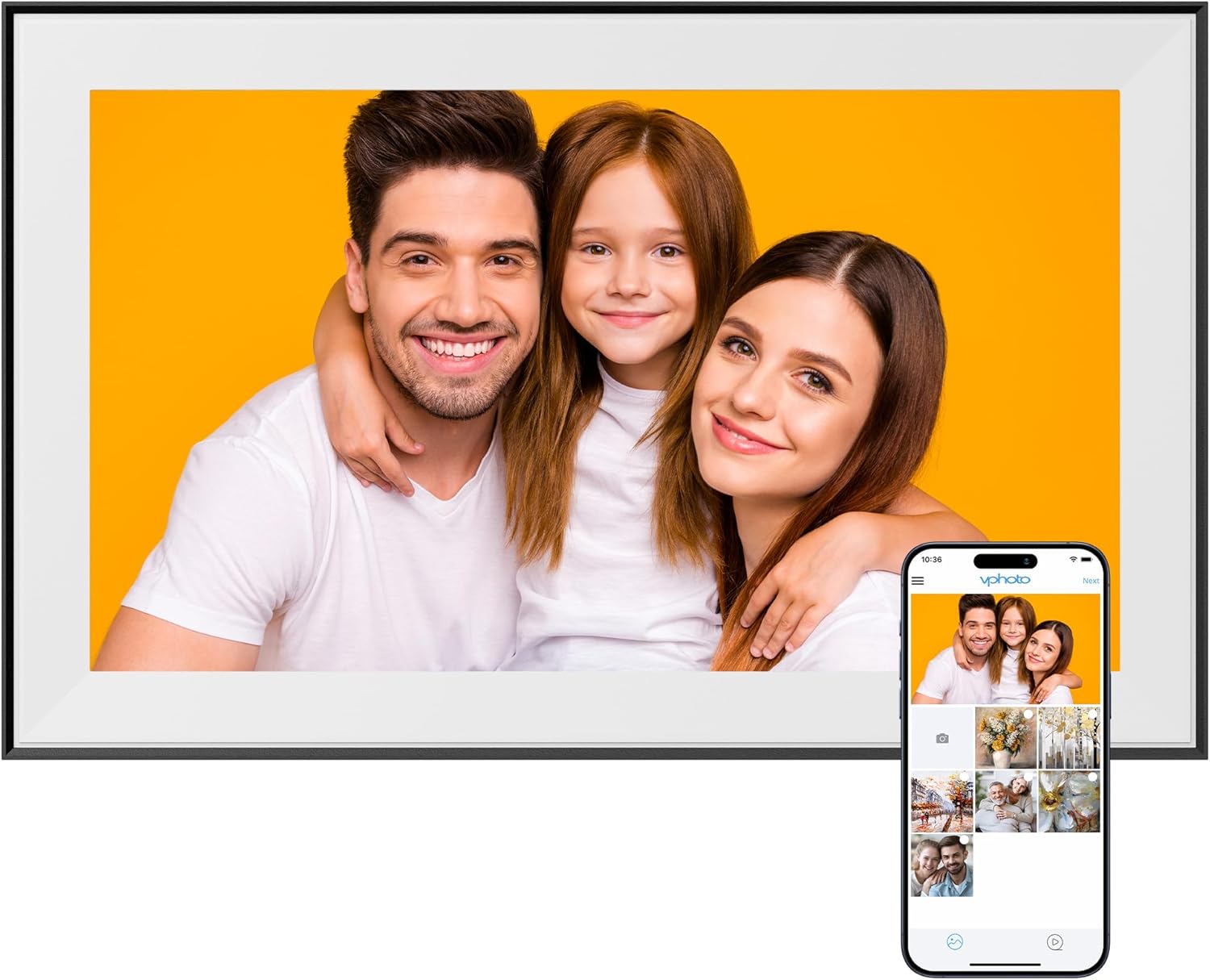
The Dragon Touch 15.6 Inch Large Digital Picture Frame provides a wonderful way to display your favorite memories. It allows users to invite up to 20 friends or family members to share photos and videos, making it a thoughtful gift for college students, new parents, grandparents, and newlyweds.

Setting it up is straightforward, thanks to its intuitive touch screen interface, which makes it accessible to individuals of all ages. With WiFi connectivity, you can instantly send photos and videos using the VPhoto app or via email (compatible only with 2.4 GHz WiFi).

The 15.6-inch full HD display with a 1920×1080 resolution showcases your images beautifully. You can interact with your pictures easily and even enjoy music or check the weather through its bonus features. This digital frame combines functionality and style, making it an appealing addition to any home or office decor. $90

WATERH Boost Bottle

The WaterH Boost Bottle is designed to transform your hydration experience. With a generous 32 oz capacity, it automatically tracks your water intake and sends intuitive reminders to keep you on top of your hydration goals. This bottle features a sleek touch screen with an LED display that lights up for those essential hydration notifications, ensuring you never forget to take a sip.

Its triple-walled stainless steel construction keeps beverages cold for 24 hours or hot for your morning coffee, making it perfect for both workouts and daily commutes. The integrated push notifications and 360° LED light serve as gentle cues to remind you of your self-care.

Ideal for those looking to stay hydrated without the hassle, the WaterH Boost Bottle combines technology with practicality. Whether you’re at the gym, in the office, or out for a hike, this bottle brings style and function to your hydration routine. $50

Android 16 Set for Early 2025 Launch, Paving Way for Spring Release

0

For years, Google has kept to a consistent rhythm, releasing new Android versions each fall after extensive beta testing. Now, Android users and developers can expect a shift in tempo. Google is moving up its next major Android update, Android 16, to Q2 of 2025, marking a departure from its typical fall launch cycle. This adjustment, confirmed by Google, aims to better align with device launch schedules, bringing the latest Android updates to users and manufacturers sooner than usual.

In addition to the new timeline, Android 16 has been given a codename dessert fans may recognize—”Baklava.” Alongside this release, Google is introducing some notable improvements, particularly in its Play Store. Now, users will be able to customize recommendations for apps in a similar way they already do for games, refining what they see based on shared preferences.

via Android Developers

Google is also focusing on its developer tools, enhancing Android Studio with more AI-driven features via its Gemini AI. These tools will allow developers to streamline code writing, refactoring, and documentation, adding to a smoother app development process. Developers will also benefit from an adjusted release cadence, with a minor SDK release in Q4 aimed at introducing new features without overhauling system architecture.

A new release schedule could reduce lag times for third-party Android devices, a longstanding challenge in the Android ecosystem. This delay has often left devices other than Google’s Pixel phones waiting for the latest features long after they’ve been available. With Android 16 arriving in spring, manufacturers may be able to roll out new devices with current Android features built-in, reducing the need for follow-up updates.

This shift in Google’s Android timeline not only benefits manufacturers but also promises a more cohesive experience for users across the Android ecosystem. With compatibility testing moving forward and a potential influx of devices that support the latest Android features from day one, this schedule change is expected to make Android’s ecosystem more adaptable and streamlined.

MEATER Introduces Pro Duo: Dual-Device Smart Meat Thermometers

0

MEATER today unveiled the MEATER Pro Duo, an advanced smart meat thermometer engineered for precision and convenience. Immediately available for purchase on MEATER.com, the Pro Duo allows users to monitor two dishes simultaneously, making it an ideal tool for both everyday cooking and special occasions.

Building on the success of the MEATER Pro, the Pro Duo maintains the high-temperature limits and durable stainless steel design that users have come to expect. The standout feature of the Pro Duo is its ability to connect unlimited WiFi and cloud range, coupled with an additional probe. This enhancement enables cooks to perfectly prepare two separate dishes at the same time, whether it’s a steak for two or two different portions for one.

Priced at $199.95, the MEATER Pro Duo offers several key features:

  • Unlimited WiFi & Cloud Range: Seamlessly monitor your cooking from anywhere.
  • Stainless Steel Design: Durable and sleek, suitable for any kitchen setup.
  • Waterproof Capabilities: Ensures longevity and ease of cleaning.
  • USB-C Charging: Fast and convenient power options.
  • Advanced Temperature Precision: Guarantees accurate cooking results.
  • Smart Temp™ Multi Sensors Technology: Provides comprehensive temperature data for optimal cooking.

Perfect for the holiday season and gift-giving, the MEATER Pro Duo combines functionality with modern design, making it a thoughtful present for both novice cooks and seasoned chefs.

WiiM Pro Audio Streamer Review

I have to admit, I’d never hear of WiiM Audio until about a month ago. Then, I began searching for stereo options that support both Chromecast and AirPlay2. My house is often divided, with me being the lone Android user in our home. I wanted a solution for all to stream music to our kitchen. Not surprisingly, this proved difficult. That is, until I found WiiM Audio and the fantastic Pro streamer.

Design

Basically, the WiiM Pro is a Chromecast and AirPlay receiver wrapped in a small box, roughly the same size as a Roku. The streamer doesn’t have internal speakers, however, and relies on external outputs. This can be done via the array of ports on the rear of the unit. This includes composite, optical, and coaxial audio options. The back of the WiiM Pro is rounded out with power and network connectivity. Power is supplied via USB-C input. An RJ45 Ethernet jack serves as the hardwired network option, while Wi-Fi is also included internally. This allows the WiiM Pro fully powered and connected for any audio task you can throw at it.

You also have a few controls on the front of the unit. This capacitive strip allows for volume controls and play/pause if you keep it within reach. I’ve personally buried mine under a cabinet in my kitchen, but I could see some keeping these controls at the ready. Either way, it’s nice to have the ability to manipulate audio controls without software if needed.

Setup and streaming

Getting the WiiM Pro up and running in your home is a breeze thanks to the fantastic companion app. The initial wizard walks you through the process step-by-step. This includes how to connect your existing speaker system to the WiiM receiver, how to connect your network, and finally the streaming protocols you’d like to use.

These protocols are some of the most robust support I’ve ever seen in a single device. Chromecast, AirPlay2, Spotify Connect, and Tidal Connect all support casting from the first party applications to the WiiM. This makes the WiiM Pro one of the most complete streaming devices you’ll ever find on store shelves.

All this support doesn’t matter if it doesn’t work well, and I’m happy to report that WiiM nailed this. I’ve not had any issues with using the Pro audio streamer on iOS or Android. I can’t speak to all the music services, but I’ve been able to use Chromecast, AirPlay2, and Spotify connect as you’d expect. It just works with them as any first party option. You can even add the WiiM Pro to speaker groups on Google Home and Apple Home.

Final thoughts

WiiM kinda reminds me of Sonos and older options like Logitech’s Squeezebox stereos had a baby with the Chromecast Audio. Having the majority of streaming services, and direct wireless casting capabilities, create a compelling device that many users may be looking for with previous options being limited or discontinued. It has far exceeded my expectations of a Chromecast option that also does AirPlay2 for the iPhone users in my home.

Finally, the price is also reasonable at $150. While it’s on a bit of the higher end for something that can’t directly create the audio, I think if you want a bulletproof way to add support for pretty much any streaming music service to existing audio gear, the WiiM Pro is the best option I’ve seen. Hit the links below to snag your WiiM Pro audio streamer now.

Purchase the WiiM Pro from Amazon

Google Expands Smart Home Control for Android Users with Gemini App Integration

0

Google is rolling out a new feature today, allowing Android users participating in the Public Preview for Google Home to manage their smart home devices using natural language commands through the Google Home extension within the Gemini mobile app. This feature will become available over the coming weeks, offering a more streamlined approach to controlling compatible smart home accessories.

With the Gemini app, users can issue commands such as “Set the dining room for a romantic date night,” “Turn off the bedroom TV and lights,” “The sun is too bright in the living room” (to close window coverings), and “Help me clean up the kitchen” (to start the vacuum). Once fully deployed, responses will be delivered via the Gemini app instead of Google Assistant, providing a cohesive user experience.

In addition to the new extension, Google has enhanced smart home controls on Nest speakers and displays. These improvements include faster and simpler responses to voice commands and the introduction of new chimes that clearly indicate when devices are turned on or off or if an issue arises, enhancing overall usability.

The Google Home extension within the Gemini mobile app supports a wide range of smart home devices, including:

  • Lights & Power: Lights, outlets, and switches
  • Climate Control: Air conditioning units, thermostats, heaters, and fans
  • Window Coverings: Curtains, blinds, and shutters
  • Media Devices: TVs and speakers
  • Other Smart Devices: Washers, coffee makers, and vacuums

To take advantage of these features, users need an Android phone or tablet, the Gemini app installed, and access to the Public Preview program. Currently, the Google Home extension is not available on iPhone devices, the Gemini web app, or Google Messages. Additionally, Gemini Apps Activity must be enabled for extensions to function properly.

Key Considerations:

  • Language Support: The Google Home extension operates in English only.
  • Voice Settings: Both spoken and typed prompts are supported. Users should ensure “Hey Google” and Voice Match are properly configured on their Android devices.
  • Security and Safety: The extension is designed for convenience and should not be relied upon for safety- or security-critical functions. Certain security device actions, such as controlling gates, cameras, locks, doors, and garage doors, are not supported and require the use of the Google Home app.

Setting Up the Google Home Extension:

  1. Open the Gemini app on your Android device.
  2. Ensure you’re signed in with the same Google Account used for Google Home.
  3. Issue a command, such as “Turn on living room lights.”
  4. If prompted, follow the on-screen instructions to connect Gemini Apps to Google Home.
  5. Once connected, the extension will manage the same homes and devices as the Google Home app, including any new additions or shared devices.

Limitations:

  • The extension cannot perform certain security device actions that require a pin.
  • Streaming video feeds from cameras is not supported.
  • Executing Routines is currently limited, though some functionality is available through Google Assistant integration within the Gemini app.

Google emphasizes that Gemini Apps respect user privacy by accessing personal content only with explicit permission and handling data according to developers’ privacy policies. This integration represents Google’s ongoing efforts to simplify smart home management, providing Android users with more flexible and intuitive control over their connected environments through the Gemini mobile app.

For more information on joining the Public Preview and setting up the Google Home extension, users can visit Google’s official support pages.

Tips to Secure your Android phone for better privacy and safety

0

Android phones are at a greater risk of being attacked. There is at least one vulnerability in 87 per cent of Android phones while a text message would be enough to hack 95 per cent of them.

Whether you’re browsing the internet for your favorite recipe or trying to use an online service to order a pair of jeans, there are several places from where hackers could attack your smartphone. 

Two-Factor Authentication (2FA)

2FA, or two-factor authentication, adds an extra layer of security when using online services. Usually, when logging in to an online site or an app, you enter your username and password. However, with 2FA enabled, the website or app would ask you to also enter a one-time password sent to your phone via text message. 

You can make this process even more secure by using the Authenticator app which will display an OTP that changes every 60 seconds.

Download Apps Only from Trusted Sources

This tip may sound quite simple, but its significance cannot be stressed enough. Google’s Play Store has a system in place to make sure only safe and secure apps are listed on their marketplace. Moreover, you can find all the security-related information of every app on the Play Store before installing it.

In some countries, certain gaming or entertainment apps like online casinos may not be available on the Play Store. While you can play in online casinos from your mobile browser, an app makes things more convenient. As such, you can find the link to download the casino app directly from its official site. Do not search for the APK file on any other websites. Download the app only from the secure and trusted casino site.

Install Security Updates on your Phone

While the OS upgrade happens only when the new Android version is released, the security updates come in more frequently. Install these updates to ensure your Android is updated with the latest security software to patch any existing vulnerabilities.

Updating your apps regularly is another pro tip for securing your Android phone. To make this easier, you can simply turn on auto-update so that you don’t need to manually check for each app if the latest update is available.

VPN for Public Networks

Public Wi-Fi networks can be risky. Hackers use various methods, such as packet sniffing, man-in-the-middle attacks, and evil twin tactics, to exploit these networks.

We suggest using a VPN on public networks for sensitive activities. It would be even better if you could avoid activities like online banking, online shopping, and logging into sensitive accounts while using public Wi-Fi networks.

Protect Your Lock Screen

Without a security code or pattern that protects your lock screen, your Android phone could be at risk. It would take only a few moments for someone to download malware on your phone from the browser when you’re not around.

There are several sensitive apps on your phone that need to be secured with a passcode too. People who play in online casinos often prefer to install the casino app on their smartphones. That app has sensitive information like payment details along with a funded account.

As such, it is extremely important to secure your lock screen and every sensitive app on your Android phone.

Be Aware of Phishing Emails

Do not tap on links in emails you receive from unknown sources. Phishing attacks are often carried out via email. Someone who knows your interests could design an email to lure you into taking the bait.

For example, an email that promises you a $5000 no-deposit bonus plus 100 free spins on your favorite slot machine might just be another phishing attack disguised as a casino promotion.

Make sure to check the sender’s email address and verify with a simple Google search whether it is authentic and coming from the actual casino site.

Conclusion

The sharp rise in attacks on smartphones using adware or other unwanted apps in 2024 is alarming. Smartphone users need to be aware of the various methods that are used to hack their phones. Many simple yet effective security measures like those discussed in this article go a long way to protect your Android phone. Nevertheless, the best tip would be to stay updated with the latest news on Android security and attacks on smartphones.

EDITOR NOTE: This is a promoted post and should not be considered an editorial endorsement

Mint Mobile Introduces Mint Kids: Affordable Wireless Plans Designed for the Young Ones

0

Mint Mobile has launched Mint Kids, a new wireless plan tailored specifically for children. Priced at $15 per month, Mint Kids provides unlimited talk and text along with 5GB of data, offering the essential connectivity that parents seek for their youngsters without breaking the bank.

Powered by T-Mobile’s expansive 5G network, Mint Kids delivers reliable coverage, ensuring families stay connected effortlessly. Parents can keep an eye on their child’s data usage and receive all account communications, including alerts, making it easier to manage their child’s mobile activity without the usual hassle.

Flexibility is a standout feature of the Mint Kids plan. Without the commitment of long-term contracts, parents can adjust data limits or cancel the plan as their family’s needs change. This adaptability allows for easy management of mobile usage without the stress of binding agreements.

In addition to its core features, Mint Kids includes several benefits that Mint Mobile is known for. These include free access to the 5G network, free roaming in Canada, complimentary calls to Mexico and Canada, mobile hotspot capabilities, and Wi-Fi calling. The plan is available for purchase online and will be available at Target stores starting next month.

Mint Kids embodies Mint Mobile’s commitment to delivering practical and cost-effective solutions for families. By focusing on affordability and ease of use, Mint Mobile aims to make staying connected simple and stress-free for both parents and their children. After all, keeping the kiddos connected shouldn’t require a tech degree—or a magician’s touch!